What is a Password Compliance Report in Password Vault?
The Password Compliance Report provides a comprehensive view of how passwords across accounts align with the defined password policies in Securden Password Vault for Enterprises. It enables administrators identify non-compliant passwords, understand the nature of policy violations, and take corrective actions to strengthen password security.
Only accounts that are associated with a password policy are included in this report. Accounts that are not associated with any password policy are not included in this report.
How to Understand Overall Password Compliance?
To view password compliance across accounts:
- Navigate to Reports → Standard Reports → Password Compliance to open the Password Compliance report.
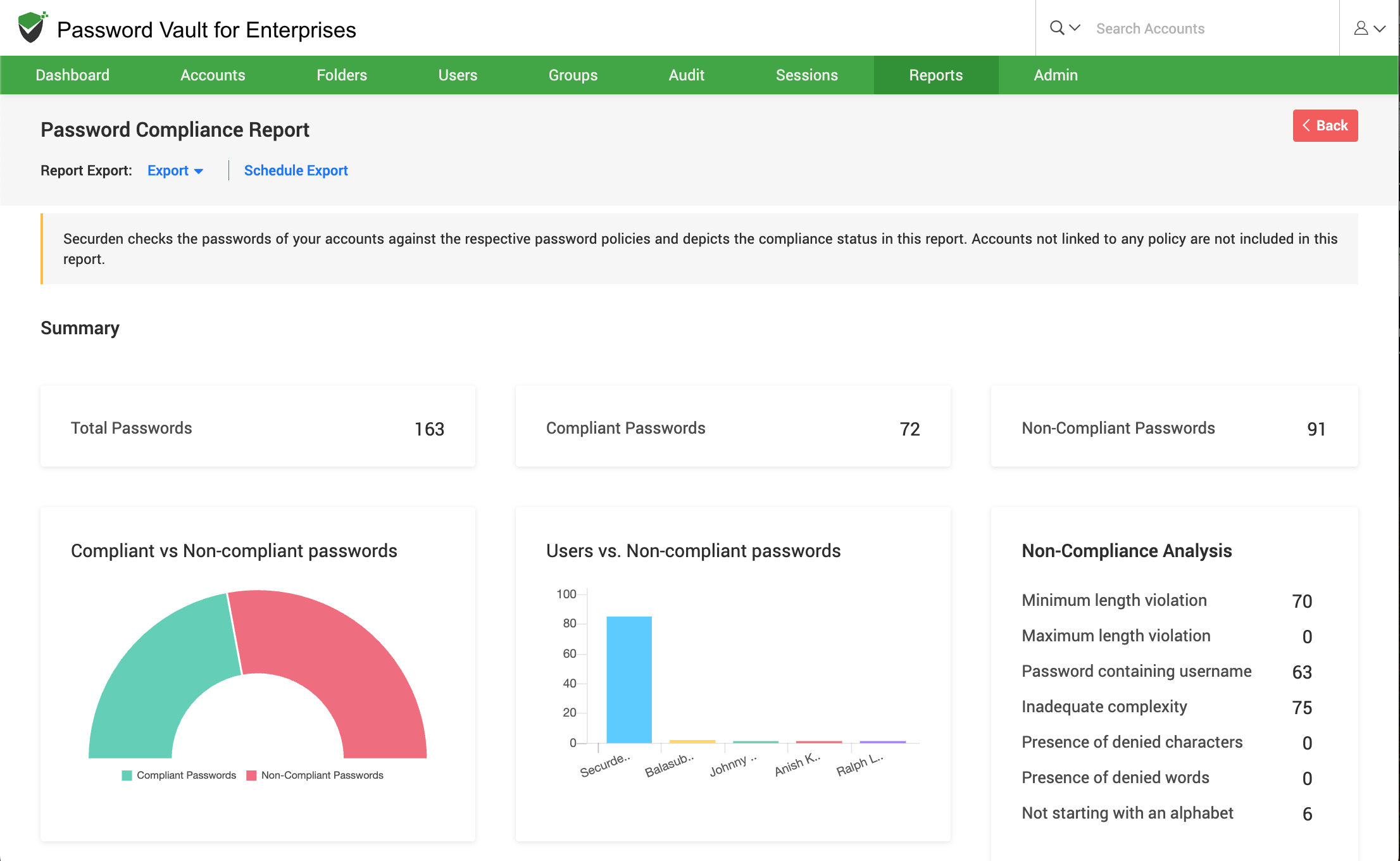
- At the top of the report, the summary section displays key metrics such as the total number of passwords, along with the count of compliant and non-compliant passwords.
- The compliance distribution chart provides a visual comparison of compliant versus non-compliant passwords present in Password Vault for Enterprises.
- The Users vs. Non-compliant Passwords chart identifies users associated with higher numbers of non-compliant passwords.
- In the Non-Compliance Analysis section, you can examine the breakdown of policy violations, such as:
- Minimum length violations
- Maximum length violations
- Passwords containing account name or login name
- Inadequate complexity
- Presence of denied characters
- Presence of denied words
- Passwords not starting with an alphabet
- Presence of unallowed characters as specified by an exclusion file
- This section helps you understand not just how many passwords are non-compliant, but also why they are failing policy checks.
How to View Non-Compliant Accounts
To view accounts that violate password policies:
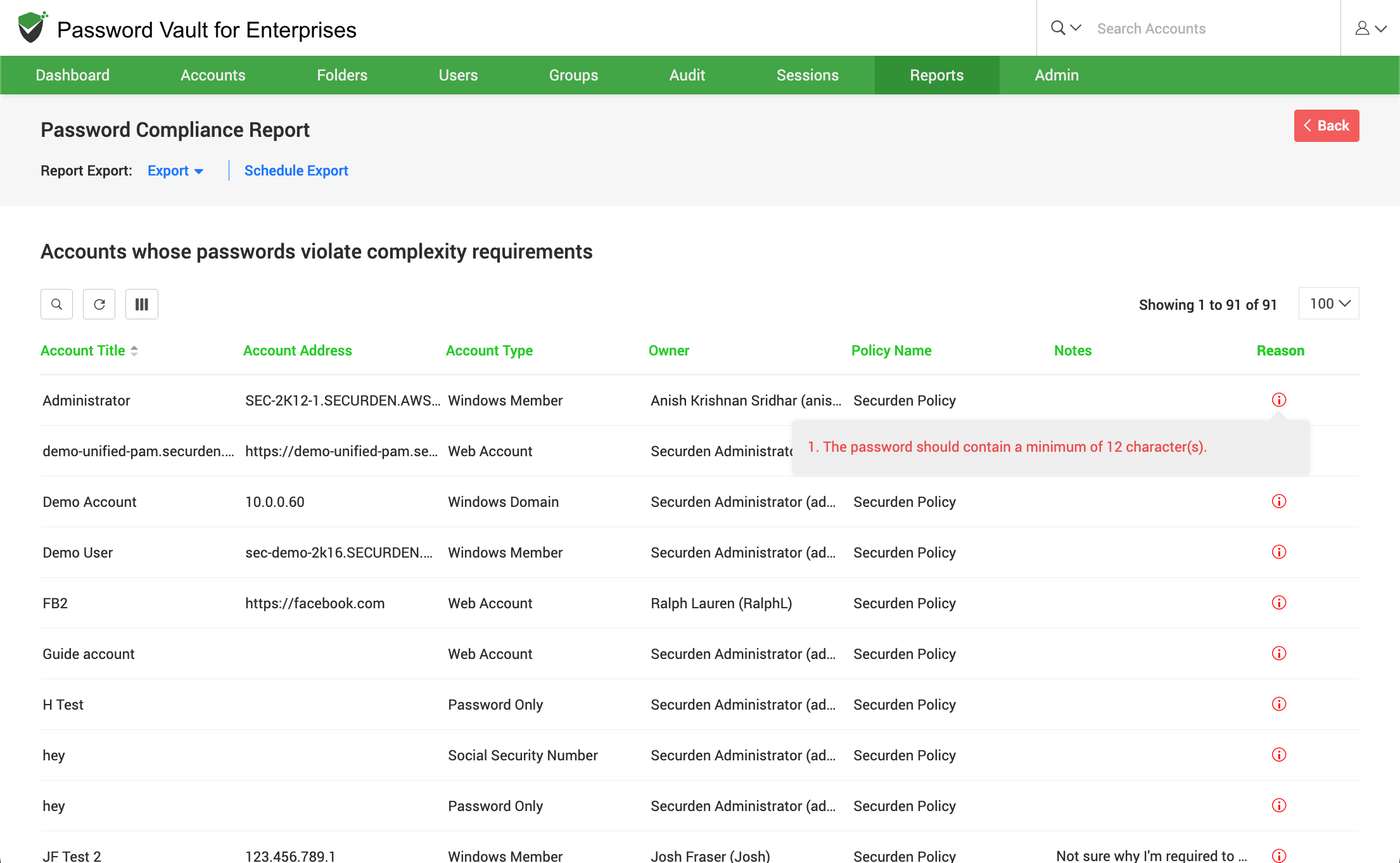
- Scroll down to the section titled Accounts whose passwords violate complexity requirements.
- In this section, all non-compliant accounts are listed in a tabular format with details such as account title, address, account type, owner, policy name, and associated notes.
- The Reason column lists the specific policy violation for each account.
- Click on the information icon in the Reason column to view additional details about the password policy violation.
This information helps administrators prioritize remediation and enforce stronger password policies across affected accounts.
How to Export and Schedule Password Compliance Reports?
To export or schedule the Password Compliance Report:
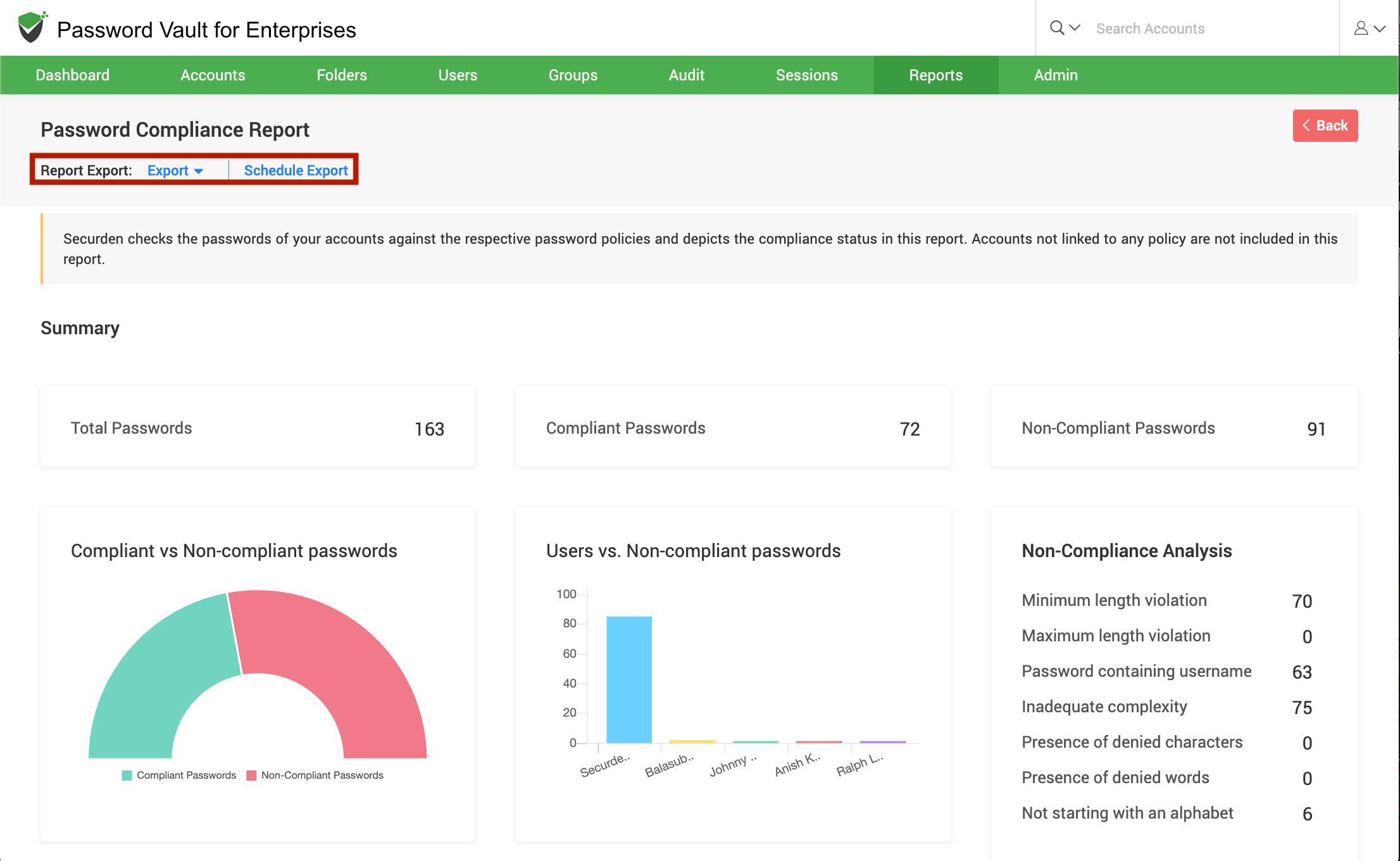
- Click on Export to download the report in a supported format such as CSV, PDF, XLSX etc.
- Click on Schedule Export to configure automated report generation at defined intervals.
- Use Download as or Preview option (if available) to retrieve previously generated reports.
FAQs
What is a Password Compliance Report in Password Vault?
A Password Compliance Report helps administrators identify passwords that do not meet defined security policies, providing visibility into compliance status and policy violations across accounts.
How can I find non-compliant passwords in Password Vault?
Navigate to Reports → Standard Reports → Password Compliance to view non-compliant passwords, analyze violations, and identify accounts that require immediate remediation.
What types of password policy violations can be detected?
The report detects violations such as weak complexity, insufficient length, reuse of usernames, denied characters or words, and other policy enforcement failures.