





Secure Remote Assist is a remote access and IT support tool that allows helpdesk technicians to launch attended, unattended, and on-demand browser-based remote sessions to endpoints, servers, kiosks and network devices.
Based on zero-trust and least privilege security models, Remote Assist allows VPN-free secure remote access to IT resources for remote workers, IT technicians, vendors, contractors, and outsourced support teams.
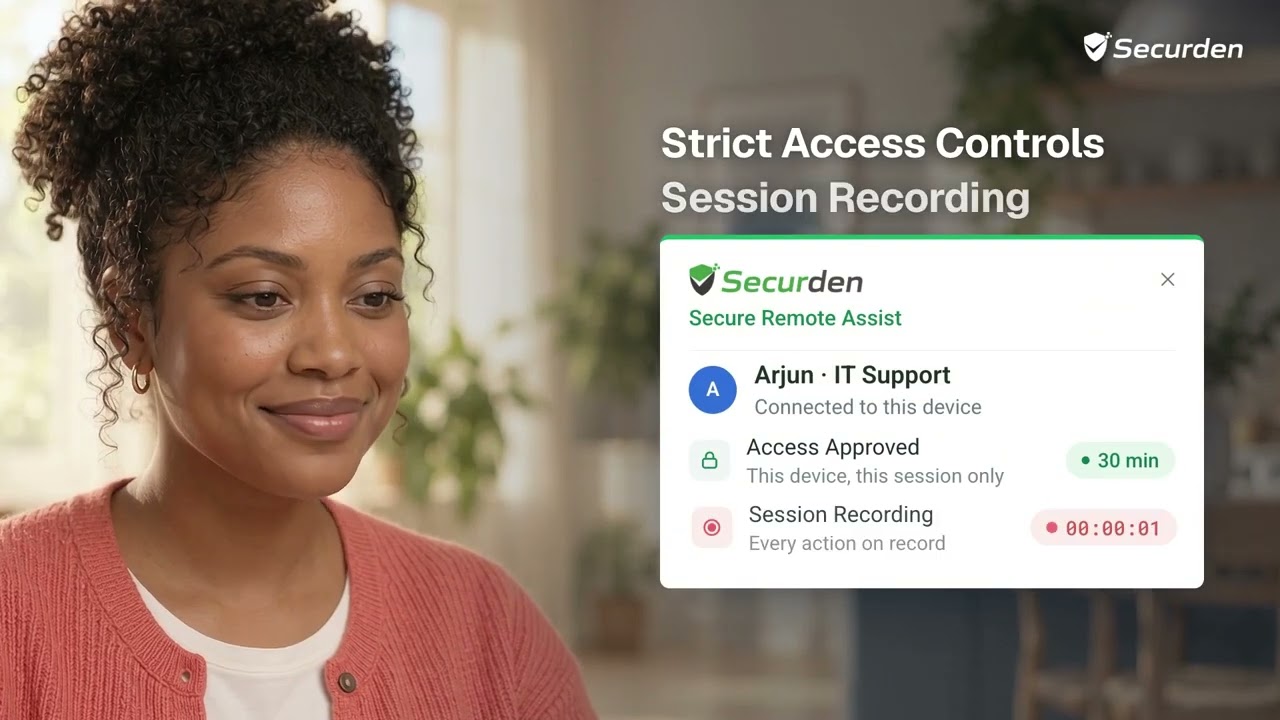
A comprehensive tool that provides the tools your helpdesk technicians need to provide extraordinary remote support.
Technicians can launch instant browser-based sessions on remote devices. No agents required on remote devices or the technician’s machine.
Access, diagnose, and fix devices by taking control over endpoints, servers, kiosks, and network devices through agentless and agent-based sessions.
When encountering complex problems that are hard to identify and solve, specialists and senior technicians can seamlessly jump into the same session.
Technicians can transfer files, scripts, patches, and product upgrade files to endpoints within the remote session and download logs and other debug data from the remote device.
All remote sessions launched by technicians get recorded for auditing and forensic purposes. Recordings are encrypted and stored securely in the database.
Built on top of a privileged access management platform, remote assist allows IT helpdesk teams, remote workforce, and vendors to launch remote sessions while adhering to least privilege standards.
Provide instant support to remote workforce and deploy updates, security patches to servers and critical IT systems through attended and unattended sessions. Grant VPN free secure remote access to internal IT assets.
Instant sessions to user machines to troubleshoot issues, update software, deploy patches, and execute scripts remotely.
Perform secure, monitored remote support on servers, PAWs, and critical systems. Maintain operational continuity while ensuring security.
Provide remote workers, vendors, and third parties the access to IT systems, servers, and endpoints without compromising access security.
Empower your IT team with secure, flexible remote support without compromising security or productivity.
Talk to our team to find the right plan for you.
Make your remote support team more efficient while ensuring strict access security and visibility into technician activity on remote sessions.
Strong authentication methods and just-in-time admin rights ensure technicians can only access authorized machines with minimum permissions.
All remote sessions are secured through strong encryption methods to prevent data interception and leaks.
Strict policy based remote access helps control remote access to servers, and critical IT systems.
Provide instant troubleshooting and deploy security patches even during non-business hours through attended and unattended sessions.
Browser-based instant remote sessions allow technicians to jump into sessions without any software pre-requisites.
Specialists and senior technicians can jump on ongoing remote sessions instantly to fix complex issues.
All remote support sessions are tracked with details including technician usernames, device identifiers, and session duration.
Remote support sessions are recorded for every technician and the user on the remote machine.
Technician activities on the remote session can be tracked, providing visibility into application access.
Securden is consistently recognized as an innovator and leader in identity and access security.
Engineered with a security-first architecture, the platform is continuously monitored, independently audited, and aligned with globally recognized compliance standards.
Explore Security


Users can request IT support through official channels such as Teams, Slack, or email. Technicians can initiate remote sessions through the Securden web interface (agentless) or the installed agent. The Securden server validates prerequisites and establishes secure tunnels between the technician, remote client, and Tunnel Server. Multiple technicians can collaborate in a session, while a technician can support multiple clients simultaneously through separate secure tunnels. Learn more...
No, Securden Secure Remote assist doesn’t require any external, proprietary software installed on any device. The Securden Agent will take care of establishing remote connections and enforcing access controls effectively.
When IT support technicians launch remote connections to target devices, the technician is logged into the remote device with standard user rights. You also have the ability to control which apps the technicians can use on remote devices. With this multi-pronged approach, Securden Secure Remote Assist ensures that the principle of least privilege is followed.
Traditional remote desktop software uses generic remote connection protocols like RDP, SSH, and VNC. These protocols often create security gaps in the IT infrastructure as device trust is involved. Securden Secure Remote Assist ensures that the connections are made as secure as possible while providing a convenient way for IT support technicians to troubleshoot and lend assistance remotely.
Traditional screen sharing solutions often grant “all or nothing” access when a remote connection is made. There is no structured access control or visibility over what was done in the remote session. Secure Remote Assist provides a simple yet powerful way for IT-support personnel to connect remotely and assist users with the issues.
When remote assistance is required, the user can raise a request using conventional methods like raising a ticket in the ITSM solution or contacting the administrator directly. The administrator can initiate a remote assistance session for all remote assist-enabled devices that are currently online using the Securden agent or from the web interface. A consent prompt may be displayed to remote users based on the configurations set. Once the consent is granted, the remote session is established.