
What is a User Activity Report in Password Vault?
The User Activity Report provides a comprehensive view of activities performed by users in Password Vault for Enterprises. It enables administrators to track login behavior, monitor account access patterns, and analyze user actions across the system.
In addition to activity logs, this report also provides insights into user access, account usage, group memberships, and folder-level sharing, making it a complete reference for user-level auditing and behavior analysis.
How to View User Activity Overview
To view user activity across the organization:
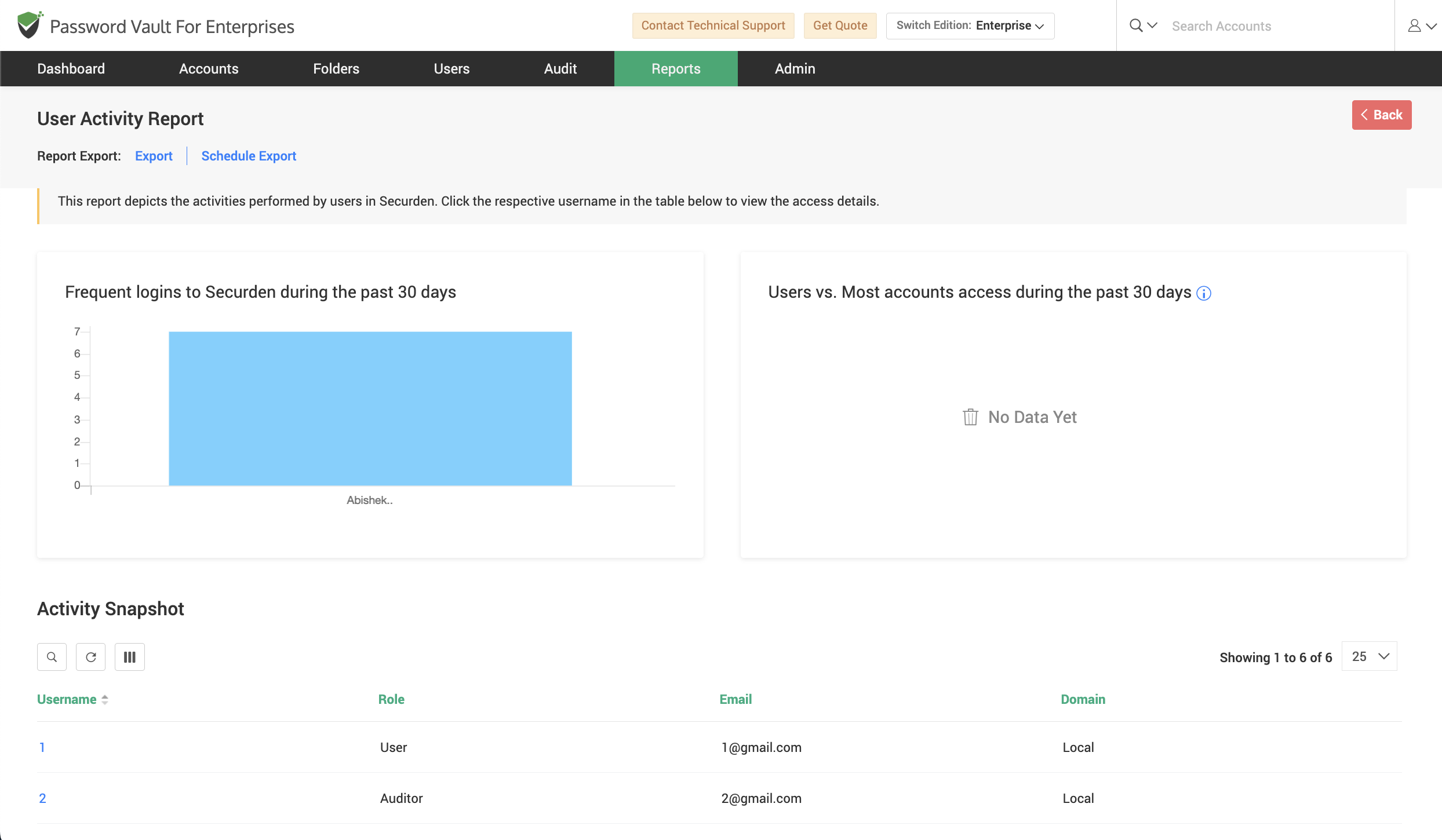
- Navigate to Reports → Standard Reports → User Activity to open the User Activity report.
- At the top of the report, the Frequent logins to Securden during the past 30 days chart highlights how often users have logged in over a defined time period.
- The Users vs. Most accounts accessed during the past 30 days chart identifies users who access the highest number of accounts.
- Scroll down to the Activity Snapshot section, where all users are listed in a tabular format along with details such as username, login name, role, email, and domain.
- Use this table to browse or search for specific users and click on the username to view detailed activity and access information for that user.
How to View Detailed Activity for a User
To analyze detailed activity for a specific user:
- From the Activity Snapshot, click on the required username to open the detailed user activity view.
- In the page that opens, the Account Usage Statistics section provides insights into how frequently the user has accessed accounts over time.
- Observe the Most Accessed Accounts section to identify accounts that are frequently accessed by the user.
How to Review User Activity Logs
To review detailed activities performed by the particular user:
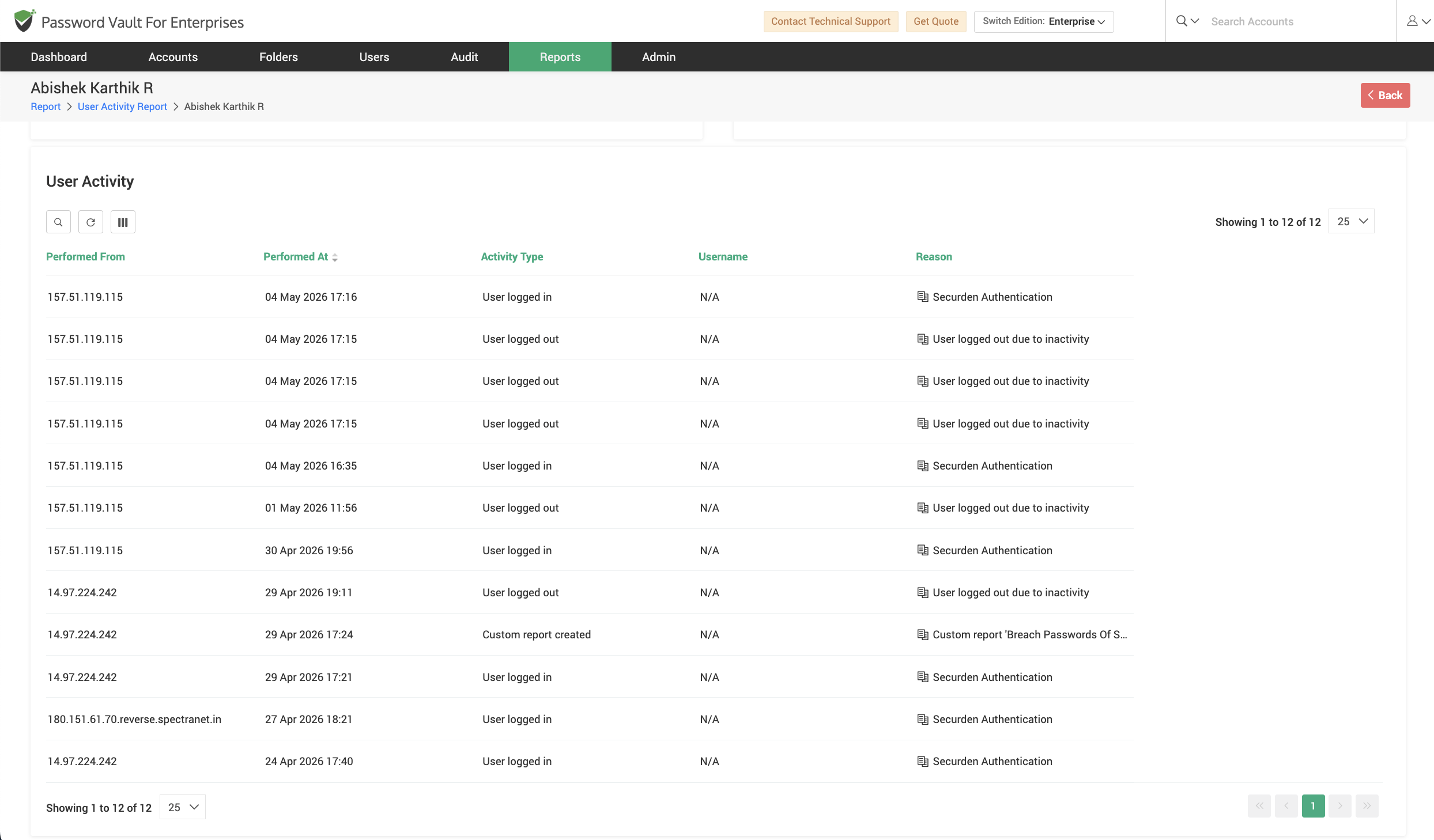
- Scroll down to the User Activity section, where all activities performed by the user are listed in a tabular format.
- Each entry includes details such as:
- Performed From (source system or IP)
- Performed At (timestamp)
- Activity Type (for example, login, logout, or other actions)
- Username
- Reason (additional context, if available)
- Use this section to understand user behavior, track login activity, and establish accountability.
How to Review Account-Level Activity by the User
To analyze actions performed by the particular user on accounts:
- Navigate to the Account Activity section.
- This section lists activities performed by the user on specific accounts, including details such as account title, account address, activity type, source, timestamp, and reason.
- Use this section to differentiate between general user actions and account-specific operations.
How to View User Group Memberships
To identify the groups associated with the user:
- Scroll down to the Groups this user is a part of section.
- This section displays all user groups the user belongs to, along with details such as group name, description, and domain.
- Use this information to understand inherited access and group-based permissions.
How to View Folder Sharing Details
To analyze folder-level access assigned to the user:
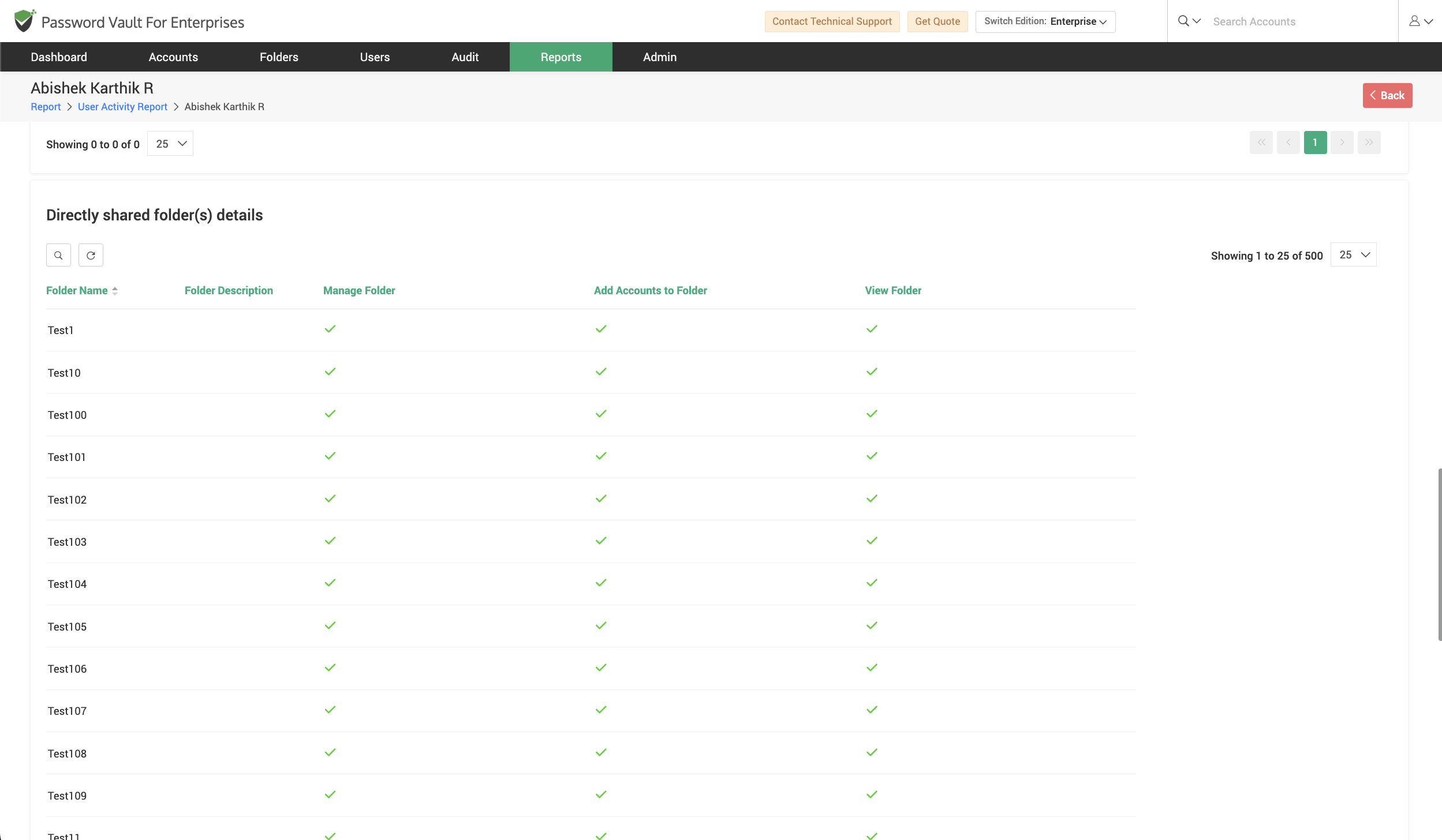
- Navigate to the Directly shared folder(s) details section to view folders that are explicitly shared with the user.
- Review details such as folder name, description, and permissions (for example, manage folder, add accounts, view folder).
- Scroll further to the Group shared folder(s) details section to view folders shared with the user through group memberships.
- Use these sections to understand how access is granted at the folder level, both directly and indirectly.
How to Export and Schedule User Activity Report
To export or schedule the User Activity Report:
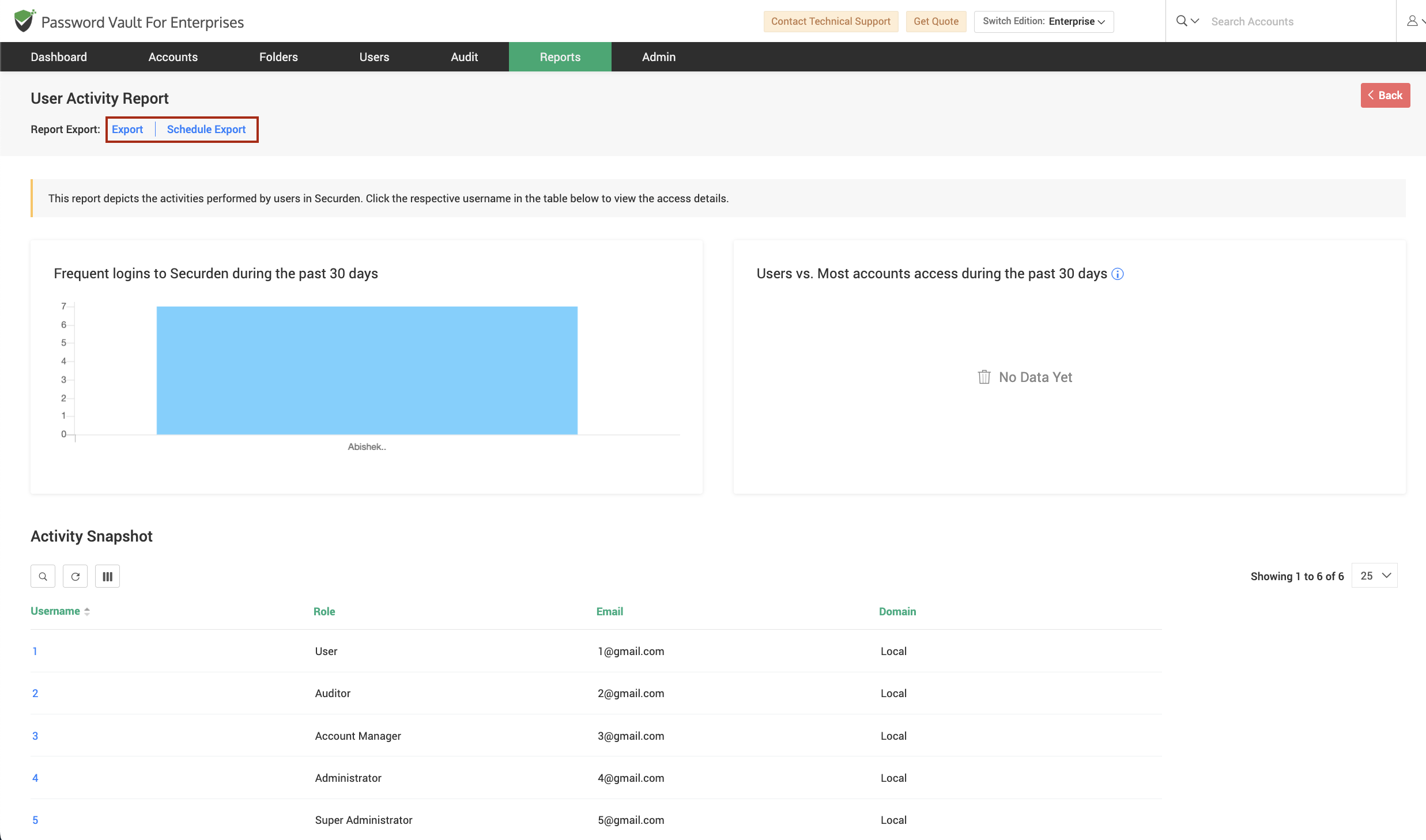
- Click on Export to download the report in a supported format such as CSV, PDF, or XLSX.
- Click on Schedule Export to configure automated report generation at defined intervals.
- Use the Download As if available to retrieve previously generated reports for reference.
FAQs
What does the User Activity Report show in Password Vault?
The User Activity Report provides a detailed view of all actions performed by users, including login activity, account access, and system interactions. It helps administrators track user behavior, monitor usage patterns, and maintain audit trails for security and compliance.
How can I track login activity of users in Securden Password Vault?
You can track login activity using the User Activity Report, where the login trends chart shows how frequently users log in over a selected time period. Additionally, detailed logs in the User Activity section provide timestamps, IP addresses, and login/logout events.
Can I monitor what actions a user performs on accounts?
Yes, the report includes a dedicated Account Activity section that lists all actions performed by users on accounts. This includes details such as activity type, source system, timestamp, and reason, helping you differentiate between general user activity and account-specific actions.