
What is a Password Security Analysis Report in Password Vault?
The Password Security Analysis report provides a comprehensive evaluation of password strength and security posture across both work and personal accounts stored in Password Vault for Enterprises. It analyzes passwords using multiple parameters and classifies them into categories such as Weak, Vulnerable, Fair, and Strong, enabling administrators to identify risks and take corrective actions.
In addition to strength classification, this analysis highlights issues such as breached passwords, reused passwords, dictionary-based passwords, passwords containing usernames, and other security weaknesses, offering a complete view of password hygiene within the organization.
How to Access the Password Security Analysis Report
To access the Password Security Analysis report:
- Navigate to Reports → Password Security Analysis.
- You will find two options:
- Work Accounts Analysis – evaluates passwords associated with enterprise / shared accounts
- Personal Accounts Analysis – evaluates passwords stored under personal accounts
- Click on the required analysis type to view detailed insights.
How to Interpret Work Accounts Analysis
The Work Accounts Analysis report provides a detailed breakdown of password strength and security risks associated with enterprise accounts.
How to Interpret Password Strength Overview
To analyze overall password strength:
- Choose the folder for which you want to evaluate password strength and security.
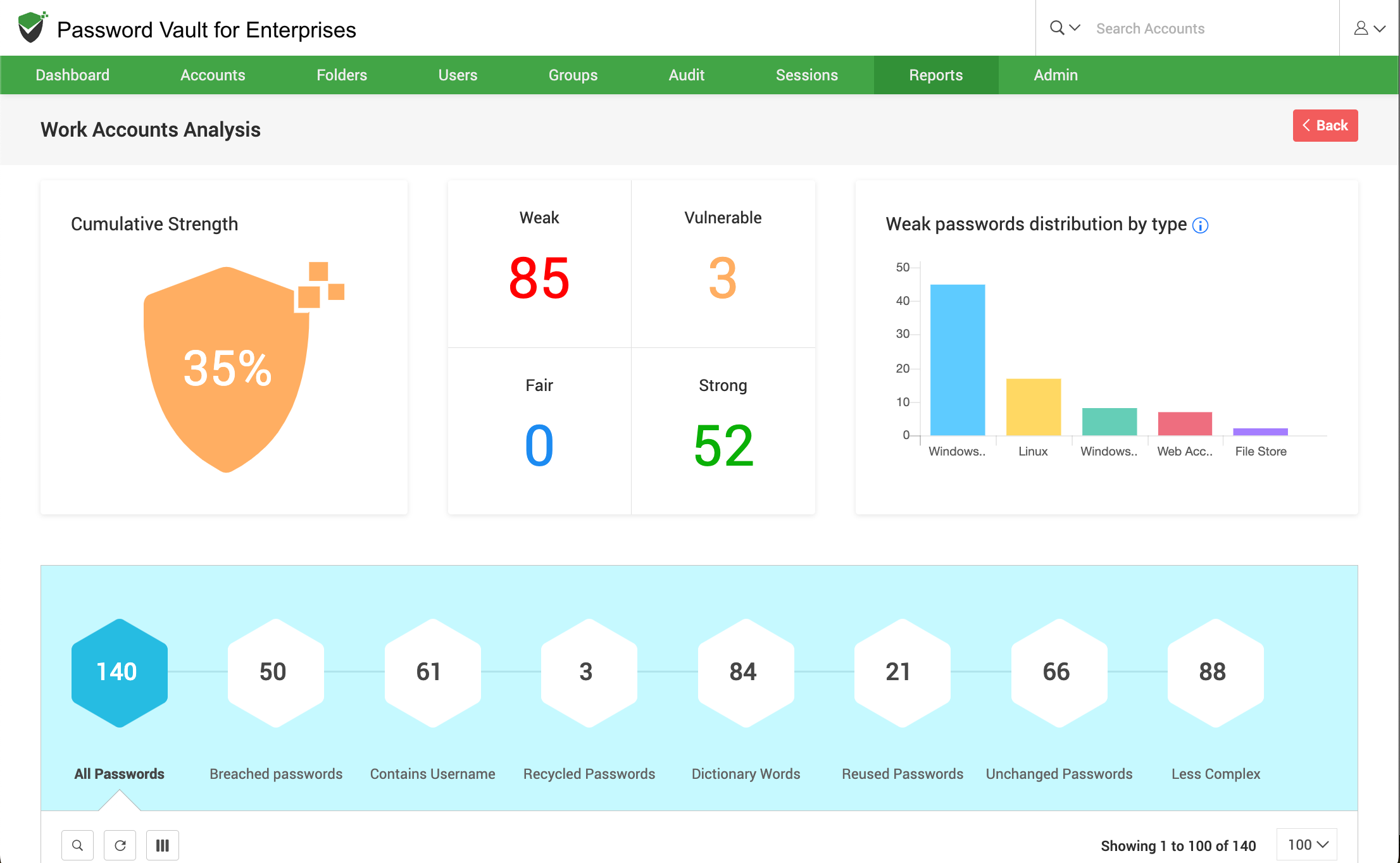
- At the top of the report, the Cumulative Strength indicator provides an aggregated strength score across all analyzed passwords.
- Observe the classification summary, where passwords are grouped into:
- Weak
- Vulnerable
- Fair
- Strong
- Click on Review Passwords under each category to view the corresponding accounts.
How to Analyze Weak Password Distribution
To understand the nature of weak passwords:
- Review the Weak passwords distribution by type chart, which categorizes weak passwords based on account types.
- Use this visualization to identify patterns and concentration of weak passwords across different account types.
How to Identify Password Security Risks
Scroll down to the detailed metrics section to identify specific security issues in the set of analyzed passwords:
- All Passwords – Total number of passwords analyzed
- Breached Passwords – Passwords found in known breach datasets
- Contains Username – Passwords that include the account username
- Recycled Passwords – Passwords reused across multiple accounts
- Dictionary Words – Passwords based on common dictionary terms
- Reused Passwords – Passwords reused across accounts
- Unchanged Passwords – Passwords not updated over time
- Less Complex – Passwords that do not meet complexity requirements
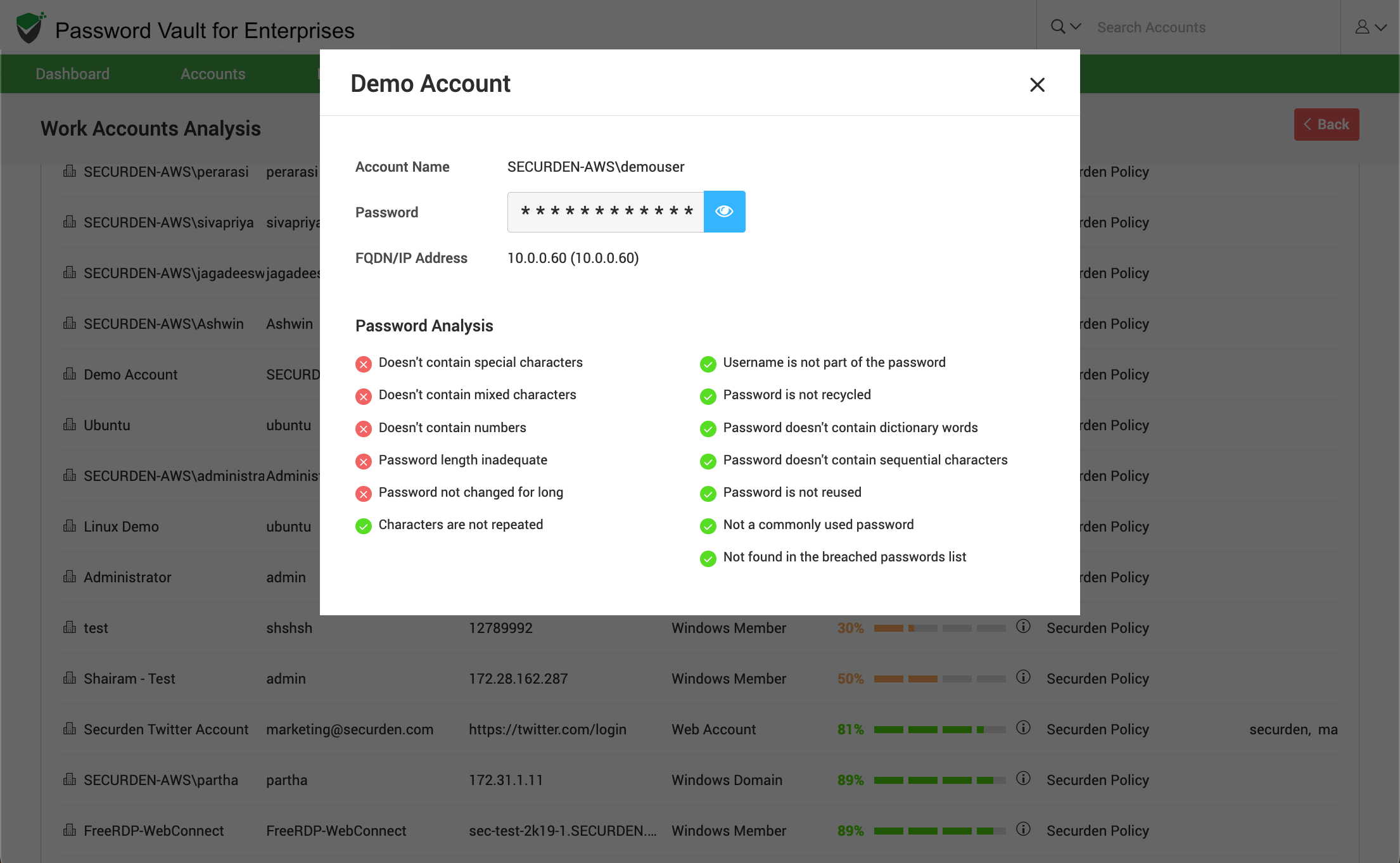
These indicators help pinpoint the exact nature of vulnerabilities within your password environment.
How to View Affected Accounts
To view detailed account-level information for the identified passwords:
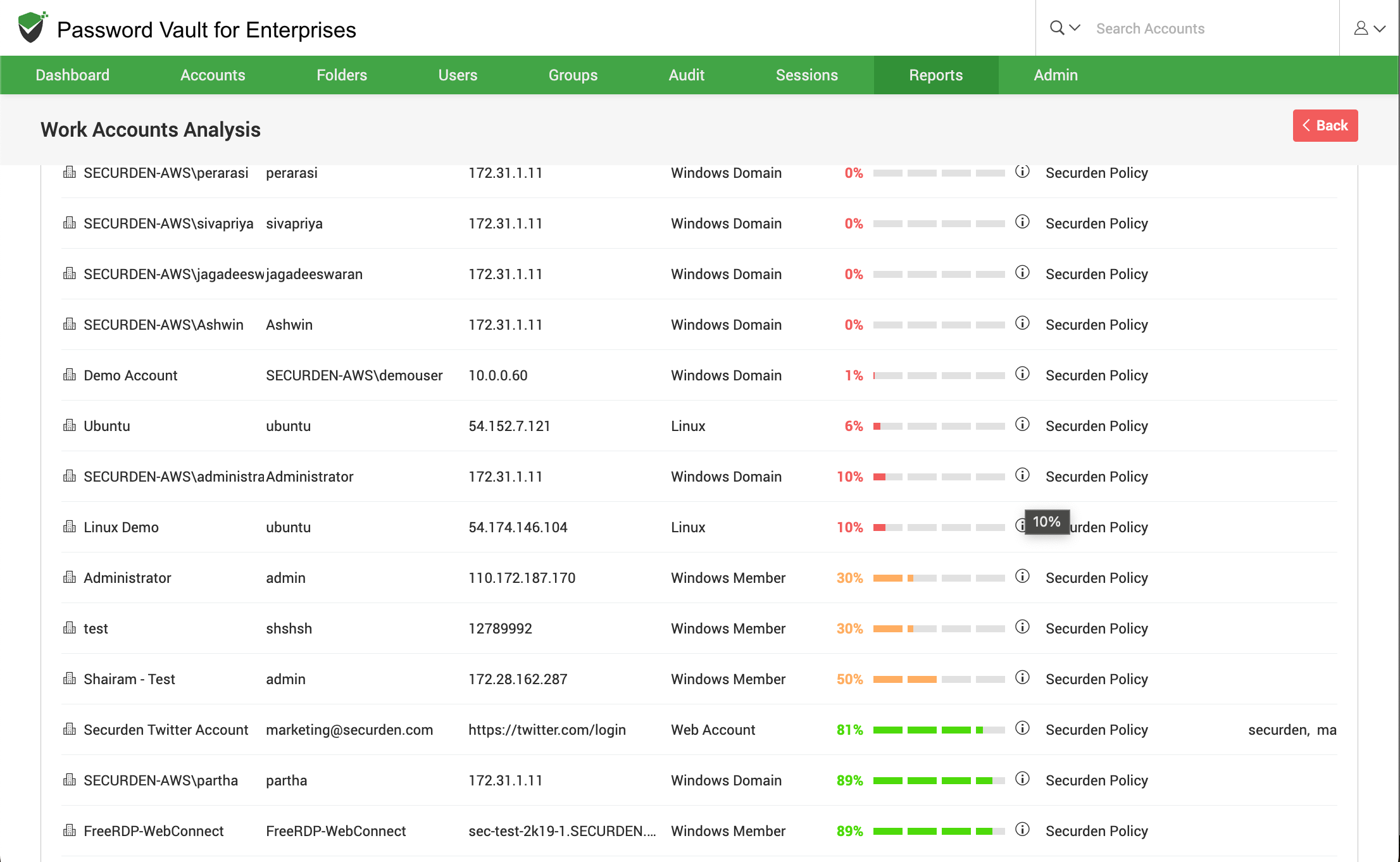
- Scroll down to the table section where accounts are listed along with:
- Account Title
- Account Name
- URL/IP Address
- Account Type
- Score (password strength score)
- Policy Name
- Tags
- Folder Path
- Use this table to identify specific accounts that require remediation.
How to Interpret Personal Accounts Analysis
The Personal Accounts Analysis report follows a similar structure but focuses on passwords stored under personal accounts.
How to Interpret Personal Password Insights
To analyze personal account passwords:
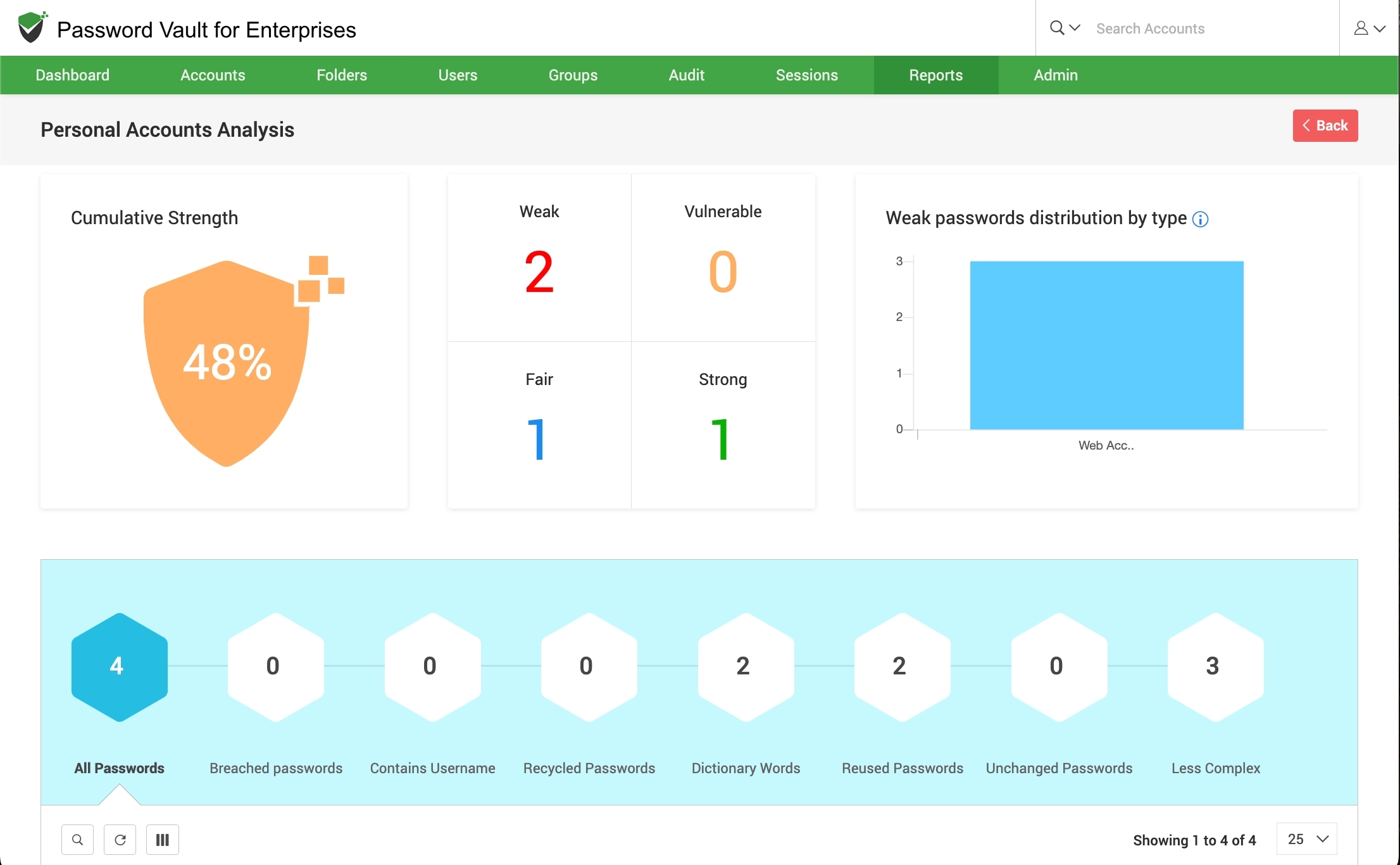
- The Cumulative Strength score helps you understand the overall strength of personal passwords.
- Passwords are classified into Weak, Vulnerable, Fair, and Strong categories.
- Use the Weak passwords distribution by type chart to identify the account types across which your weak passwords are distributed.
How to Identify Risks in Personal Accounts
- Review the same security indicators as in work accounts, including breached passwords, reused passwords, dictionary-based passwords, passwords containing usernames, recycled passwords, unchanged passwords, less-complex passwords, and so on.
- Use these insights to enforce better password practices even for personal account storage.
How to View Personal Account Details
- Scroll down to the table to view detailed information about personal accounts associated with the identified passwords including Account Title
- Account Title
- Account Name
- URL/IP Address
- Account Type
- Password strength score
- Use this data to identify weak or vulnerable personal passwords.
FAQs
What does the Password Security Analysis report show in Password Vault?
The Password Security Analysis report provides a complete view of password strength and security posture across all stored accounts. It classifies passwords into categories such as weak, vulnerable, fair, and strong, while also identifying risks like breached passwords, reused credentials, dictionary-based passwords, and policy violations.
How can I identify weak or risky passwords in my organization?
You can identify weak or risky passwords by reviewing the strength classification, weak password distribution charts, and detailed risk indicators such as reused passwords, passwords containing usernames, and passwords found in breach databases. The report also provides account-level details to help you quickly locate and remediate affected accounts.
What is the difference between Work Accounts Analysis and Personal Accounts Analysis?
Work Accounts Analysis focuses on shared or enterprise accounts used across teams and systems, helping administrators enforce organizational password policies. Personal Accounts Analysis evaluates passwords stored under individual users, helping ensure that even personal credentials maintained within the vault follow strong security practices.
How does this report help improve password security?
The report highlights specific weaknesses in password usage and provides actionable insights into where risks exist. By identifying patterns such as password reuse, lack of complexity, or outdated passwords, administrators can enforce stronger policies, initiate password resets, and improve overall security posture.