
What is Account Activity Report in Password Vault?
The Account Activity Report provides a detailed view of all activities performed on accounts stored in Password Vault for Enterprises. It enables administrators to track how accounts are being used, identify the actions performed, and understand usage patterns over time.
This report helps answer critical audit questions such as what actions were performed on this account, by whom, and when making it essential for monitoring, investigation, and compliance.
What are Account Activity Insights?
To view and analyze activities across accounts stored in Securden Password Vault:
- Navigate to Reports → Standard Reports → Account Activity to open the Account Activity Report.
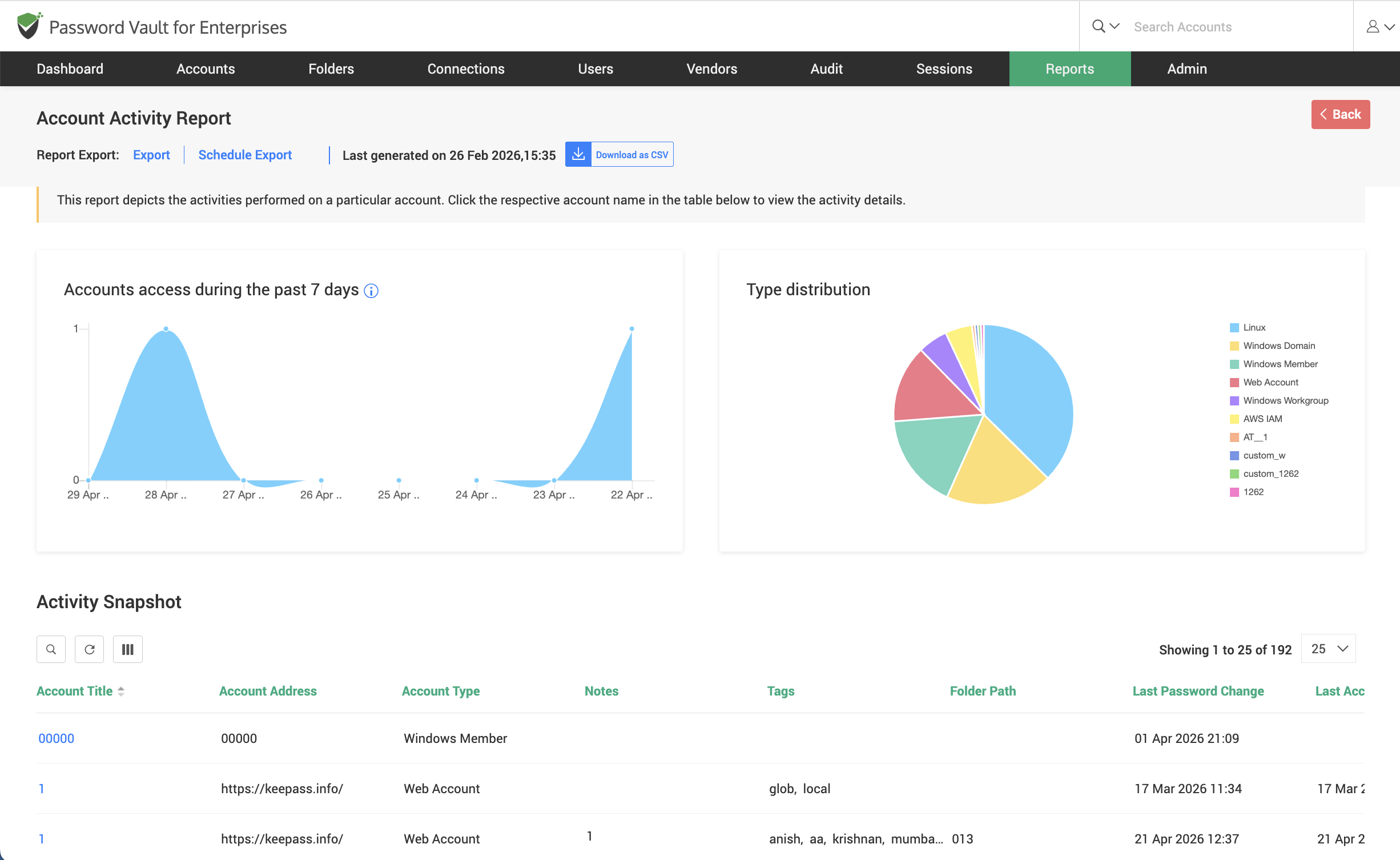
- At the top of the report, the activity trends graph displays account access patterns over a selected time period.
- Alongside this, the Type Distribution chart provides a breakdown of accounts based on their account type (for example, web accounts, domain accounts, etc.).
- Scroll down to the Activity Snapshot section, where all accounts are listed in a tabular format along with details such as account title, address, account type, folder path, last password change, and last accessed information.
- Browse or search within the table and click on the Account Name to view detailed activity for that specific account.
How to View Activity Details for a Specific Account?
To analyze in detail the activities performed on a specific account:
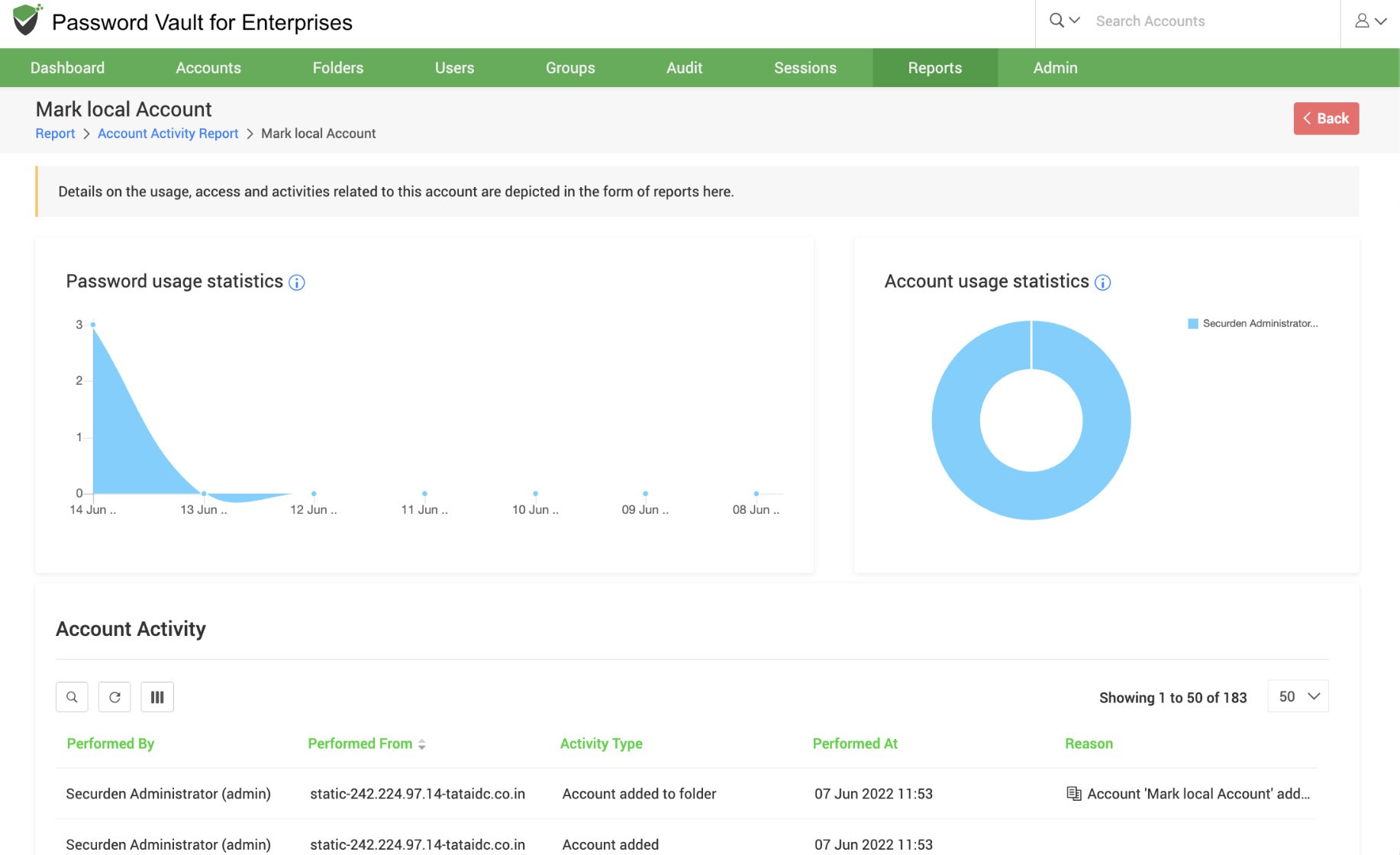
- From the Activity Snapshot, click on the required Account Name to open the detailed activity view.
- In the page that opens, the Password Usage Statistics graph shows how frequently the password has been accessed over time.
- Alongside this, the Account Usage Statistics pie chart provides insights into which users have accessed the account.
- Scroll further down to the Account Activity section, where all actions performed on the account are listed in a tabular format.
- Each activity entry includes details such as:
- Performed By: User who performed the action
- Performed From: IP address of the machine or system
- Activity Type: The type of activity performed. For example, password retrieved, account added, ownership transferred etc.
- Performed At: The time at which the activity was done.
- Reason: Any additional context, if available.
- This section clearly depicts the sequence of actions performed on the account and establishes clear accountability.
How to Export and Schedule Account Activity Reports
The Account Activity Report can be exported for audit and compliance purposes.
To export or schedule the Account Activity Report:
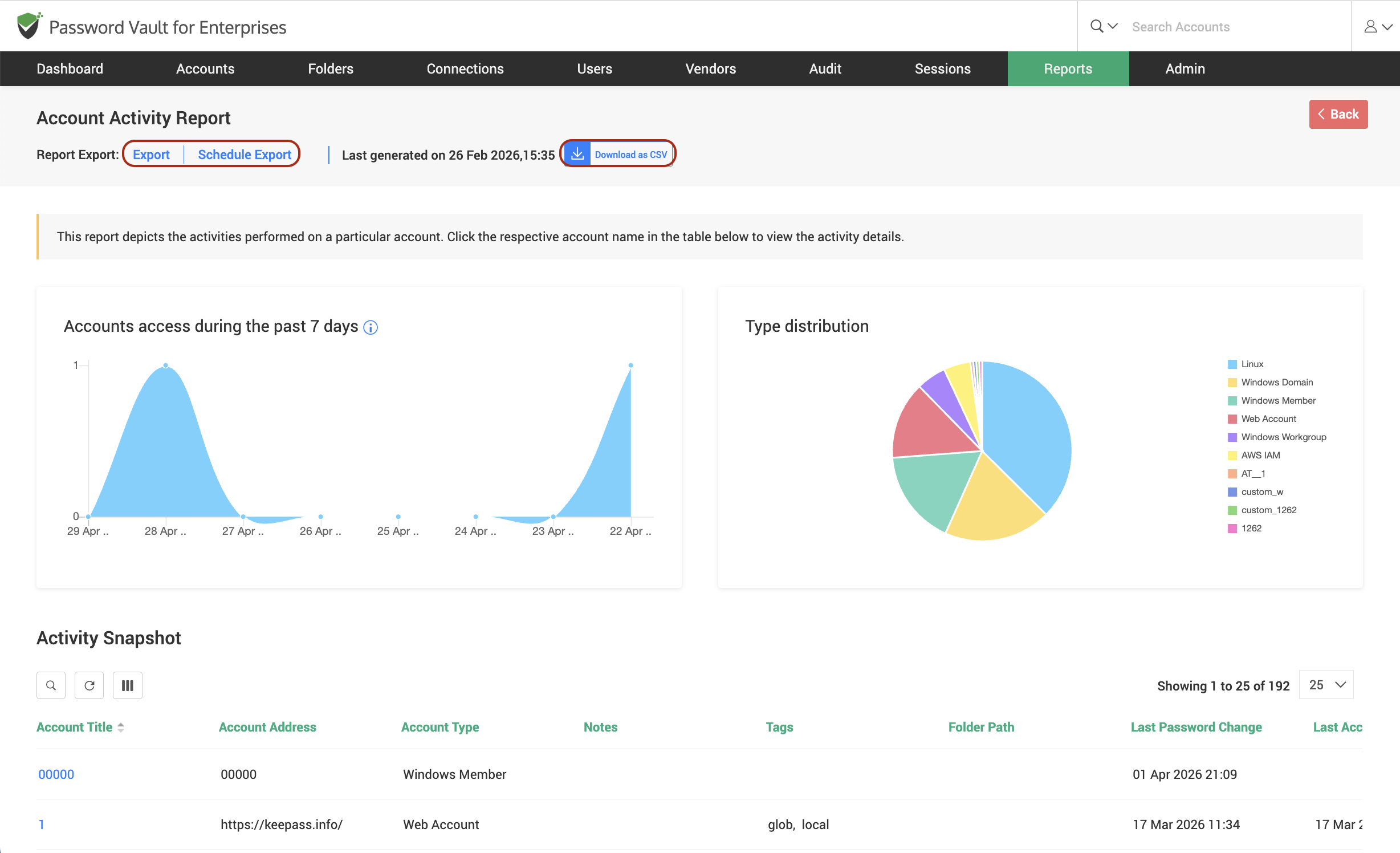
- Click on Export in the top pane to immediately download the report in a supported format such as CSV.
- To automate report generation, click on Schedule Export and configure the required parameters such as frequency, time, and recipients.
- Once scheduled, the report will be generated and delivered automatically based on the defined schedule.
- To download a previously generated report, click on Download as CSV available in the report view.
FAQs
What is an Account Activity Report in Password Vault?
An Account Activity Report provides a complete audit trail of all actions performed on accounts, including who accessed the account, what actions were performed, and when the activity occurred.
How can I track account usage and user actions in Password Vault?
You can track account usage by navigating to Reports → Standard Reports → Account Activity , where you can view activity trends, account access patterns, and detailed logs of all actions performed.
Can I export account activity logs for compliance audits?
Yes, the Account Activity Report can be exported in formats like CSV, PDF, and XLSX, and scheduled for automated delivery, making it easy to meet audit and compliance requirements.