
What is a Password Expiry Report in Password Vault?
The Password Expiry Report provides a comprehensive view of password expiration status across accounts in the vault. It helps administrators identify expired passwords, track passwords nearing expiration, and review accounts configured with passwords that never expire.
This report enables proactive password management by ensuring that credentials are updated on time and remain compliant with defined password policies.
Only accounts that are associated with a password policy are included in this report. Accounts that are not associated with any password policy are not included in this report.
How to View Password Expiry Summary and Status?
To view password expiry status across accounts:
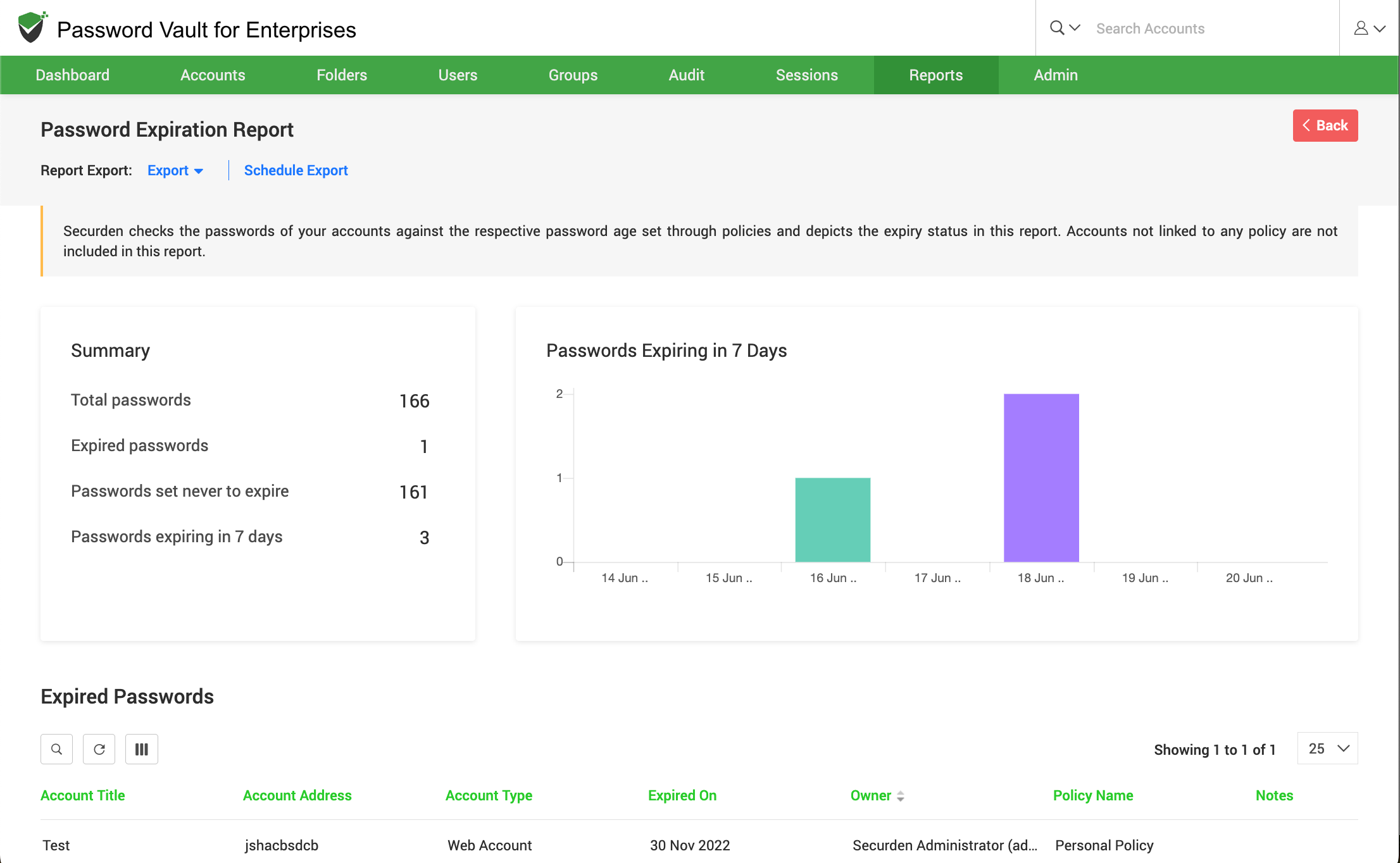
- Navigate to Reports → Standard Reports → Password Expiry to open the Password Expiration report.
- At the top of the report, the summary section displays key metrics such as the total number of passwords, expired passwords, passwords set to never expire, and passwords that are nearing expiration (for example, within the next 7 days).
- The password expiry trend chart besides, highlights passwords that are due to expire within a defined time window, helping you anticipate upcoming expirations.
How to View Expired Passwords
To identify accounts with expired passwords:
- Scroll down to the Expired Passwords section.
- In this section, accounts with passwords that have already expired are listed in a tabular format along with details such as account title, address, account type, expiration date, owner, and associated policy.
- Review this list to prioritize immediate password updates and reduce security risks associated with outdated credentials.
How to View Passwords Nearing Expiry
To identify passwords that are about to expire:
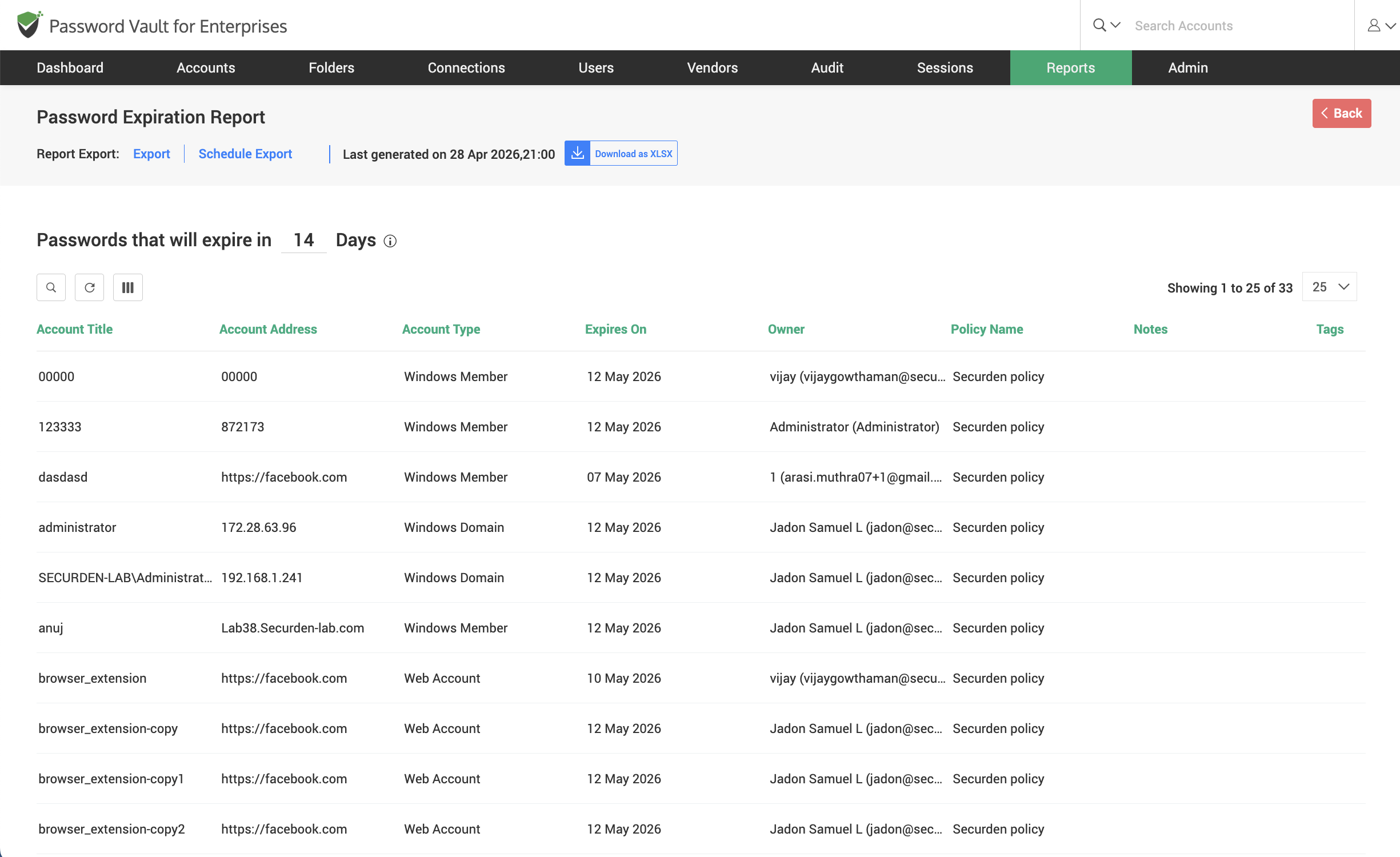
- Navigate to the section titled Passwords that will expire in X days, where X represents the configurable time range (for example, 7 days). You can modify this value to adjust the number of days based on your requirement, allowing you to view passwords that are nearing expiration within a customized timeframe.
- This section lists accounts whose passwords are approaching their expiration date, allowing administrators to take preventive action before access is impacted.
- Review the table to identify affected accounts along with details such as expiration date, owner, and policy.
How to View Passwords Set to Never Expire
To review accounts with passwords that do not have an expiration policy:
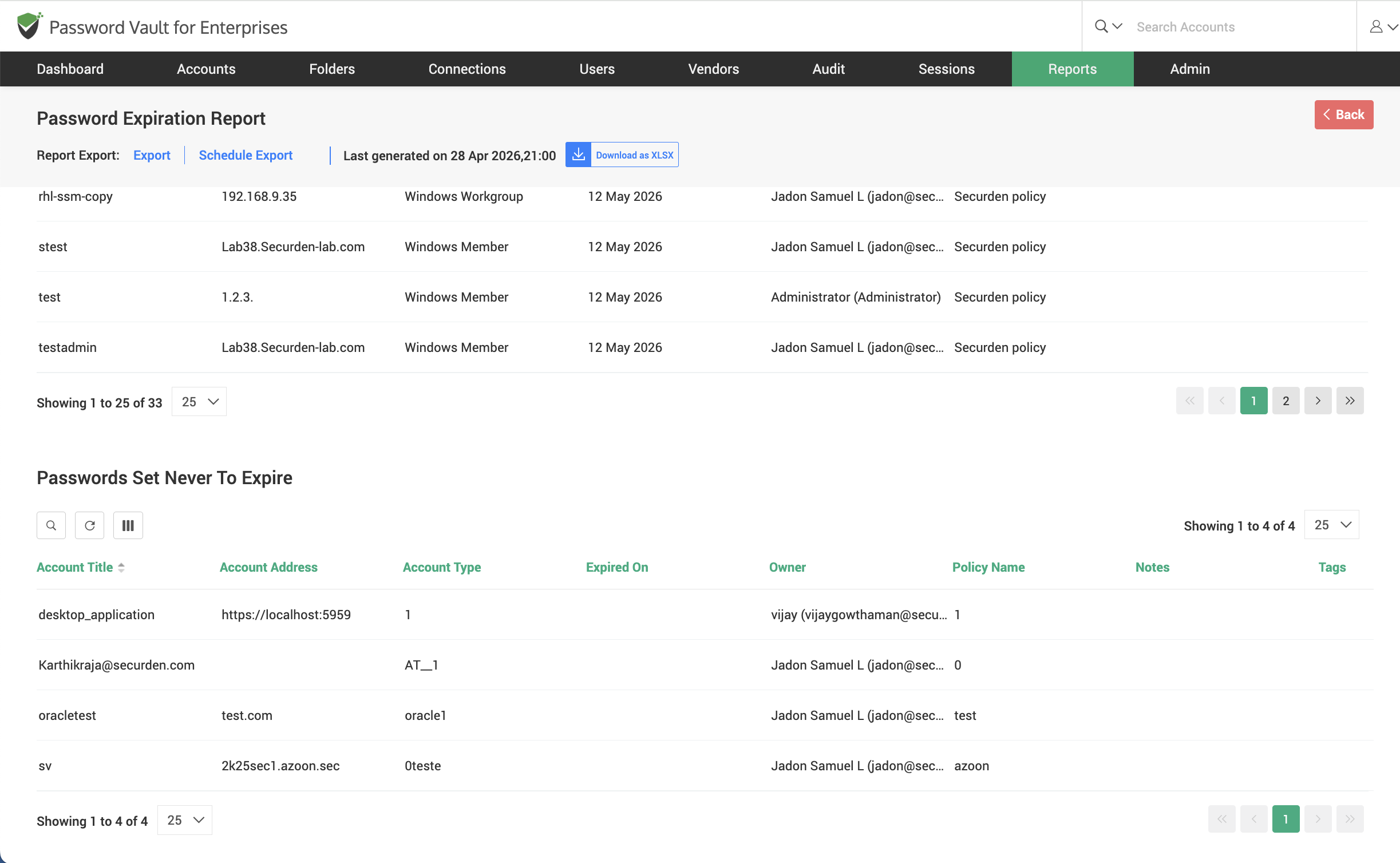
- Scroll down to the Passwords Set Never to Expire section.
- This section lists all accounts configured with passwords that are not subject to expiration.
- Review these accounts carefully, as passwords without expiration may pose a higher security risk if not monitored periodically.
How to Export and Schedule Password Expiry Report
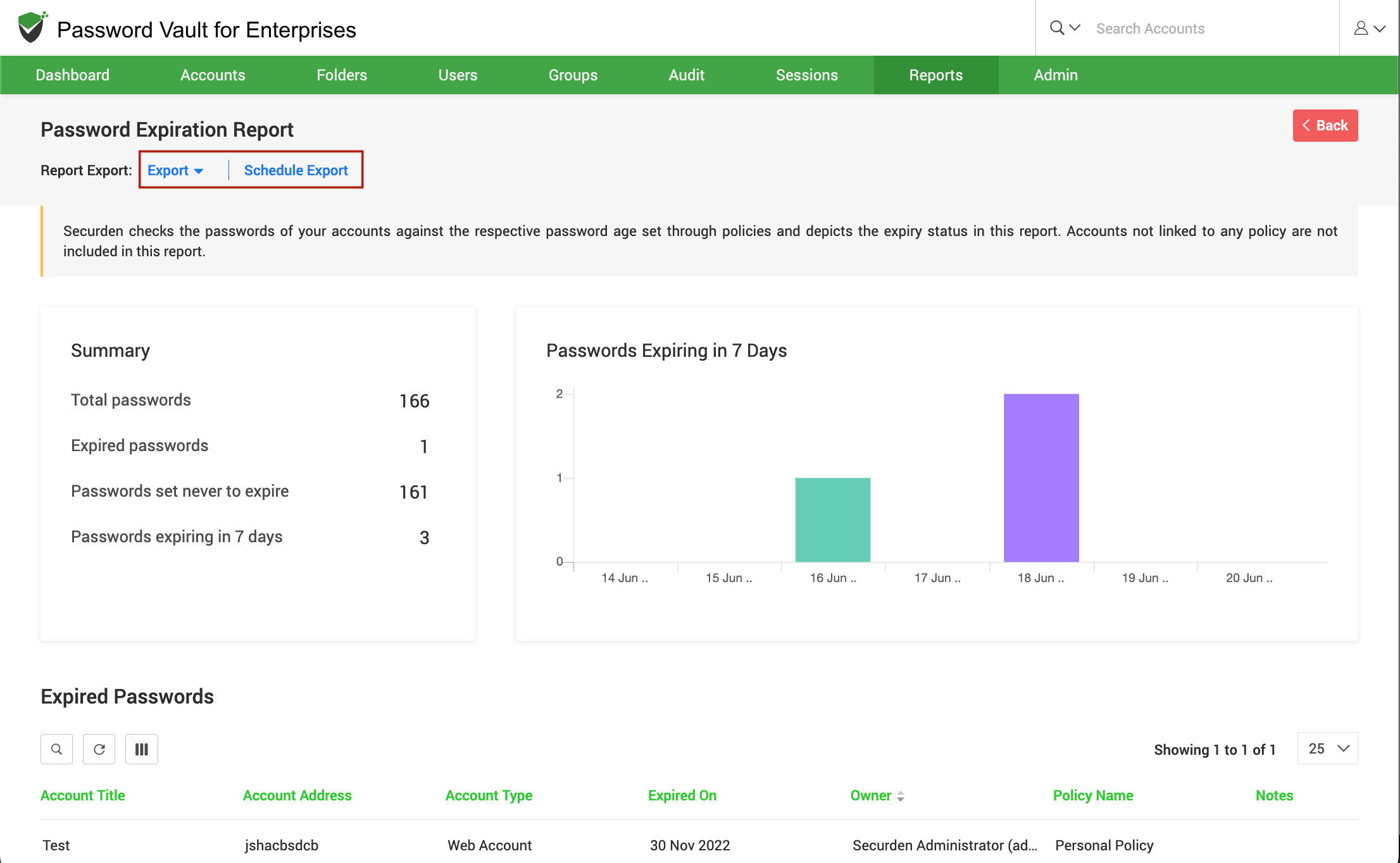
To export or schedule the Password Expiry Report:
- Click Export to download the report in a supported format such as CSV, PDF, or XLSX.
- Click Schedule Export to configure automated report generation at defined intervals.
- Use Download as or Preview option (if available) to retrieve previously generated reports.
FAQs
What is a Password Expiry Report in Password Vault?
A Password Expiry Report helps administrators track expired passwords, identify credentials nearing expiration, and monitor accounts where passwords are set to never expire.
How can I find passwords that are about to expire?
Navigate to Reports → Standard Reports → Password Expiry and view the section showing passwords that will expire within a defined number of days. You can adjust the timeframe to identify upcoming expirations.
Why is it important to monitor password expiration?
Monitoring password expiration ensures timely password updates, reduces the risk of compromised credentials, and helps organizations stay compliant with security policies and standards.