What is a Track Product Usage Report in Password Vault?
The Track Product Usage Report provides detailed insights into how users interact with various capabilities of Password Vault for Enterprises, ranging from login activity to feature-level usage such as password access, auto-fill, remote connections, account creation, and so on.
By consolidating user activity across key actions, this report helps administrators understand adoption patterns, identify inactive users, and evaluate how effectively different features of the product are being utilized within the organization.
How to Interpret Product Usage Overview
To analyze overall product usage across users:
- Navigate to Reports → Standard Reports → Track Product Usage to open the report.
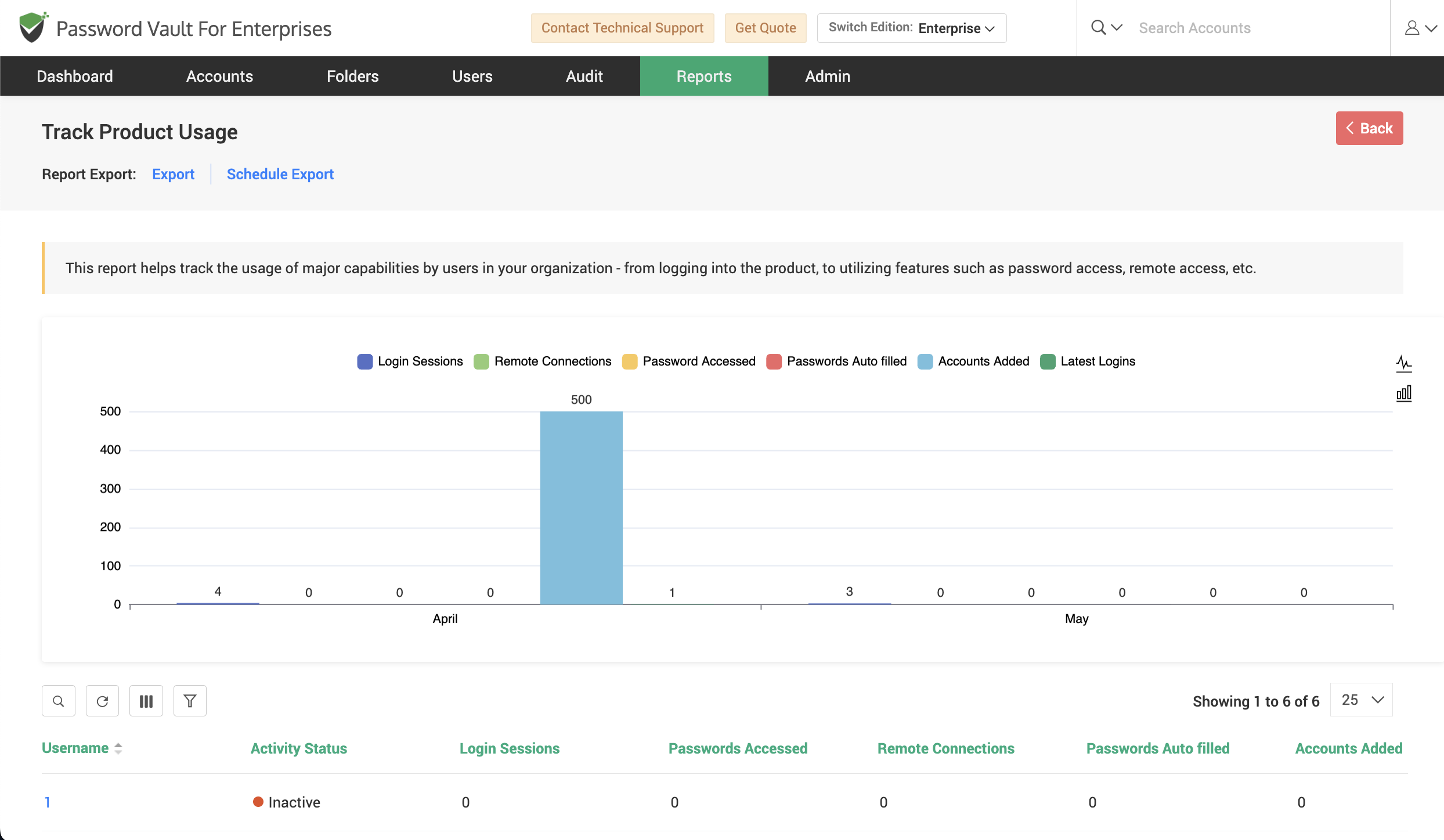
- At the top of the report, the usage trend chart displays activities across key parameters such as:
- Login Sessions
- Remote Connections
- Passwords Accessed
- Passwords Auto-filled
- Accounts Added
- Latest Logins
- Use this chart to get a consolidated view of how frequently different features are being used over time.
- Scroll down to the usage table, where all users are listed along with detailed activity metrics, including:
- Activity Status (Active, Passive, or Inactive)
- Login Sessions
- Passwords Accessed
- Remote Connections
- Passwords Auto-filled
- Accounts Added
- Last Active timestamp
- Use this table to compare user engagement levels and quickly identify inactive or low-usage users.
How to View Detailed Product Usage for a Specific User
To drill down into product usage details for a specific user:
- From the usage table, click the required username.
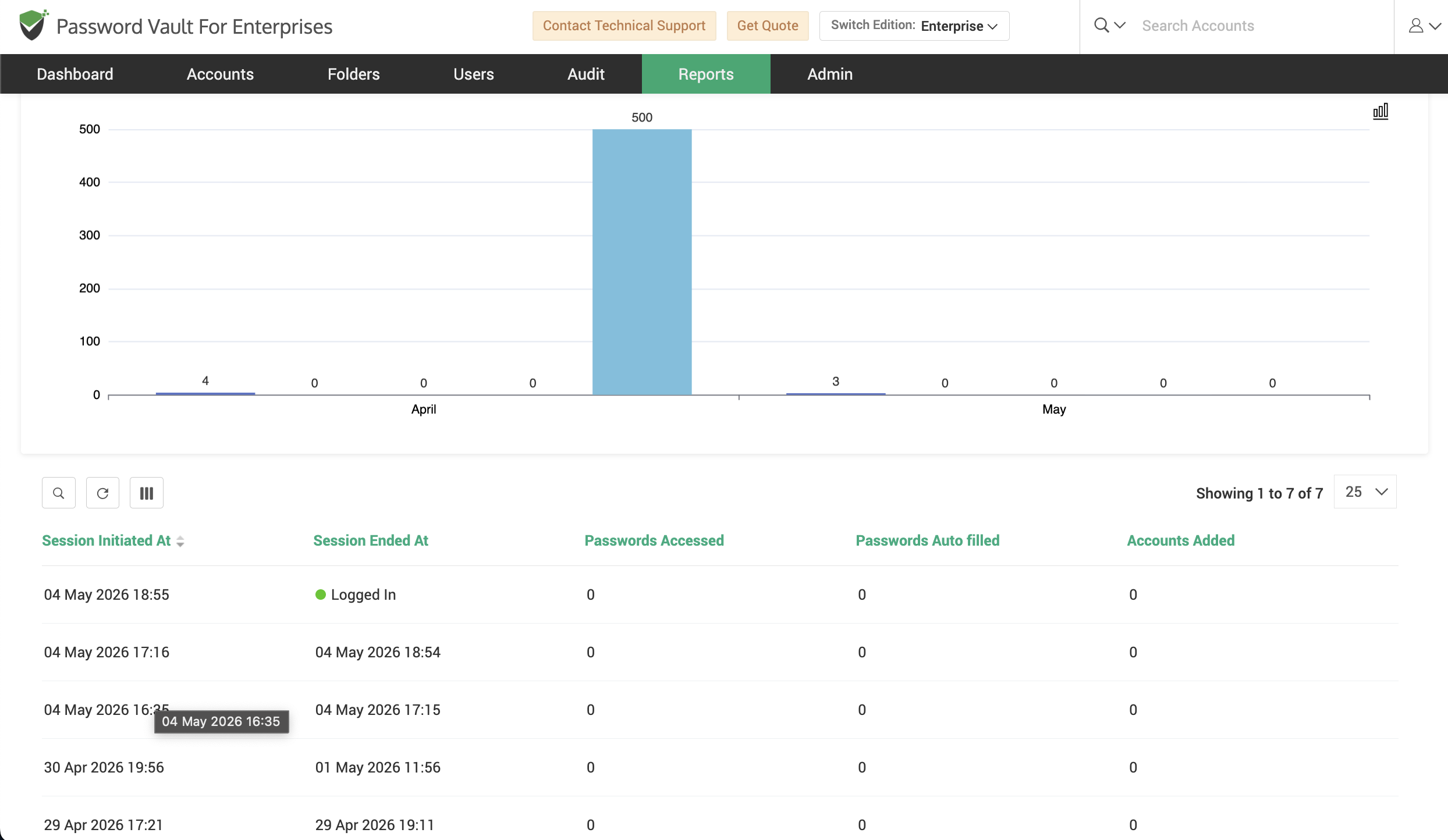
- In the detailed view that opens, the activity breakdown chart highlights the different feature usage for the selected user across parameters such as login sessions, password access, auto-fill activity, and account additions.
- Scroll down to view session-level details in a tabular format, where each session is listed along with:
- Session Initiated At
- Session Ended At
- Passwords Accessed
- Passwords Auto-filled
- Accounts Added
- Use this section to analyze user behavior at a granular level and understand how individual sessions contribute to overall usage.
How to Export and Schedule Product Usage Reports
To export or schedule the Track Product Usage Report:
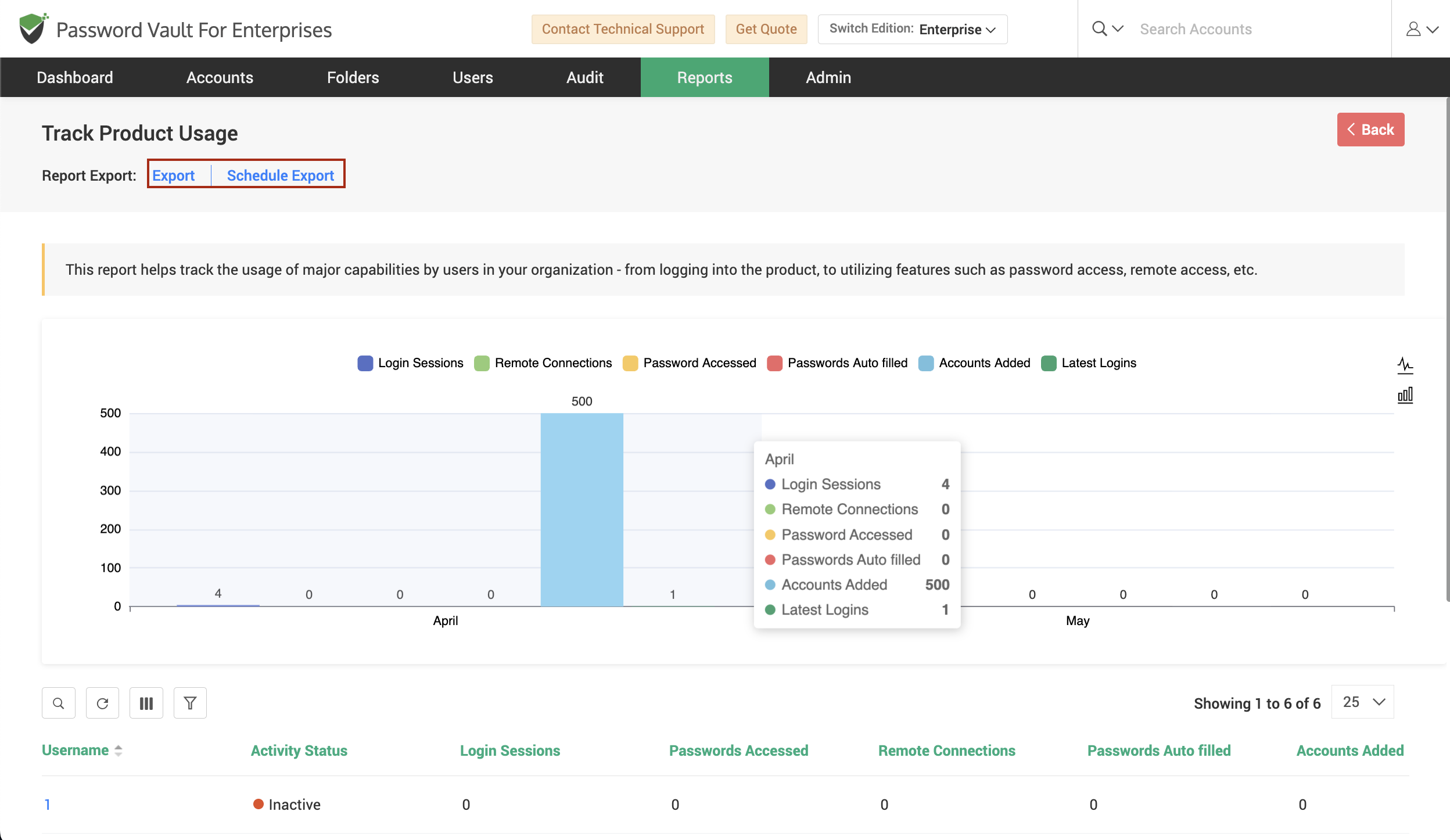
- Click on Export to download the report in a supported format such as CSV, PDF, or XLSX.
- Click on Schedule Export to automate report generation at defined intervals.
- Use the Download as option if available to access previously generated reports for auditing or analysis.
FAQs
What insights does the Track Product Usage Report provide?
The Track Product Usage Report provides visibility into how users interact with different features of Password Vault, including login activity, password access, remote connections, auto-fill usage, and account additions. It helps administrators understand feature adoption and overall system usage.
How can I identify inactive or low-usage users in Password Vault?
You can use the usage table in the Track Product Usage Report to identify inactive or low-engagement users. The table includes activity status indicators along with metrics such as login sessions and feature usage, making it easy to spot users with minimal activity.
Can I analyze user activity at a session level?
Yes, the report allows you to drill down into individual users and view session-level details. Each session includes information such as session start and end time, passwords accessed, auto-fill usage, and accounts added, enabling detailed behavioral analysis.