What is a Local Administrator Account Report?
The local administrator accounts report provides complete visibility into all the local administrator accounts that exist on computers inboarded to Securden Endpoint Privilege Manager. The report also provides insights on local administrator account distribution among computers and domain groups that have admin level privileges.
This report is particularly useful for IT administrators to gain deep visibility into admin rights distribution that helps them strategize their least privilege implementation plan. In organizations that have multiple Active Directory domains, hybrid environments, and distributed workforce, this dashboard acts as a single source of truth for the IT administrator to rely upon when making crucial decisions on revoking local administrator privileges.
How to Understand Local Admin Account Distribution?
To view and understand how local administrator accounts are distributed across devices in your domains,
-
Navigate to Reports >> Standard Reports >> Local Administrator Accounts.
-
In this report, the ‘Summary’ section provides a comprehensive overview of the number of computers, the number of admin accounts on all these computers, and how the admin users are distributed between local, AD domain, and Azure (Entra ID) users.
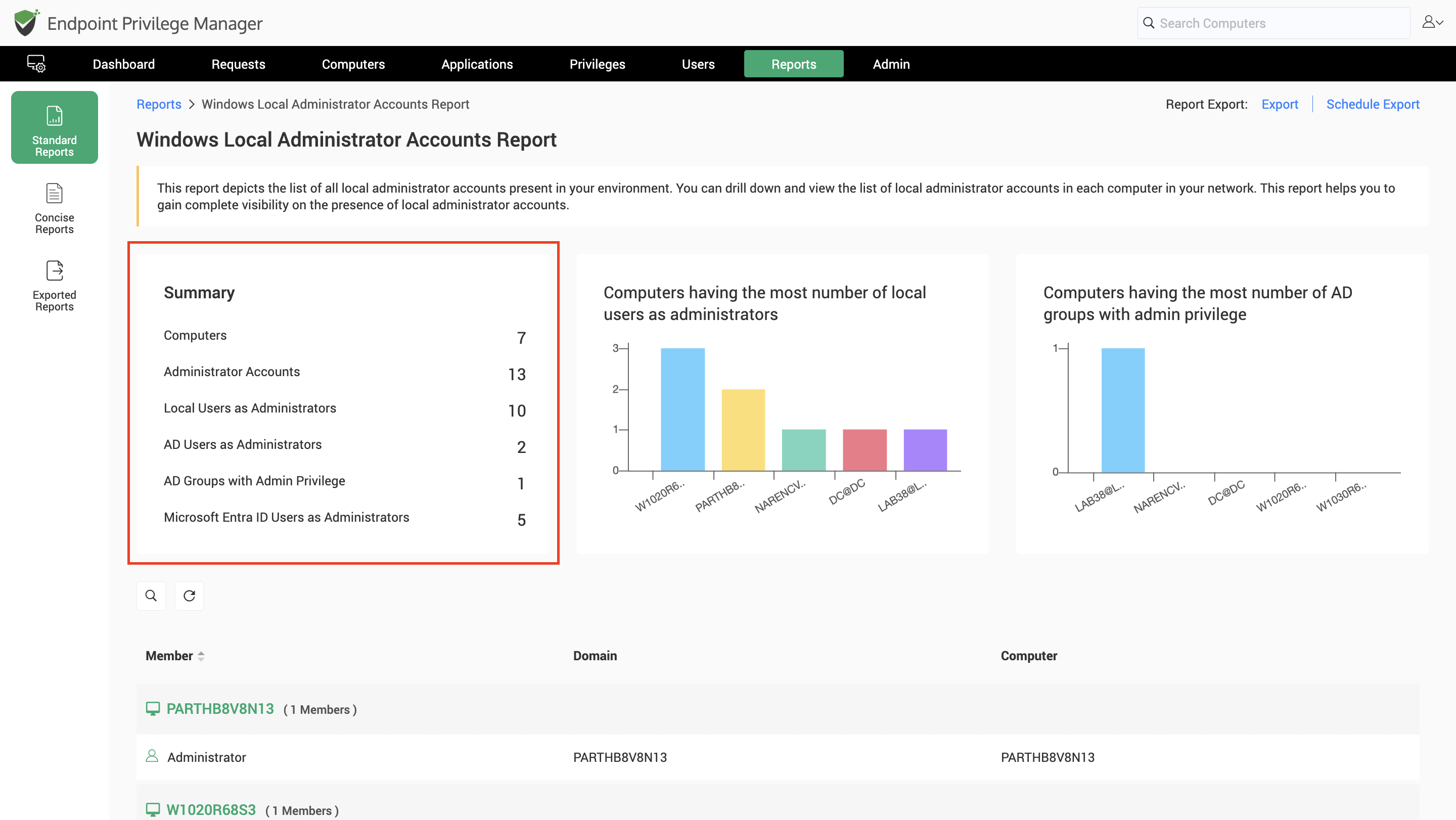
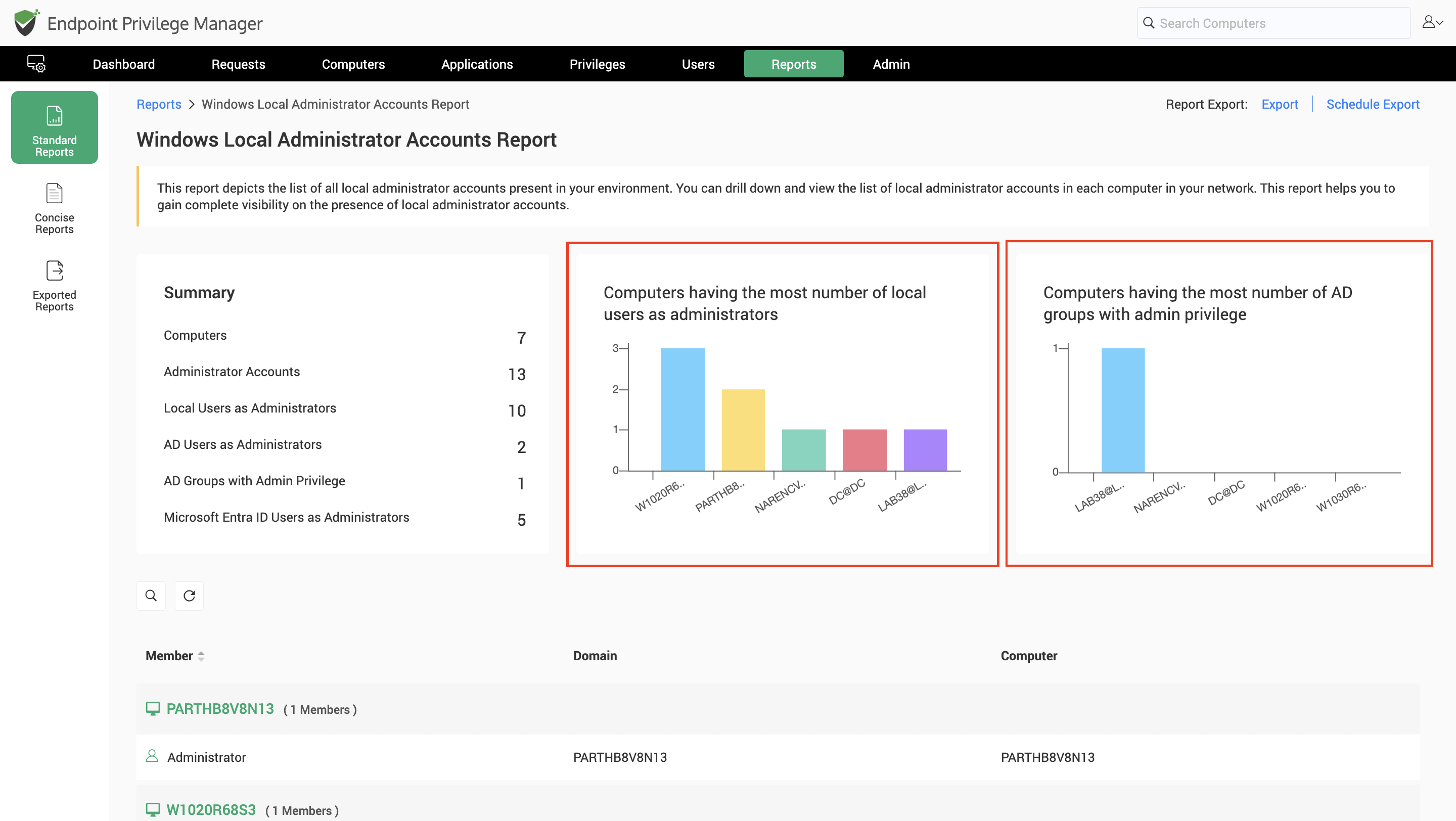
- The bar graphs on this page depict the distribution of local admin accounts on computers. The computers having the greatest number of admin accounts, and the computers having the greatest number of domain groups as local administrators are shown in separate bar graphs.
- The table below these graphical representations show the list of devices and the local admin accounts on each of these devices.
How to View Device Level Admin Account Details?
The Local Administrator Accounts report in Securden Endpoint Privilege Manager directly provides the list of administrator accounts on each endpoint in the table as shown below.
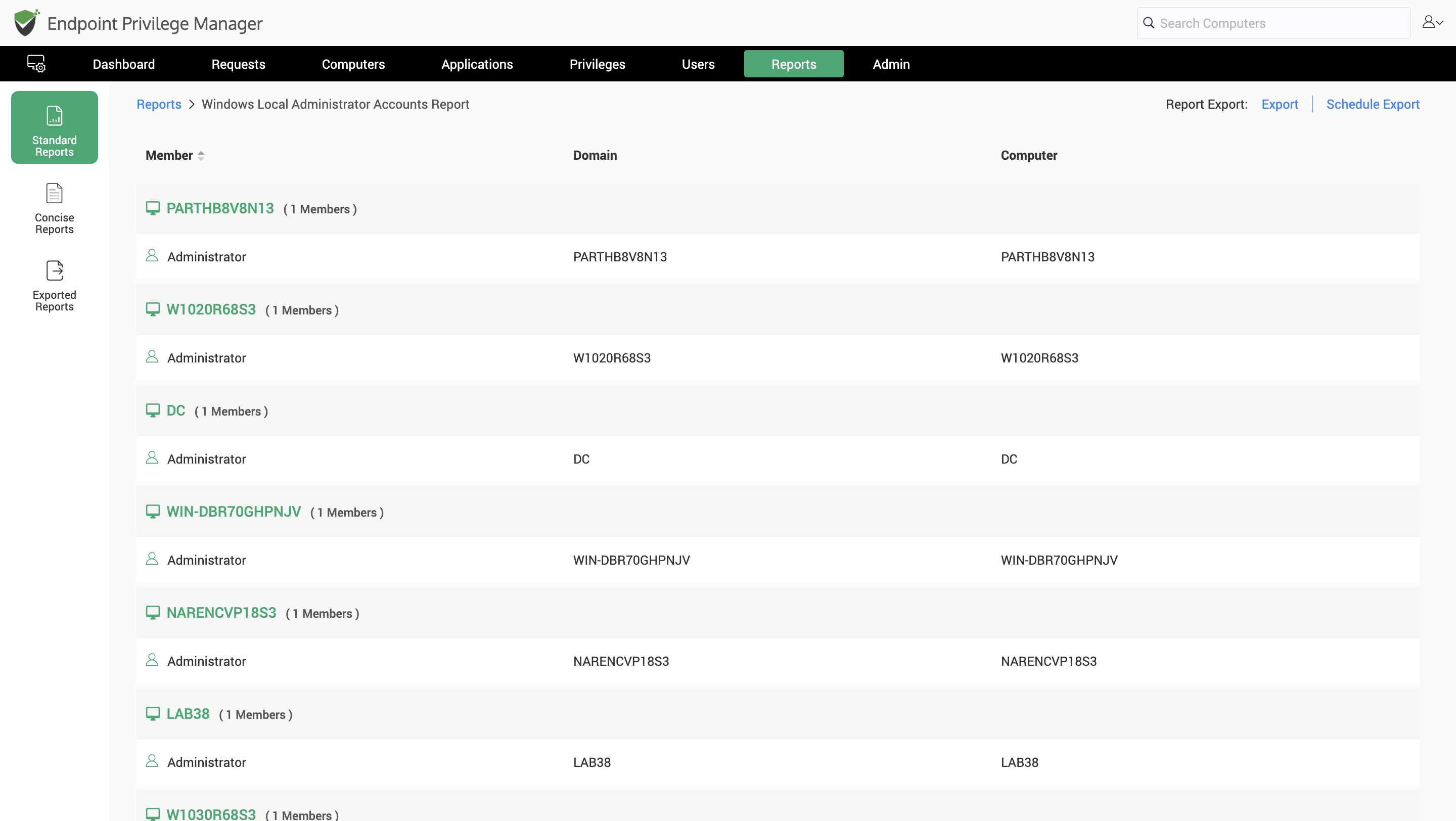
Navigate to Reports >> Standard Reports >> Local Administrator Accounts Report to find this table. The computer name and the local administrator accounts/groups in each computer are listed in the table.
Frequently Asked Questions (FAQ)
Does this report provide insights on local administrator accounts on macOS endpoints?
No, this report is strictly targeted towards local admin accounts and groups on Windows machines. Windows machines that are standing alone, domain joined, and Entra ID registered are included in this report. Local admin accounts on macOS devices are listed directly in the computer details section of the macOS devices.
How does Securden discover the local admin accounts on endpoints?
Once the Securden Agent is deployed on machines, the agent quickly discovers all user accounts on the endpoint and lists them down in the Securden Endpoint Privilege Manager. This data is further aggregated across multiple devices, and the report is generated after processing the aggregated data sufficiently.


