Activity Reports – Overview
Activity reports provide a complete list of actions performed by the user, administrator, agent, and the system using the Endpoint Privilege Manager application along with some actions performed on Windows devices. The activities are broadly classified into three parts.
-
Privilege Management Activities
-
User Activities
-
Windows Event Activities
These reports help the administrators and auditors quickly understand who logged into the privilege management system, who modified policies, when scheduled tasks are executed by the system, and how an application got onboarded into the system.
Privilege Management Activities
This report acts as the single unified source of truth for all privilege management activities performed using Securden Endpoint Privilege Manager.
This report is particularly useful for administrators and helpdesk teams to study privilege distribution, permissions granted to individual teams, and the applications used by individuals. The data provided by the report helps them ensure only the required permissions are granted to users and unnecessary privileges are revoked prudently.
This report acts as the source of truth for activities performed by users, agent, and the system itself. The administrators and IT team can filter and view the required activities based on a combination of attributes.
How to filter and view the required activities from the privilege management report?
1) To open the privilege management report, navigate to the Reports tab and click on Privilege Management Trails.
2) The list of all privilege management activities will be displayed in the table as shown.
3) Here, click on the filter icon.
4) You can specify the values for each attribute and filter the table using multiple constraints.
For example, if you want to view the applications added by the system from a specific device, you can specify the activity type as ‘applications added’, performed by as ‘system’, and performed at as the device name.
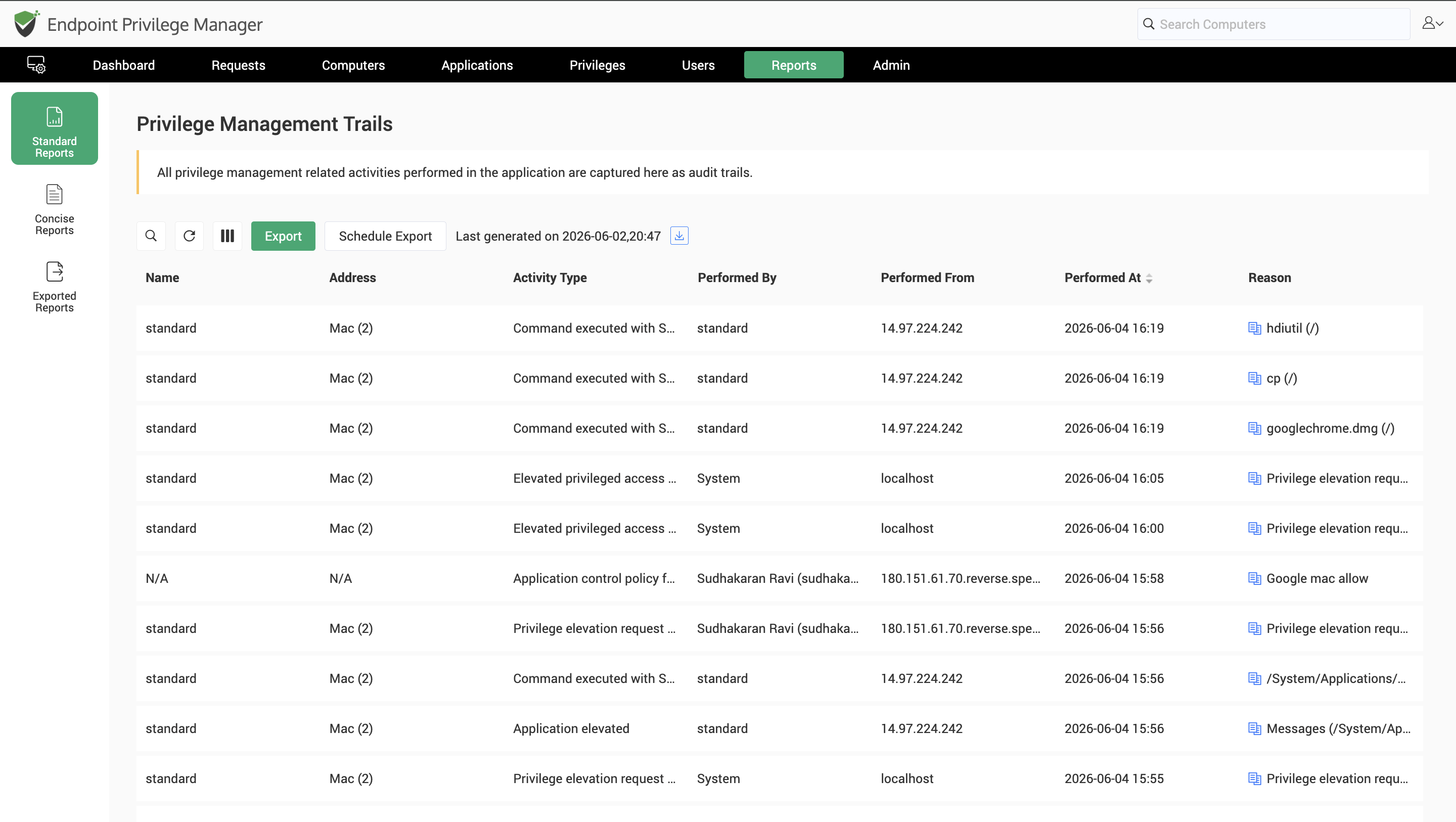
The report will now show the list of applications imported from the specific device by the system as a part of application discovery.
User Activity Report
This report acts as a complete and comprehensive repository of all activities performed by users that are not related to privilege management. Activities like logging into the endpoint privilege manager, exporting a report, and making configurational changes are logged in user activities.
This report is helpful for the EPM administration team to monitor database backups, track domain integration, synchronization, configurational changes, and tracking ‘who’ did what in the EPM interface.
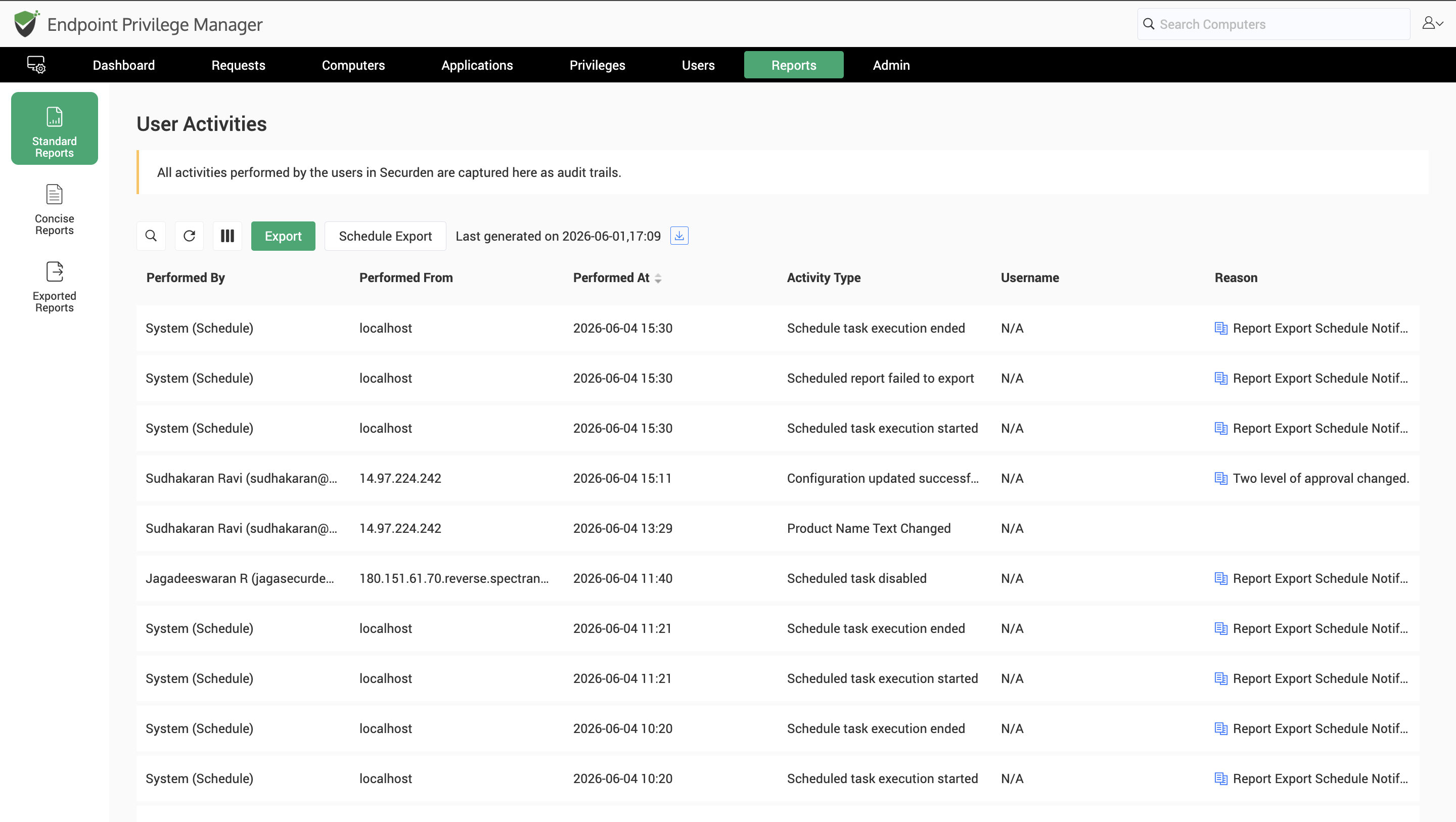
This report also tracks all scheduled activities under the tag 'performed by the system' within the endpoint privilege manager.
You can use the powerful multi-attribute search function to filter and view activities performed by specific users from specific machines.
Windows Event Activities
This report collects data on occurrence of specific Windows Events from Securden agents running on endpoints. To enable this report, you must configure notifications for Windows events from the Admin tab.
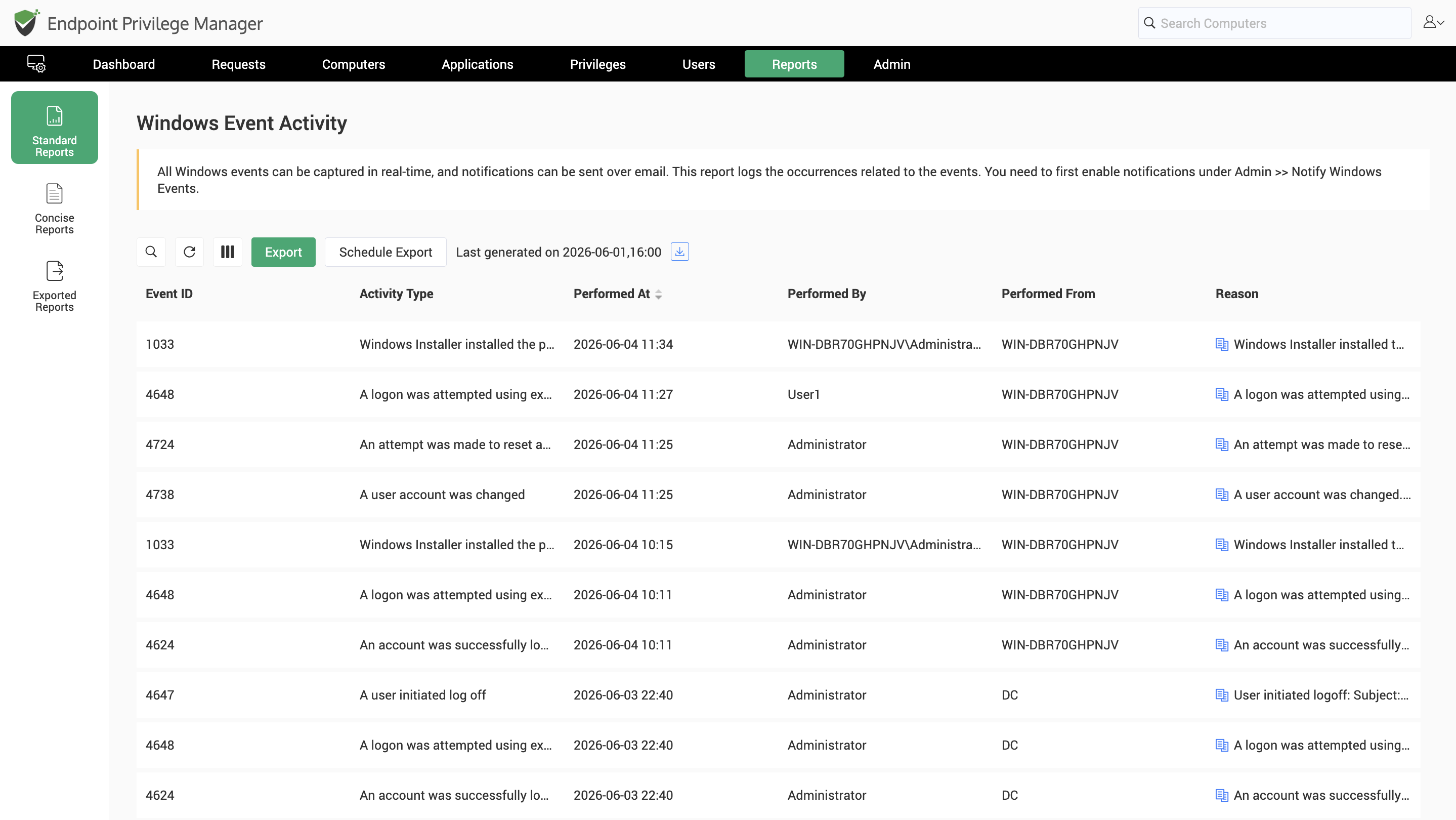
Once configured, the activities for which notifications are enabled will be recorded and available as a Windows Event report. This report is particularly useful for corroborating Windows event occurrences from multiple devices and being aware of movements and events in the network.
This report helps establish a timeline by tracking user logon time, password resets on devices, account lockouts, creation of new user accounts along with various group management events, configurational changes, firewall modifications, system locking and unlocking events across multiple endpoints and servers.


