



Choosing a password manager can feel confusing when both options look strong. 1Password and LastPass are two widely used tools that offer password storage, sharing, and security controls for individuals and businesses.
With the cybersecurity market projected to reach $200 billion by 2028, as per CompTIA,investing in strong data protection matters more than ever. At the same time, while LastPass is used by many major organizations, past data breaches have raised concerns for some buyers.
This guide compares features, security, pricing, reviews, and usability to help you decide which password manager fits best.
Disclaimer: The author of this blog has gathered insights from different online review platforms, including G2, Gartner Peer Insights, and Capterra, to create this article. We’ve done our best to ensure that all the information is accurate. If you happen to spot any mistakes or discrepancies, please don’t hesitate to reach out to us at support(at)securden(dot)com. We’d be more than happy to make any necessary corrections!
Which One Should You Choose?
- Choose 1Password if you want a premium experience, strong security design (including Secret Key), and advanced features like Travel Mode and detailed security reporting.
- Choose LastPass if you need a free plan and a simpler start — but note free users are limited to one device type and some advanced features are paid.
- For organizations that need auditing/reporting, and features like just-in-time access, stronger access oversight, and broader controls, Securden Password Vault is positioned as the more enterprise-ready option in this comparison.
About 1Password
Founded in 2006, 1Password, developed by (AgileBits, Inc.) is a platform for managing passwords and sensitive information. It simplifies online security by allowing users to protect their data from breaches.
It offers:
- 1Password Individual
- 1Password Families
- 1Password Teams
- 1Password Business (advanced security + centralized administration)
How does 1Password Security Work?
1Password uses 2-Secret Key Derivation, meaning access depends on:
- Your account password, and
- A unique Secret Key (generated and stored securely)
This model is designed so account access is not possible without both keys.
What is 1Password Used For?
1Password helps users store and manage:
- Passwords
- Credit card information
- Sensitive data across multiple devices, with strong-password generation and team access controls.
What are the Key Features of 1Password?
- Centralized password management
- Biometric authentication + passkeys support
- Role-based access controls (RBAC)
- Employee provisioning and de-provisioning
- Password risk insights via Watchtower
1Password also emphasizes security auditing via Insights + Watchtower, including breach checks, password health checks, usage analytics, and alerts for compromised passwords and unsecured websites.
It also supports secret management to reduce risk from hard-coded keys, and uses AES-256 encryption as part of its end-to-end security approach. 1Password Business supports SCIM-based user and group provisioning, allowing organizations to automate onboarding and offboarding directly from their identity provider.
What Limitations or Concerns does 1Password Have?
While 1Password is a robust and security-focused password manager, it does come with a few drawbacks. The lack of a free plan makes it more expensive than several competing tools, especially for individuals or small teams. New users may also face a learning curve when getting started. Additionally, some users report occasional autofill inconsistencies and usability challenges with the browser extension, such as limited screen space that can feel restrictive during daily use.
About LastPass
LastPass is positioned as a major password manager for individuals, small businesses, and enterprises. It helps users enforce password policies, share credentials securely, and monitor activity through reports.
It’s a SaaS solution available via browser extensions, desktop apps, and mobile apps.
What is LastPass Used For?
LastPass supports:
- Password storage and management
- Password storage and management
- Credential sharing
- Monitoring user activity and security status
It uses a centralized vault architecture for both personal and enterprise usage.
What are the Key Features of LastPass?
- Centralized vault architecture
- Dark web monitoring
- Reporting: user/admin activity logs, site login activity, exportable audit trails
- AES-256 encryption + 2FA
It also supports identity provider integrations including Active Directory, Entra ID, ADFS, and Google Directory. The post also notes support for passkeys and biometric login options for modern authentication.
What Limitations or Concerns Does LastPass Have?
However, LastPass needs a complete package of secrets management, which can be a drawback for enterprises needing effective credential handling beyond secure notes. Additionally, the fallout from the 2022 security breach still impacts its reputation, potentially discouraging some prospective customers LastPass alternatives for enhanced security and reliability.
Organizations should evaluate these strengths and challenges when considering LastPass for managing security account passwords and protecting sensitive information.
1Password vs LastPass: Best Fit by User Type
1Password is framed as best for businesses and tech-savvy users who want advanced features and strong security.
LastPass is framed as best for individuals and small businesses who want simplicity, quick setup, and lower cost (including a free tier).
Personal Use:
- 1Password supports secure password sharing and suits people willing to learn advanced features.
- LastPass is positioned as easier to start for casual users.
Business/Enterprise Use:
- For business evaluation: 1Password is positioned as stronger for customizable security protocols, while LastPass is positioned as strong for smaller teams.
- Industries mentioned: technology, finance, healthcare — with 1Password emphasizing security and LastPass emphasizing simplicity.
Plans, Pricing, and Free Trials
Check the following table to learn which 1Password and LastPass are suitable for what sort of users.
 |
 |
 |
|---|---|---|
| Individuals, families, small teams, businesses, and enterprises. Focuses on security-conscious users looking for robust password management. | Individuals, families, freelancers, and small to large businesses. Appeals to users seeking a free version and easy-to-use interface. | IT managers, supervisors, and organizations need auditing and reporting capabilities for password management. |
|
|
|
30-day free trial for individuals and families; 14-day trial for business plans. |
Free plan available; 14 to 30-day trial for premium plans depending on the service. |
Offers a 14-day free trial across all plans without requiring credit card information. |
Your Trusted Partner in Security: Securden
Join leading organizations like 20th Century Studios and PenFinancial Credit Union in securing the sensitive data that matters. Access end-to-end security solutions for organizations of all sizes.
1Password Vs LastPass: At-a-Glance
Based on the comparison below, we can come to a conclusion that:
- 1Password rates higher in overall performance, ease of use, and support
- LastPass trails in setup and admin features.
- Securden Password Vault for Enterprises outperforms both, leading in almost every category, including meeting requirements, ease of use, and quality of support.
The table below showcases Securden’s superior performance in key criteria when compared to 1Password and LastPass on G2.
| Aspect | |
|
|
|---|---|---|---|
| Overall star ratings | (4.7 / 5.0) | (4.4 / 5.0) | (4.7 / 5.0) |
| Meets requirements | 9.3 | 9.2 | 9.5 |
| Ease of use | 9 | 8.6 | 9.5 |
| Ease of setup | 8.9 | 8.6 | 9.1 |
| Ease of admin | 9.1 | 8.3 | 9.2 |
| Quality of support | 9.1 | 8.3 | 9.6 |
| Has the product been a good partner in doing business? | 9.5 | 8.6 | 9.8 |
| Product direction (% positive) | 8.7 | 8.1 | 9.6 |
Quick Comparison: Features, Capabilities, and Pricing
The table below summarizes key features and capabilities across 1Password, LastPass, and Securden Password Vault for Enterprises, based on publicly available product information and review data, to help you choose the best password manager for your business or personal use.
Key Features Comparison of 1Password and LastPass
To assist you in selecting the best password manager, we’ve created a comparison table outlining the features of 1Password, LastPass, and Securden. This quick guide will help you see how each option performs across key criteria.
| Aspects | |
|
|
|---|---|---|---|
Pricing |
|
Free plan available, $3/month
|
Free basic plan for up to five users, Contact for pricing |
Encryption |
AES-256 bit |
AES-256 bit |
AES-256 bit encryption, on-premise option available |
Password management |
Yes |
Yes |
Yes |
Multi-factor authentication |
Yes |
Yes, including biometric and hardware MFA |
Yes, integrates with hardware tokens and other MFA tools |
Password sharing |
Yes, with the Family plan |
Included in Premium & Family plans |
Password sharing and approvals, multi-user vault access |
Cross-platform support |
Windows, macOS, Linux, Android, iOS |
iOS, Android, Windows, Mac, Linux, browser extensions |
Windows, macOS, Linux, Android, iOS, browser extensions |
Password generator |
Yes |
Yes, customizable |
Yes, it includes security policies for password generation |
Mobile access |
Yes |
Yes |
Yes |
Biometric login |
Yes |
Yes |
Yes, with support for advanced authentication methods |
Secure notes management |
Yes |
Yes |
Yes |
Automatic form filling |
Yes |
Yes |
Yes |
Single sign-on (SSO) options |
Yes |
Paid Add-On |
Yes |
Self-hosting Option |
Yes |
No |
Yes |
Dark Web Monitoring |
Yes |
Yes |
Yes |
Directory Integration |
Yes |
Yes |
Yes |
User Provisioning |
Yes |
Yes |
Yes |
Audit logging |
Yes |
Yes |
Yes |
Automated password rotation |
No |
Yes |
Yes |
Just-in-time access |
No |
No |
Yes |
Session Management |
No |
No |
Yes |
API Access |
Yes |
Yes |
Yes |
Customer support |
Email support for free users, only premium users have access to priority support |
24/7 support for premium and enterprise plans |
Priority support for all plans |
Offline Access |
Yes |
Yes |
Yes |
Data Breach Alerts |
Yes |
Yes |
Yes |
Role-based Access Controls |
Yes |
Yes |
Yes |
Database Backup |
Yes |
Yes |
Yes |
Protect SSH Keys |
Yes |
Yes |
Yes |
Password Audit |
Yes |
Yes |
Yes |
Passwordless SSO Integration |
No |
No |
Yes |
Password Expiration |
Yes |
Yes |
Yes |
Password Vault |
Yes |
Yes |
Yes |
Password Strength Checker |
Yes |
Yes |
Yes |
Password Inheritance |
No |
No |
Yes |
Remote Password Reset |
No |
No |
Yes |
Secure Password Rotation |
No |
No |
Yes |
Free Trial |
14 days |
Yes |
Available |
| Source : G2 | |||
What Do Users Say About LastPass vs 1Password?
Comparing features and ratings helps, but feedback from real users often reveals how a password manager performs day to day. Based on G2 review excerpts, the sections below summarize user sentiment around LastPass, 1Password, and Securden.
User Reviews of LastPass
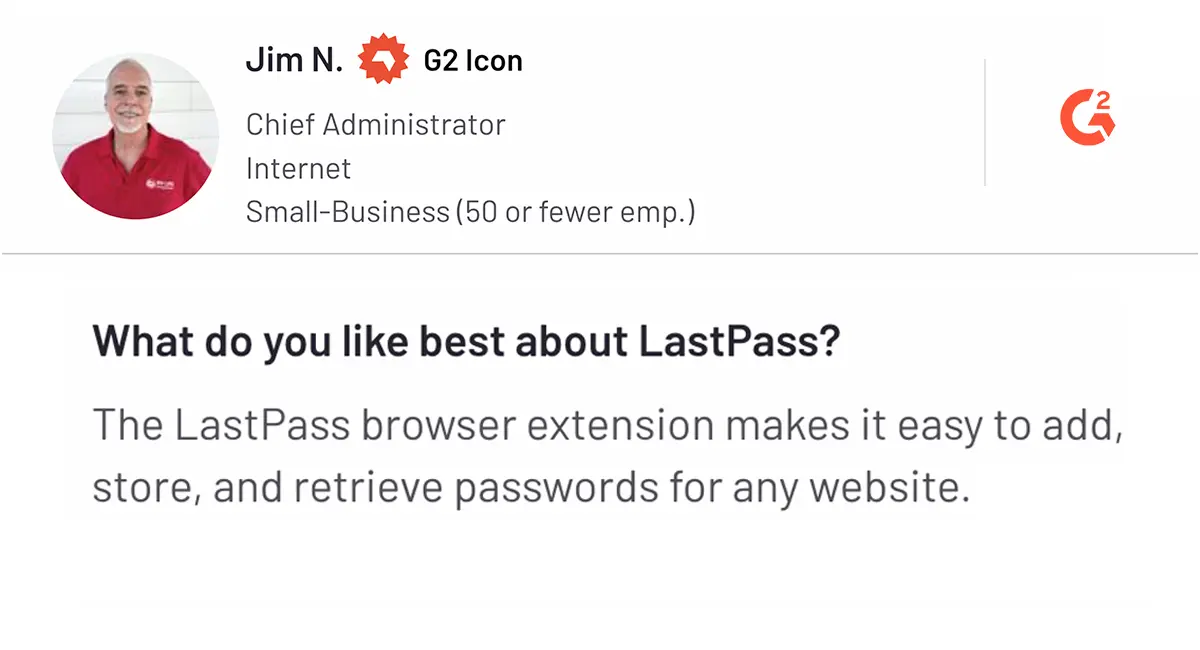
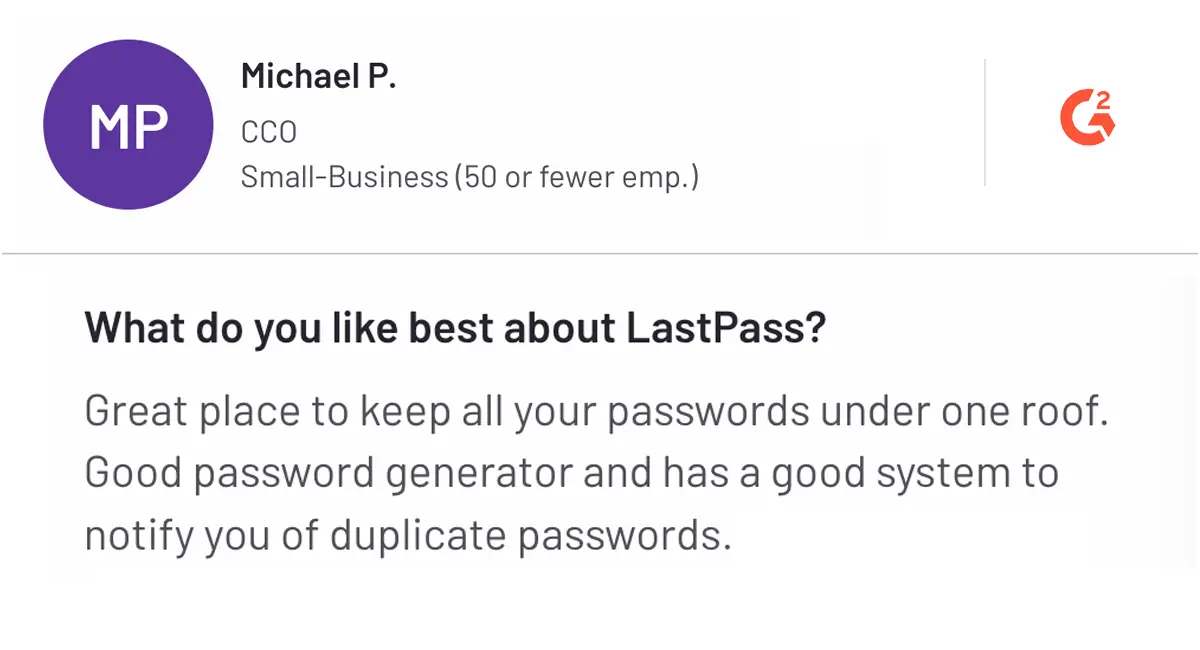
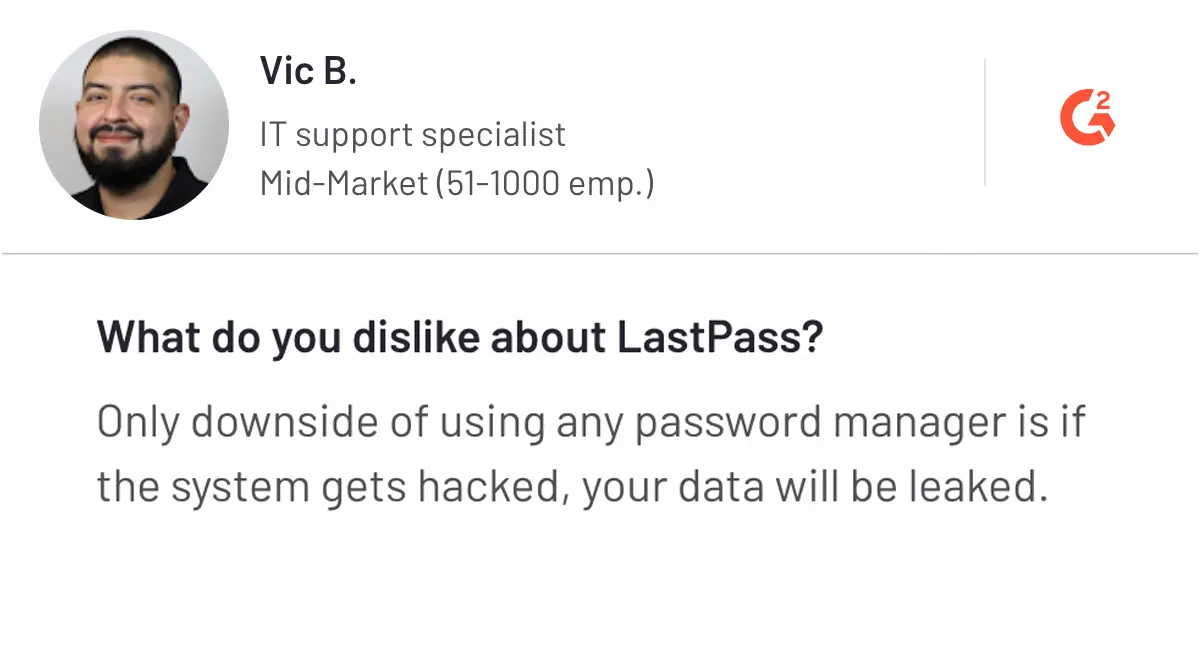
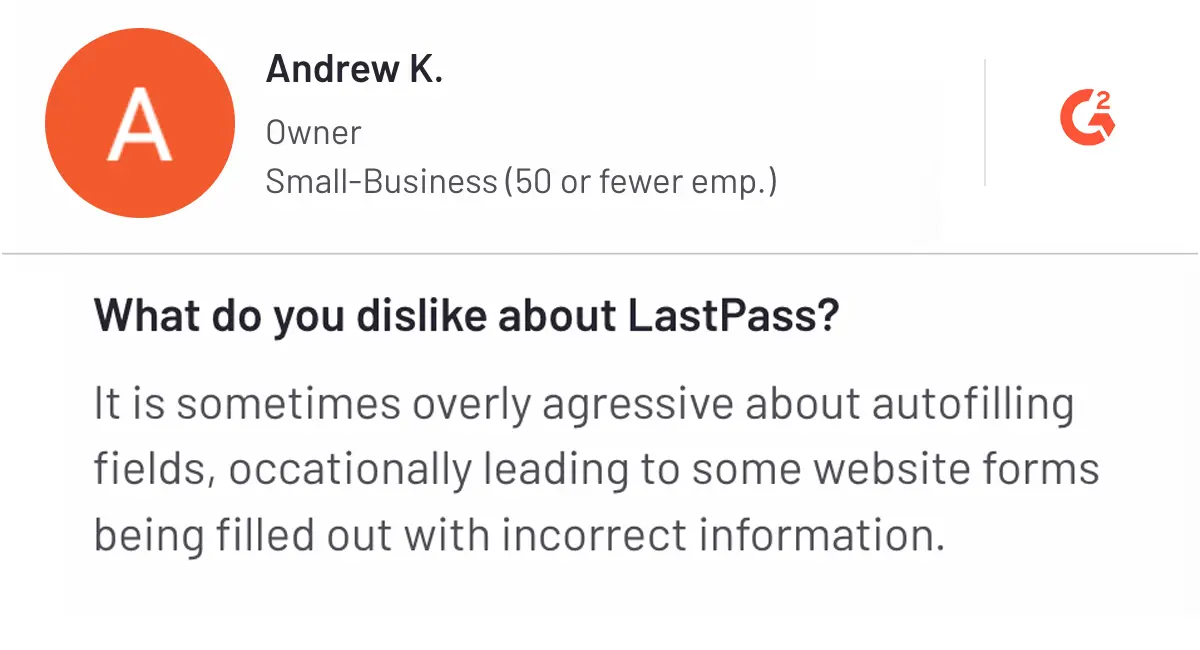
Here are some LastPass reviews highlighting both positives and negatives.
Pros
Cons
User Reviews of 1Password
Here are some 1Password reviews highlighting both positives and negatives.
Pros
Cons
User Reviews of Securden
Here are some Securden reviews highlighting both positives and negatives
Pros
Mid-Market (51-1000 emp.)
What do you like best about Securden Password Vault for Enterprises?
Easy to set up and reliable on-prem solution with high availability and great support. I typically get a response back in an hour.

Mid-Market (51-1000 emp.)
What do you like best about Securden Password Vault for Enterprises?
This is a great password vault for on-prem use. Easy imports, granular permissions, failover configuration, and great support make this a no brainer
Cons
Pricing: LastPass vs 1Password vs Securden
Pricing can be hard to compare because plans differ by user type and feature tier. Below is the pricing information for 1Password, LastPass, and Securden, as presented in this article. For deeper context, this article also points readers to a password manager pricing guide.
1Password Pricing Plans
1Password pricing comes with security-focused plans for individuals, families, and businesses.
Personal Plans
- Individual: $2.99/month (billed annually) — includes password generator, login autofill, Watchtower alerts, and 24/7 support across all devices.
- Family: $4.99/month (billed annually) — includes Individual features, supports up to 5 members, and provides admin controls for account management.
Business Plans
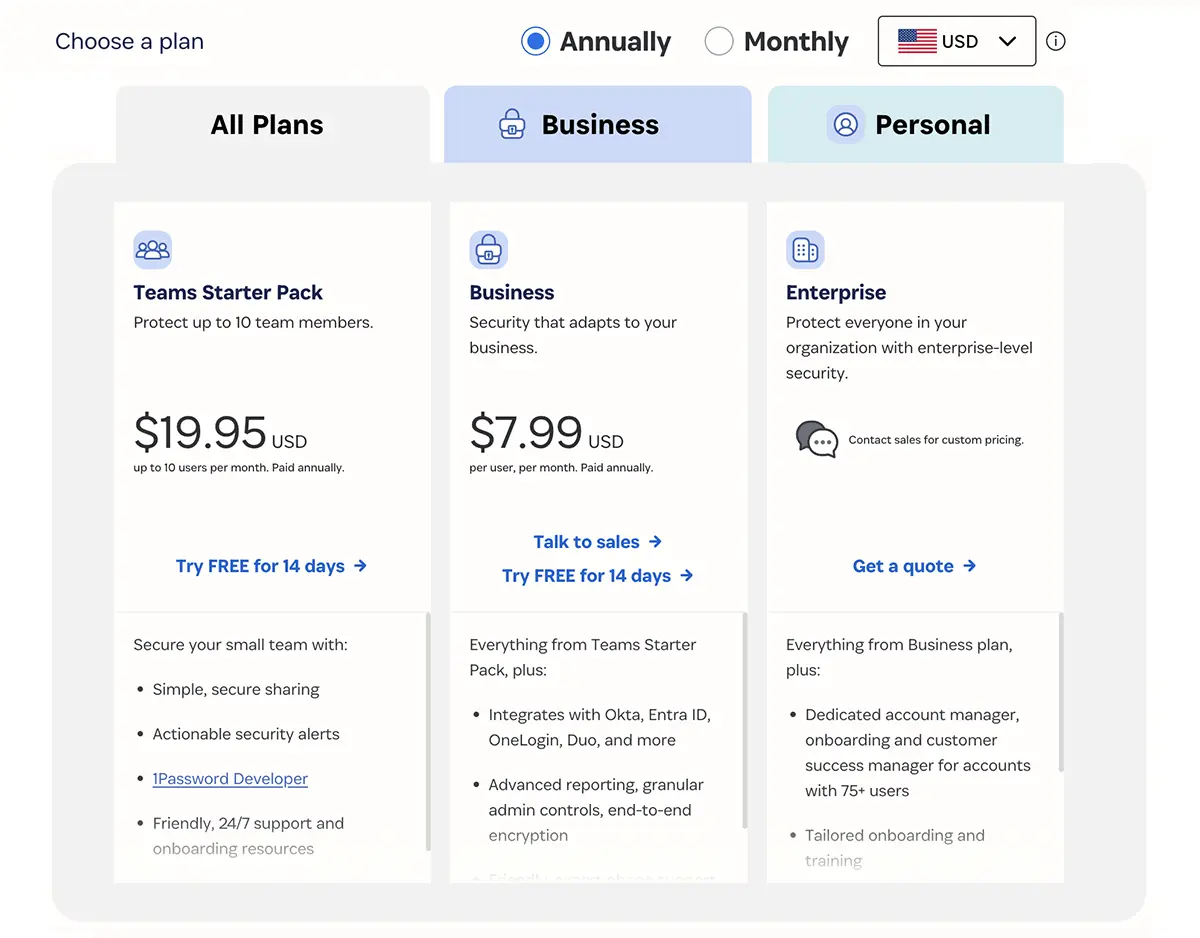
- Teams Starter Pack: $19.95/month (up to 10 users, billed annually) — secure password sharing, security alerts, developer tools, and 24/7 support.
- Business: $7.99/user/month (billed annually) — includes Starter Pack features plus Okta and Duo integration, advanced reporting, and expert support.
- Enterprise: Custom pricing — includes Business features plus a dedicated account manager, custom onboarding, and volume-based pricing.
Key Features Included Across Products (As Listed)
- End-to-end encryption for all data.
- Watchtower alerts for security breach warnings.
- Cross-device compatibility across macOS, iOS, Windows, Android, Linux, and web browsers.
- 24/7 support.
- 1Password offers free trials so users can explore features before subscribing
LastPass Pricing Plans
Many users evaluate LastPass based on pricing. LastPass uses a different pricing model.
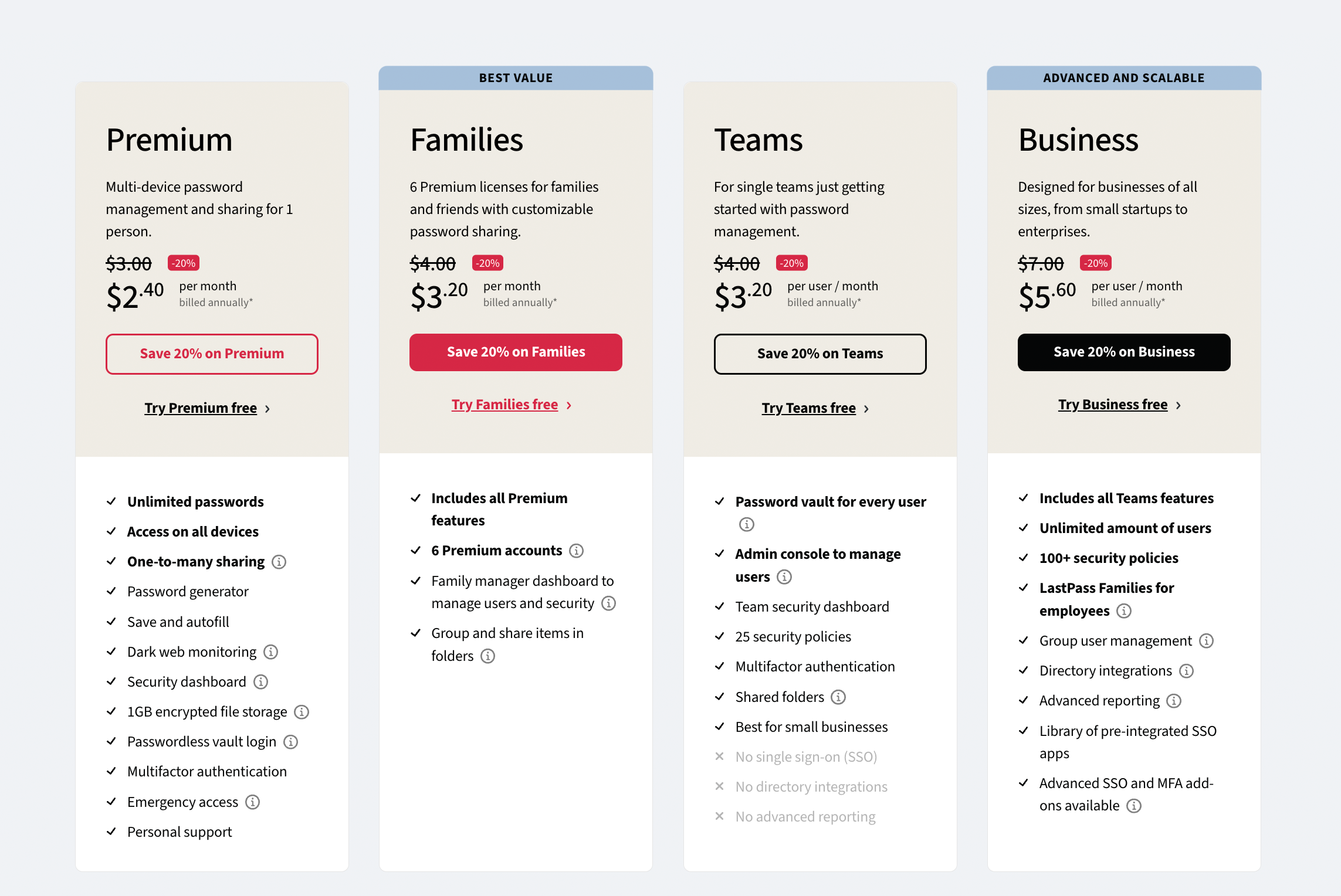
- Premium: $3/month — provides similar core functionality to 1Password.
- Families: $4/month for up to six users.
- Teams: $4/user/month, though it lacks some advanced features of 1Password.
- Business: $8/user/month, with admin controls and security features; the article notes the UX is generally less intuitive than 1Password.
Securden Pricing Plans
Securden Password Vault offers three plans: Starter, Teams, and Enterprise, designed for different organizational needs.
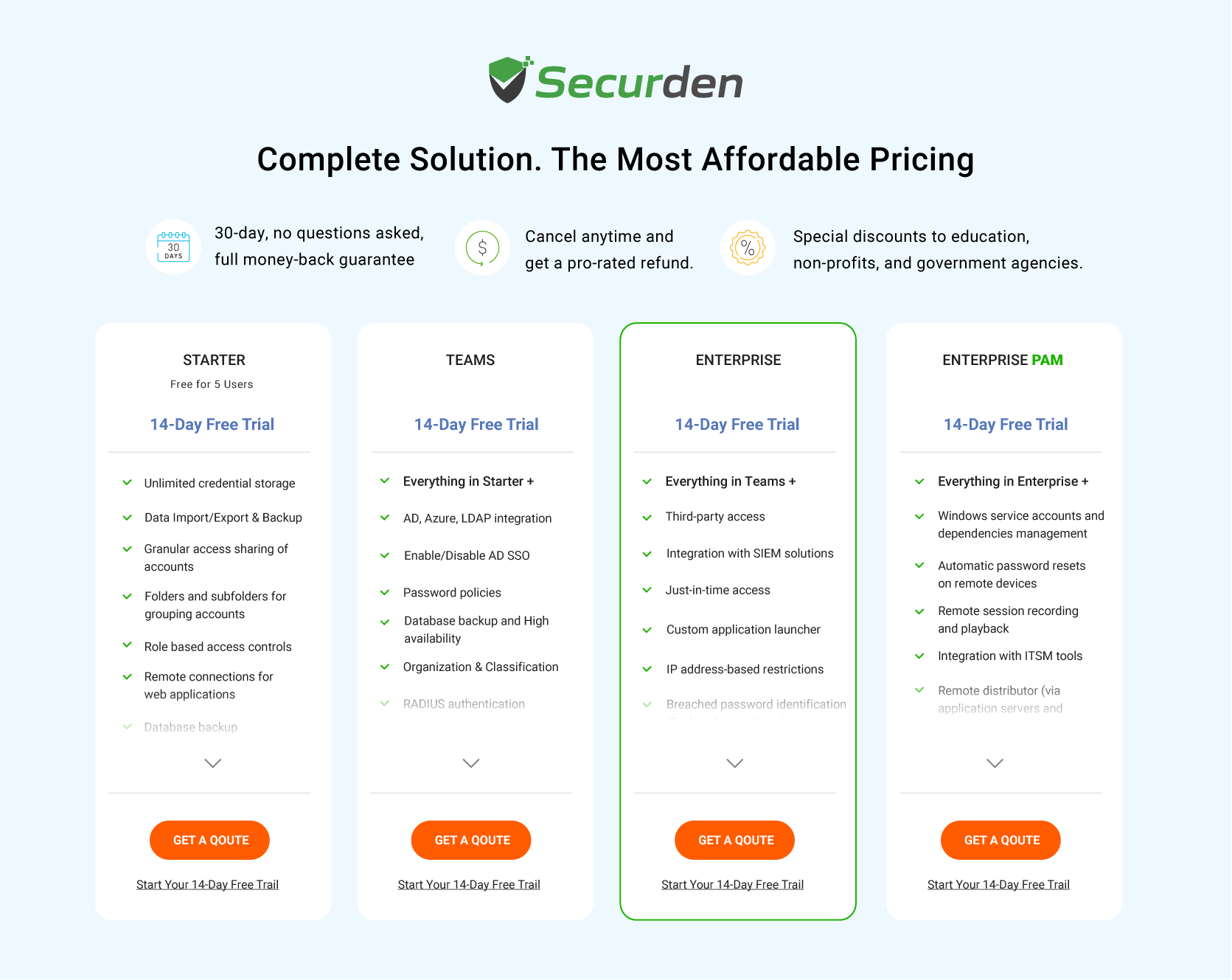
- Includes a 30-day free trial and a money-back guarantee (as stated).
- Starter plan: Free for up to five users, includes unlimited password storage, two-factor authentication, and account management tools.
- Teams/Enterprise: Includes capabilities such as Active Directory integration, just-in-time access, and extensive reporting.
The article positions Securden as a strong option for businesses looking to improve password management while keeping costs low, and directs users to the pricing page for details.
For detailed pricing information, visit the Securden Password Vault for Enterprises pricing plans page.
In-depth Comparison of LastPass vs 1Password (By Key Aspects)
Let’s compare both platforms LastPass vs 1Password in different aspects, such as platform availability, security, free trials, customer support, features, and desktop and mobile apps.
1. Platform Availability - LastPass vs 1Password
LastPass Platform Availability
LastPass supports multiple platforms including Windows, macOS, and Linux. For mobile users, apps are available for iOS, Android, and Apple Watch. Users can access their password vault across devices, but free users are limited to one device type, while premium users can use LastPass on unlimited devices.
1Password Platform Availability
1Password offers robust security features and supports Windows, macOS, and Linux for desktops. Mobile applications are available for iOS and Android, and users can manage passwords through a web-based application accessible via modern browsers. Browser extensions enhance functionality by allowing users to autofill passwords.
1Password offers broader access with web-based access and browser extensions to improve usability compared to LastPass’s device limitations for free users.
2. Security - 1Password vs LastPass
Security Features of LastPass
LastPass uses a powerful security framework to protect user data.
- Encryption: Employs AES-256-bit encryption layers, making decryption by hackers difficult.
- Architecture: Follows a zero-knowledge model to ensure only users can access their data.
- Authentication: Offers two-factor authentication (2FA) and multi-factor authentication options, including SMS codes and biometric methods.
- Security audits: Conducts regular security audits to identify vulnerabilities, despite facing scrutiny due to past breaches.
Security Features of 1Password
When comparing security, many ask, is 1Password safer than LastPass? 1Password implements strong security measures to safeguard user data with comprehensive vault encryption.
- Encryption: Uses AES-256-bit encryption to protect information both in transit and at rest.
- Encryption: Authentication methods: Supports biometric logins and various two-factor authentication options.
- Compliance and audits: Regular compliance and transparency audits demonstrate a commitment to high data protection and user privacy standards, encompassing NIST compliance among others.
1Password uses AES-256 encryption, multiple authentication options, security audits, and 2-Secret Key Derivation, which makes unauthorized access difficult even if the master password is compromised.
3. Free Version - 1Password vs LastPass
LastPass Free Version
LastPass offers a free version that provides essential password management features with significant limitations. Users can store an unlimited number of passwords, but access is restricted to a single device type, either desktop or mobile. Basic multi-factor authentication options like Google Authenticator are included, but advanced features such as YubiKey support and dark web monitoring are available only in the premium plan. These restrictions may limit usability for those needing access across multiple devices.
1Password Free Version
1Password does not have a free plan for long-term use. Instead, it provides a 14-day trial that allows users to test all features without restrictions. After the trial, a subscription is required to continue using the service, with personal accounts costing around $36 per year and family plans starting at approximately $60 per year for up to five accounts. This approach emphasizes a premium service model from the beginning.
LastPass offers a permanent free version, while 1Password only provides a limited trial, making LastPass better for free users.
4. Customer Support
LastPass Customer Support
LastPass provides various support options to assist users with the differences between free and premium plans.
- For free users: Access to a vast knowledge base filled with articles, troubleshooting tips, and community forums for peer support.
- Email support: Available for free users, but response times may be slower.
- Premium users: Gets prioritized email responses for their queries or questions.
LastPass's plans do not include live phone or chat support, and they rely instead on email and self-help resources.
1Password Customer Support
1Password focuses on self-help resources and email support to assist its users.
- Knowledge base: Offers comprehensive articles and guides on installation, usage, security, and billing.
- Community forums: Users can connect through moderated forums for additional assistance.
- Email support: Responses within one business day, though times may vary based on inquiry volume.
Like LastPass, 1Password does not provide live phone or chat support, which may limit immediate assistance for users.
Both offer a thorough knowledge base and email support, whereas both platforms lack live assistance via call or chat.
5. Features Comparison - LastPass vs 1Password
LastPass Overview
LastPass offers a user-friendly password management security tool designed for both individual and business use. The feature allows storage of passwords securely using AES-256 encryption and provides a password generator to create strong, unique passwords.
LastPass’s autofill feature ensures quick access to accounts, while two-factor authentication adds an extra layer of security. However, some advanced features like dark web monitoring and emergency access are reserved for premium users.
1Password Overview
1Password delivers a premium password management experience, offering secure password storage with AES-256 encryption and easy password generation. It stands out with its unique features like secure file storage and Travel Mode, which removes sensitive data while traveling.
The platform also includes advanced security reports and a Watchtower feature, helping users strengthen their security by identifying weak passwords and monitoring for breaches.
1Password is the winner due to its unique features like Travel Mode, secure file storage, and comprehensive security reporting, offering more advanced protection and flexibility for users.
6. Desktop and Mobile Apps
LastPass Desktop and Mobile Apps
LastPass provides desktop applications for Windows, macOS, and Linux, ensuring a consistent user experience across platforms.
- Windows: Features a clean, intuitive interface with quick access to the vault and a password generator.
- macOS: Supports Touch ID for secure access.
- Linux: Offers native support optimized for GNOME and KDE environments.
For mobile devices, LastPass offers mobile apps for iOS and Android with a modern design, dynamic text resizing, and streamlined access to your vault, making it easy to manage passwords on the go.
1Password Desktop and Mobile Apps
1Password offers desktop applications for Windows, macOS, and Linux, with a focus on a streamlined, productive interface.
- Windows: Includes a "Quick Access" feature for easy navigation.
- macOS: Integrates Touch ID and menu bar features for convenient access.
- Linux: Supports GNOME Keyring, KDE Wallet, and passwordless authentication.
Apart from that, the mobile apps for iOS and Android provide seamless autofill capabilities and customizable home screens. Mobile apps of 1Password offer a personalized and efficient user experience across all devices.
1Password offers more advanced features such as passwordless authentication on Linux, seamless autofill on mobile, and customizable home screens, providing a more personalized and efficient user experience across devices.
7. UI/UX and Ease of Use Comparison - LastPass vs 1Password
LastPass UI/UX
LastPass offers a functional user interface with a left-hand sidebar to access stored items like passwords and notes easily. The layout can feel cluttered due to the number of options available, though users can switch between tiled and list views. For new users, LastPass provides helpful prompts, but the abundance of features can make it harder for beginners to navigate.
1Password UI/UX
1Password stands out with a clean, organized layout and a spacious sidebar for quick access to stored data. Its modern design, vibrant iconography, and customizable home screen offer a seamless experience. The onboarding process is straightforward and you can set up all your online accounts with minimal effort.
LastPass offers a functional interface with easy access to stored items and helpful prompts for new users.
All-in-One Password Management, Streamlined Access Control
From secure password storage to user access oversight, Securden provides complete protection for your organization.
Which Password Manager Is Right for You?
A common question among users is whether 1Password is better than LastPass. Both are established password managers, but they serve different needs.
Choosing between LastPass and 1Password depends less on which tool is objectively “better” and more on who will use it and for what purpose.
- For individual users and families, both tools work well for everyday password storage and autofill. LastPass suits users looking for a free, basic option, while 1Password is better for those who value a more refined user experience and advanced security features.
- For small teams and startups, 1Password stands out for its clean interface, secure sharing, and features such as Travel Mode and detailed security insights. LastPass may appeal to cost-sensitive teams but comes with trade-offs that should be evaluated carefully, including past security incidents
- For IT administrators and security teams, password storage alone is often not enough. This is where Securden differs from traditional password managers by combining password vaulting with privileged access management, approval workflows, session traceability, and audit-ready reporting.
- For regulated industries and compliance-driven organizations, stronger governance, separation of duties, and access visibility are critical. In such environments, platforms like Securden are better aligned with operational and compliance requirements than standalone password managers.
When deciding between LastPass and 1Password, users should assess their security expectations, budget constraints, and operational complexity. Teams that require greater visibility, stronger access controls, and centralized governance may find broader long-term value in solutions designed specifically for privileged access use cases.
Securden offers a 30-day free trial along with a no-questions-asked money-back guarantee, allowing organizations to evaluate the platform without risk. A personalized demo is also available for teams looking to understand how centralized password and access management can be implemented without hidden costs or complex pricing.
Frequently Asked Questions on LastPass vs. 1Password
1. What steps should I take to ensure a smooth migration without losing data?
To migrate passwords without losing data, export your passwords from the current password manager in CSV format. Then, import the CSV file into your new password manager, following its specific instructions. Always back up your existing data before starting the migration. After the transfer, verify that all entries are correct. Finally, enable two-factor authentication (2FA) in your new password manager to enhance security.
2. How do password managers handle potential vulnerabilities and security updates?
Password managers like Securden, LastPass, and 1Password address vulnerabilities through regular updates that fix security flaws. They safeguard your data using strong encryption standards, such as AES-256. Cybersecurity companies conduct ongoing security assessments and collaborate with third-party experts for penetration testing and audits. They also monitor emerging threats to apply timely patches, maintaining the security of your information.
3. What steps do LastPass and 1Password take to protect user privacy and data?
LastPass and 1Password ensure user privacy with strong encryption protocols, including AES-256, which protects your data in transit and at rest. They operate on a zero-knowledge architecture, meaning they cannot access your vault contents. Both services support two-factor authentication to enhance account security. Regular security audits help them comply with data protection best practices, keeping your information secure and private.
4. How to migrate from LastPass to another tool after the 2022 breach
To migrate from LastPass after the 2022 breach, export your passwords by logging into LastPass, going to Advanced Options, and selecting Export to download a CSV file. Choose a new password manager, such as Securden, 1Password, or Bitwarden, and follow their instructions to import the CSV file. Change your passwords afterward for added security.
