The Problem with Shared Account Password Management
Shared credentials are among the hardest to govern. They change hands over email threads, chat messages, and phone calls with no record of who accessed what, and no way to revoke access after. When multiple users share the same account, actions can't be traced to individuals. When a contractor finishes an engagement, the credentials they were handed live on in their inbox indefinitely.
Securden Password Vault for Enterprises replaces ad hoc password sharing practices with a structured, secure, and auditable workflow. This ensures every access event is deliberate, traceable, and governed by centralized organizational policies.
Control Exactly What Each User Can Do With a Shared Credential
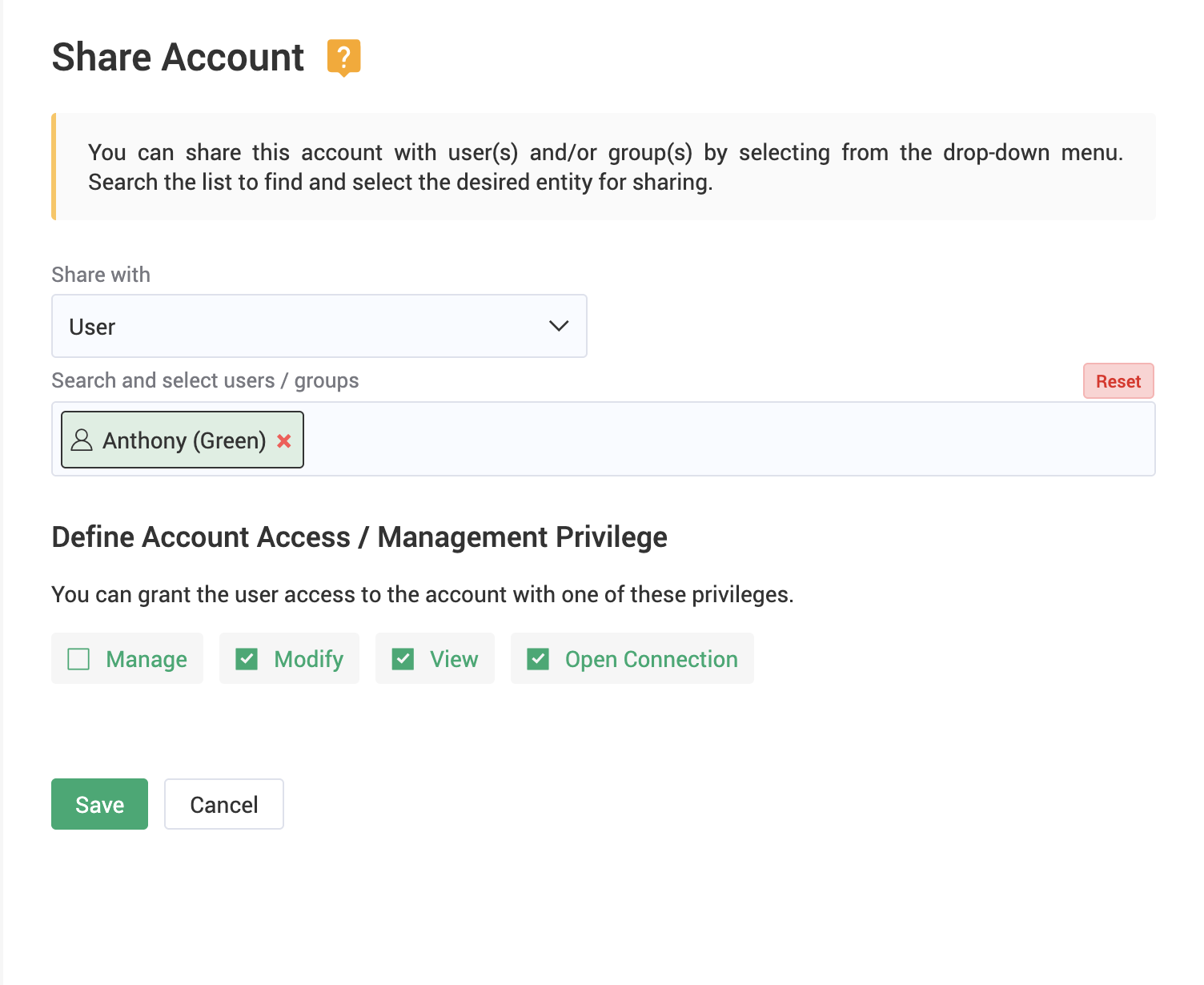
Not every user who needs access to a shared account needs the same level of access. Securden lets administrators define precisely what each user or group can do with every shared credential — without creating separate accounts for each permission tier.
Four permission levels map access to role:
- Open Connection — Users launch RDP, SSH, SQL, or web app sessions directly through the password vault. The underlying password is never revealed. This is the recommended mode for most privileged access scenarios.
- View — Users can retrieve and see the password in plain text, reserved for situations that require manual entry or configuration.
- Modify — Users can update the passwords and accounts that are co-managed by a team.
- Manage — Full administrative control over the account, including the ability to edit, delete, or re-share it with other users or groups.
Permissions can be assigned at the account level or inherited through folder sharing, giving administrators flexibility without administrative overhead.
Share Credentials with External Vendors Without the Risk
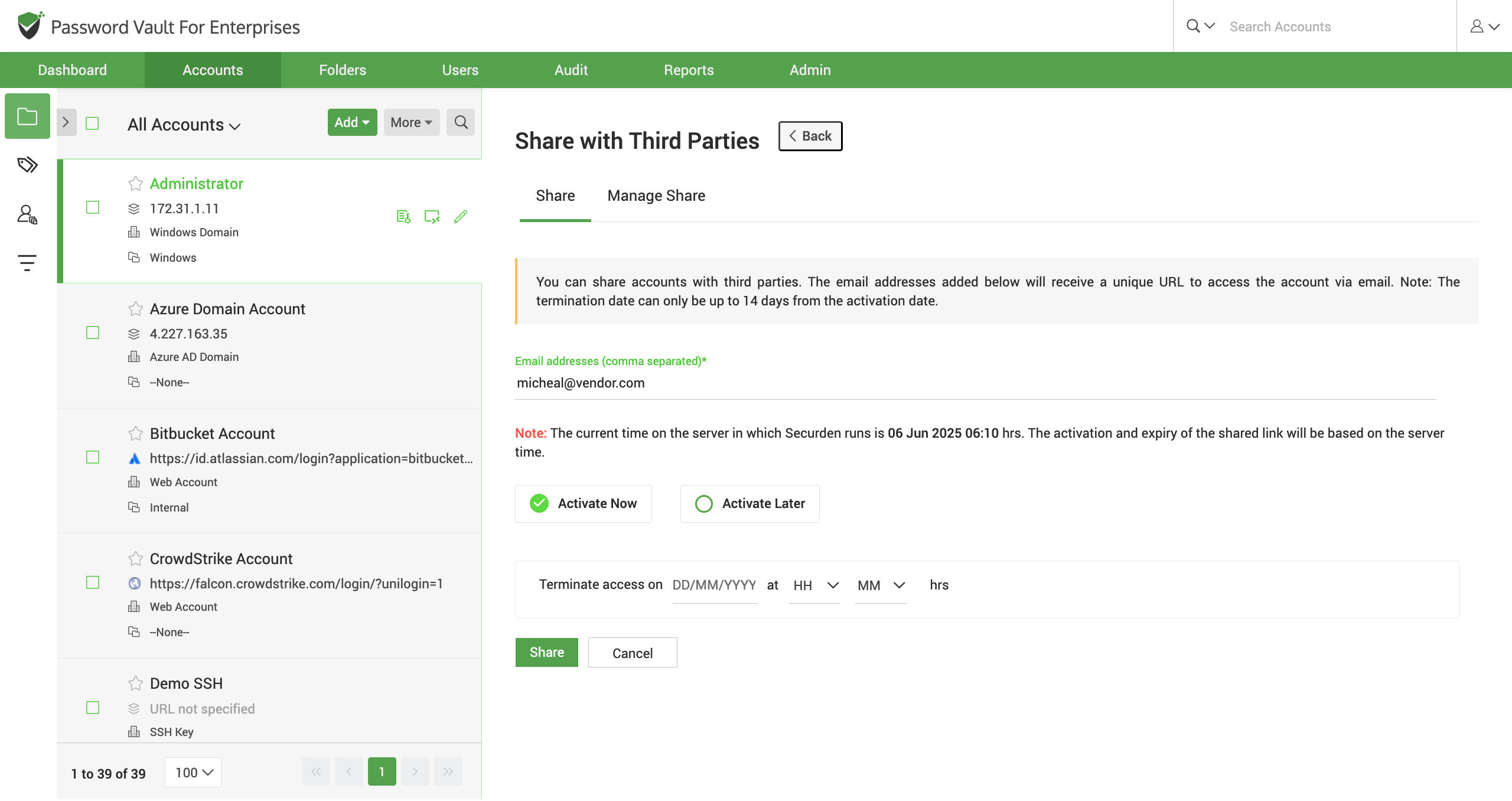
Working with contractors, auditors, or third-party vendors often means sharing credentials outside your organization — a process that typically defaults to email, with no expiry and no visibility. Securden handles third-party access differently.
Administrators can share account access with external parties directly from the password vault. A time-limited, encrypted link is delivered to the vendor's email address. They access the account within the timeframe you define, and access expires automatically when that window closes. No Securden account is required on their end, and no credential is ever transmitted in plain text.
Full Visibility Into Every Sharing and Access Event
Every password retrieval, connection launch, sharing action, and permission change is captured as a tamper-proof audit trail — tied to a specific user, timestamp, and IP address. When something goes wrong, you know exactly where to look.
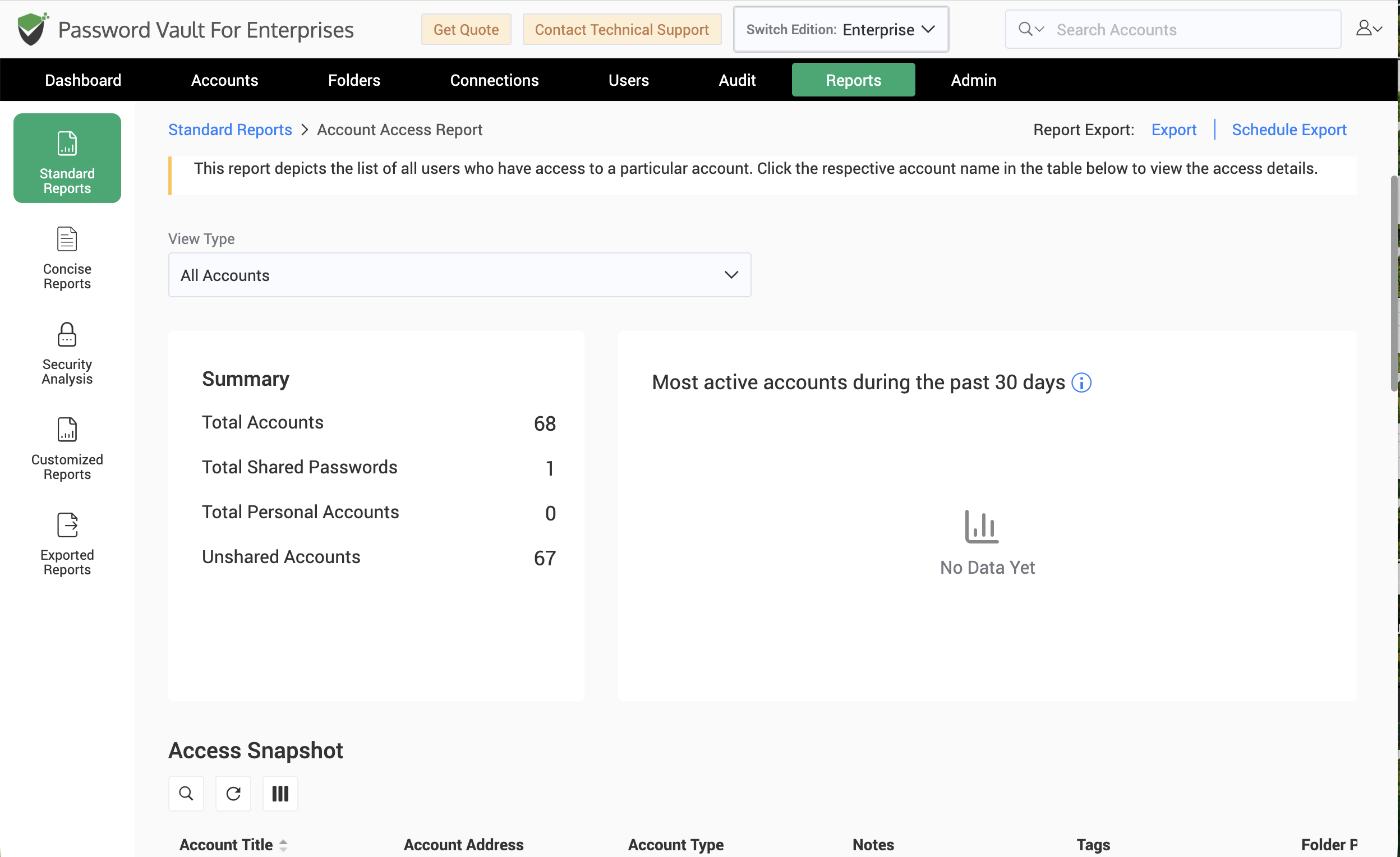
Securden's built-in reporting gives administrators structured visibility across accounts, users, and credential health — covering who has access to what, the full activity history of any account or user, password compliance and expiry status, and organization-wide usage patterns. Reports can be exported on demand or scheduled for automated delivery, with filters to narrow results by category, user, or account.
More Capabilities That Support Secure Sharing
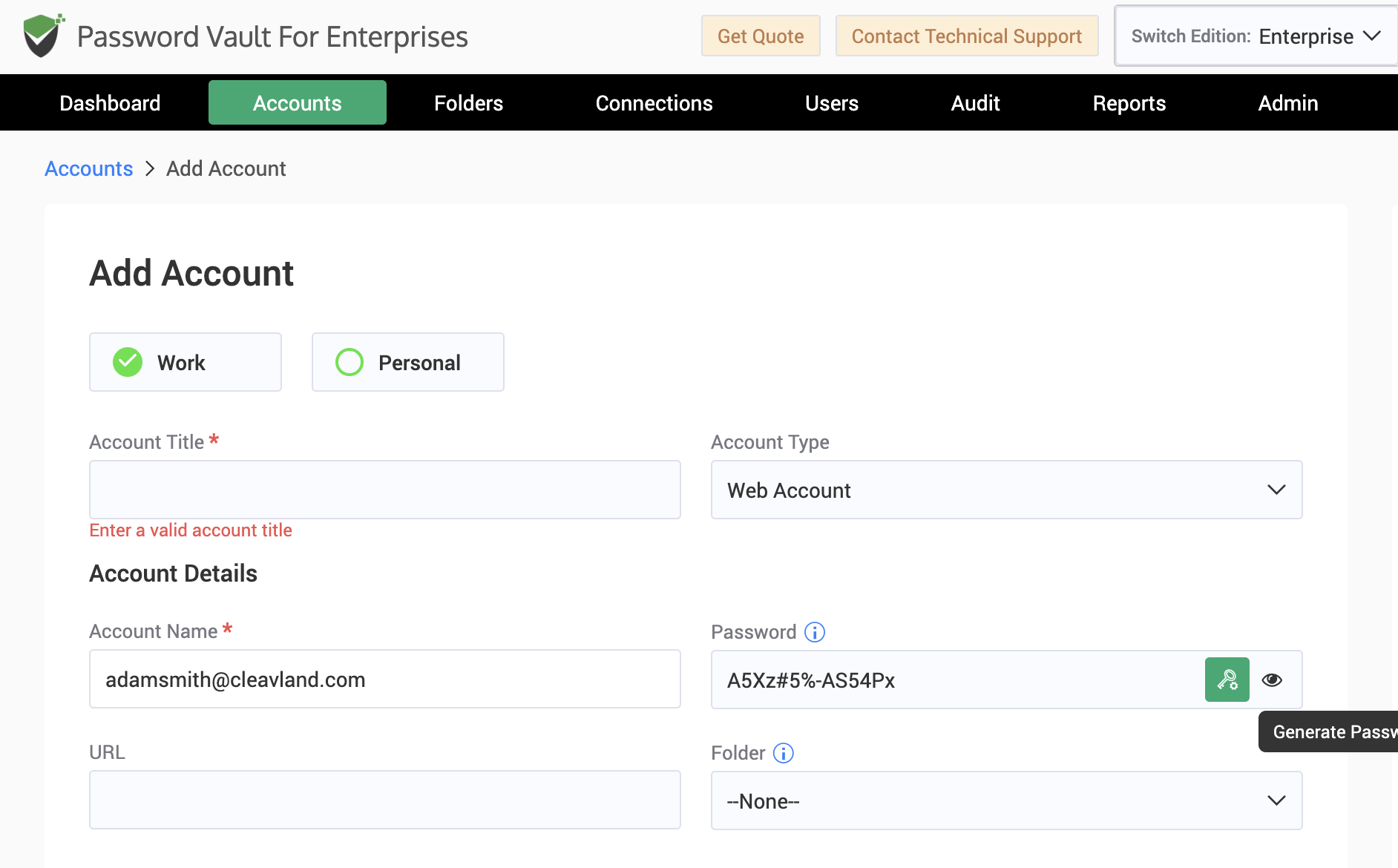
- Secure Password Generation: Generate strong, policy-compliant passwords for shared accounts directly within the password vault, eliminating weak or recycled credentials across shared accounts.
- Directory Services Integration: Sync users and groups from Active Directory, Azure AD (Entra ID), LDAP, or Google Workspace. Sharing permissions update automatically as your directory changes, so access stays intact without manual intervention.
- MFA Enforcement: Require multi-factor authentication before users can access the vault or retrieve shared credentials, with support for OTP, TOTP, Duo Security, YubiKey, and Radius-based authentication.
- Just-in-Time Access Workflows: For sensitive accounts, require users to submit an access request that an administrator reviews and approves. Access is granted for a defined window and can auto-expire with an optional password reset on completion.
- Role-Based User Management: Assign administrator, user, or auditor roles to control what each person can see and do across the vault, independent of what accounts they have access to. Define custom roles with more scoped permissions.
- Browser Extensions and Autofill: Shared credentials auto-fill directly into web applications from the browser extension, logging users into the required application without users wanting to type the underlying password.
Benefits at a Glance
|
Share Without Exposing Credentials Grant access to systems and applications without revealing passwords in plain-text. |
Four Levels of Granular Control Define exactly what each user can do: launch a connection, view or modify or fully manage shared accounts. |
|
Safe Vendor Access, Built In Deliver time-limited, encrypted access to external parties without creating Securden accounts or sharing passwords over email. |
Complete Audit Visibility Every access event is logged with user identity, timestamp, and IP address making investigations and compliance reviews straightforward. |
|
Auto-Expiring Access Set time limits on shared access and let the system revoke it automatically when the window closes. |
Group-Based Folder Sharing Organize credentials into folders and share entire folders with users and groups. |
|
Policy-Driven Password Hygiene Generate strong passwords for shared accounts and enforce rotation schedules to keep shared credentials compliant and secure. |
Take Control of Every Shared Credential
Share credentials securely across teams and vendors — without compromising visibility or accountability.

