Remote & Hybrid Workforce
Enforce Least Privilege on Remote Endpoints. Eliminate Standing Admin Rights.

Remote users need elevated access, but admin access requests stop working when devices are off-network. Securden securely elevates approved applications and tasks, online or offline, wherever users work.
Enter a proper email address.

Off the Corporate Network Doesn't Mean Unmanaged.

Remote employees need elevated privileges often, but IT has limited visibility and can't approve every request in real time.

Frequent elevation needs

Application installs, updates, troubleshooting, and business tools all demand admin access.

Limited IT visibility

Outside the corporate network, IT cannot see or approve requests as they arise.

Approval not possible

When connectivity doesn’t exist, IT helpdesk cannot grant just-in-time admin rights through a request-release workflow.

Standing rights = risk

Permanent local admin increases the risk of malware, ransomware, and unauthorized changes.

How Securden Helps - Least Privilege that Follows the User

Dynamic privilege elevation that works regardless of whether the endpoint is connected to the network or not.

01 — Eliminate admin rights

Remove standing admin privileges

Strip permanent local administrator rights from remote endpoints by default.

02 — Offline policies

Elevate approved applications automatically

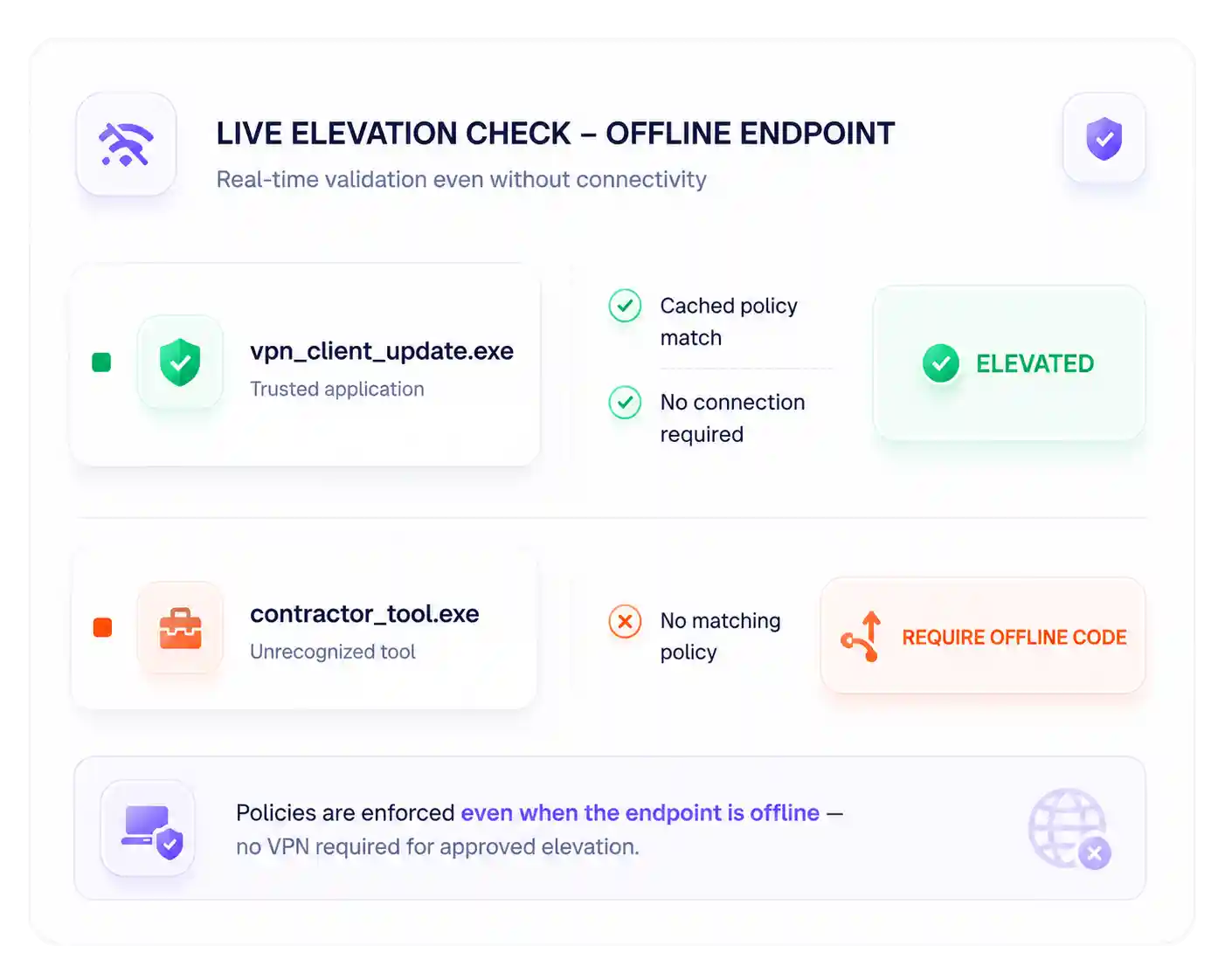
Predefined policies elevate trusted apps the moment a user needs them, even when offline.

03 — Robust exception handling

Code based elevation

Time-limited privilege elevation with automatic revocation through offline access codes for miscellaneous needs outside the scope of policies.

04 — Resilient auditing

Track offline privilege elevation activities

Record all offline privilege elevation activities performed through policies and offline codes for complete visibility.

Built for Distributed Teams

Uniform policy enforcement

Securden ensures the application control policies are enforced on online and remote endpoints uniformly.

Complete audit trail

All privilege elevation activities are recorded and tracked even for users working offline.

How It Works

Admin sets it up:

  • Removes standing local admin privileges from remote endpoints.
  • Defines policies for approved apps, plus limits for temporary elevation.
  • Configures offline access codes for handling policy exceptions dynamically.

Remote user work seamlessly:

  • Launches an approved application, on or off the corporate network.
  • Securden elevates it automatically using cached or live policy.
  • Uses an offline code for elevating privileges for a limited time.

Built for Every Remote Work Scenario

Installing business software

Approved installers elevate automatically; no full admin rights granted.

Software updates

Approved updaters run with elevated privileges on their own.

Developers working remotely

Dev tools elevate as needed while unauthorized admin actions stay blocked.

VPN service unavailable

Locally cached policies keep approved elevation working while offline.

Troubleshooting

Admin rights are granted for a limited duration, then automatically revoked.

Third-party contractors

Elevation is restricted to only the applications and tasks they're approved for.

Enterprise-Grade Security Without Slowing Down Remote Teams

Security

Eliminate standing admin privileges on remote endpoints. Smaller attack surface for ransomware and credential theft.

Productivity

Authorized tasks are completed without helpdesk intervention. IT productivity improves without disrupting business continuity.

Consistency & Compliance

Least-privilege policy enforced regardless of location. Detailed elevation logs support compliance requirements even on offline endpoints.

Secure remote work. Never slow it down.

Remove permanent admin rights, enable policy-based elevation, and protect every endpoint - in the office, at home, or on the move.

Enter a proper email address.
Securden Help Assistant
What's next?
Request a Demo Get a Price Quote

Thanks for sharing your details.
We will be in touch with you shortly

Thanks for sharing your details.
We will be in touch with you shortly