Helpdesk Automation for IT Admins
Reduce helpdesk tickets.
Automate privilege elevation.

Users complete approved admin tasks instantly - no tickets, no waiting for IT, no standing admin rights. Only the task gets elevated. The user stays standard.
Enter a proper email address.

Without Local Admin Rights, Routine Tasks Become Helpdesk Tickets

Remove local admin rights for everyone and suddenly routine tasks like software installs, updates, and printer setup start flooding the helpdesk queue.

Software installation tickets

Routine installs and updates get filed as support requests.

Repetitive admin requests

IT spends real time on low-value, recurring privilege asks.

Productivity lost waiting

Employees stall until an approval or remote session comes through.

Admin rights as a workaround

Some teams keep standing admin access purely to avoid ticket volume.

Reduce IT Support Tickets Through Self-Service Privilege Elevation

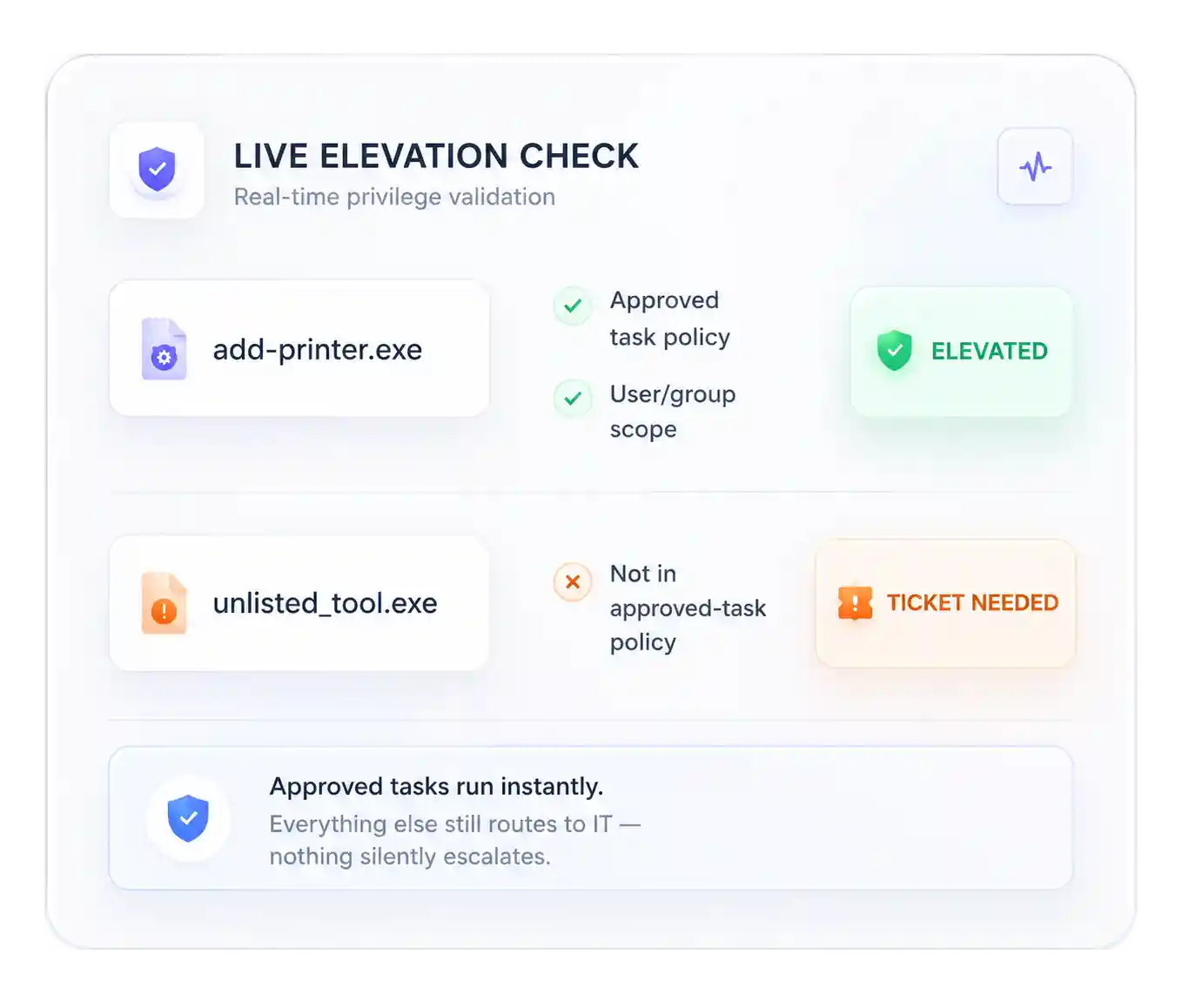
Policy-based elevation handles the routine requests automatically. No tickets, no waiting on IT.

01 — Automate privilege elevation

Automatically elevate approved applications

Trusted applications and admin tools run elevated whenever required, by policy, not through helpdesk tickets.

02 — Eliminate admin access requests

Eliminate repetitive support requests

Users complete approved administrative tasks independently, without ever raising a ticket.

03 — Least privilege without helpdesk tickets

Keep users as standard users

Endpoint privilege management elevates the application, not the user.

04 — Endpoint privilege management

Centralized policy engine

Manage elevation rules from one console, deployed consistently across every endpoint.

Replace Manual Approvals with Precise Control Policies

Elevates privileges only when a request matches a defined policy:

Trusted applications and tools

Only pre-approved apps and system tools are eligible for elevation.

Task-level privileges

The specific task is elevated, not the user account behind it.

User & group scoping

Policies define exactly which users or groups may perform which tasks on designated devices.

Maximize Helpdesk Productivity

Lower support costs

Automating repetitive requests improves first-contact resolution and cuts cost per ticket.

IT scales without more headcount

Operations can scale without proportionally growing the helpdesk team.

How It Works

Admin sets it up:

  • Removes permanent local administrator rights from endpoints.
  • Creates policies for approved administrative applications and system tools.
  • Defines which users or groups may perform each task.

User just gets it done:

  • Launches an approved application or administrative tool.
  • Securden automatically elevates that application granularly.
  • The user completes the task without gaining admin rights or any assistance from the helpdesk.

What Results Can You Expect in Two Weeks?

Productivity

Significantly fewer helpdesk tickets. Instant, self-service access to complete approved tasks.

Security

Least privilege enforced without user friction. Complete audit logs for every elevated action.

IT Operations

Lower workload and operational costs. Helpdesk freed for higher-value support work.

Tasks That Would No Longer Become a Ticket

  • Installing approved software
  • Updating business applications
  • MMC snap-ins
  • Windows Firewall settings
  • Printers & printer drivers
  • Approved network utilities
  • System administration tools
  • Approved maintenance scripts

Fewer tickets. Same strong security.

Automated, policy-driven elevation — the security benefits of least privilege, without the helpdesk burden.

Enter a proper email address.
Securden Help Assistant
What's next?
Request a Demo Get a Price Quote

Thanks for sharing your details.
We will be in touch with you shortly

Thanks for sharing your details.
We will be in touch with you shortly