Securden EPM provides mobile applications for Android and iOS to help IT administrators manage privilege elevation requests and application access requests directly from the mobile without logging into the web-interface.
However, if the IT helpdesk prefers to handle all requests through their ticketing system or ITSM solution for centralized request logging and management, they can leverage the advanced integration between Securden Endpoint Privilege Manager and their ITSM solution.
At present, Securden EPM readily integrates with ServiceNow, Jira, GLPI, FreshService, Zendesk, ManageEngine ServiceDesk Plus, Freshdesk, and Solarwinds.
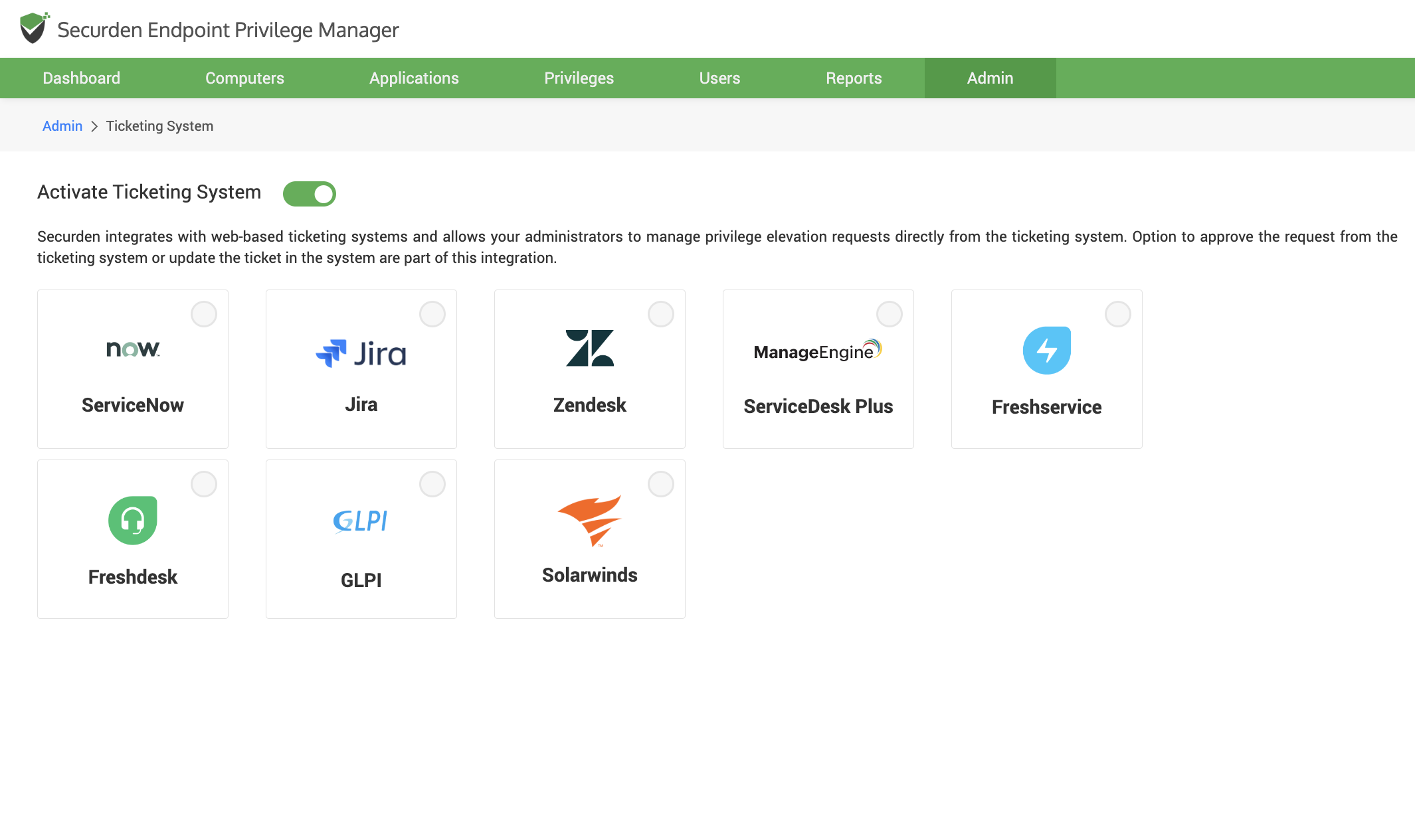
By selecting a ticketing system from the options available, provide a few details, and within a few steps, the IT administrators can start managing privilege elevation requests and application access requests directly using their ticketing system (ITSM).
How does ITSM integration help improve efficiency and workforce productivity?
Securden Endpoint Privilege Manager (EPM) provides flexibility in integrating with ITSM solutions. You can assign the required ticket severity for the requests raised in EPM, assign the ticket to specific users and user groups in the ITSM solution, configure which ticket attribute should be used for approving or rejecting the ticket.
By configuring ticketing system user IDs for users, requests raised by specific users can be assigned to their managers instead of the IT helpdesk.
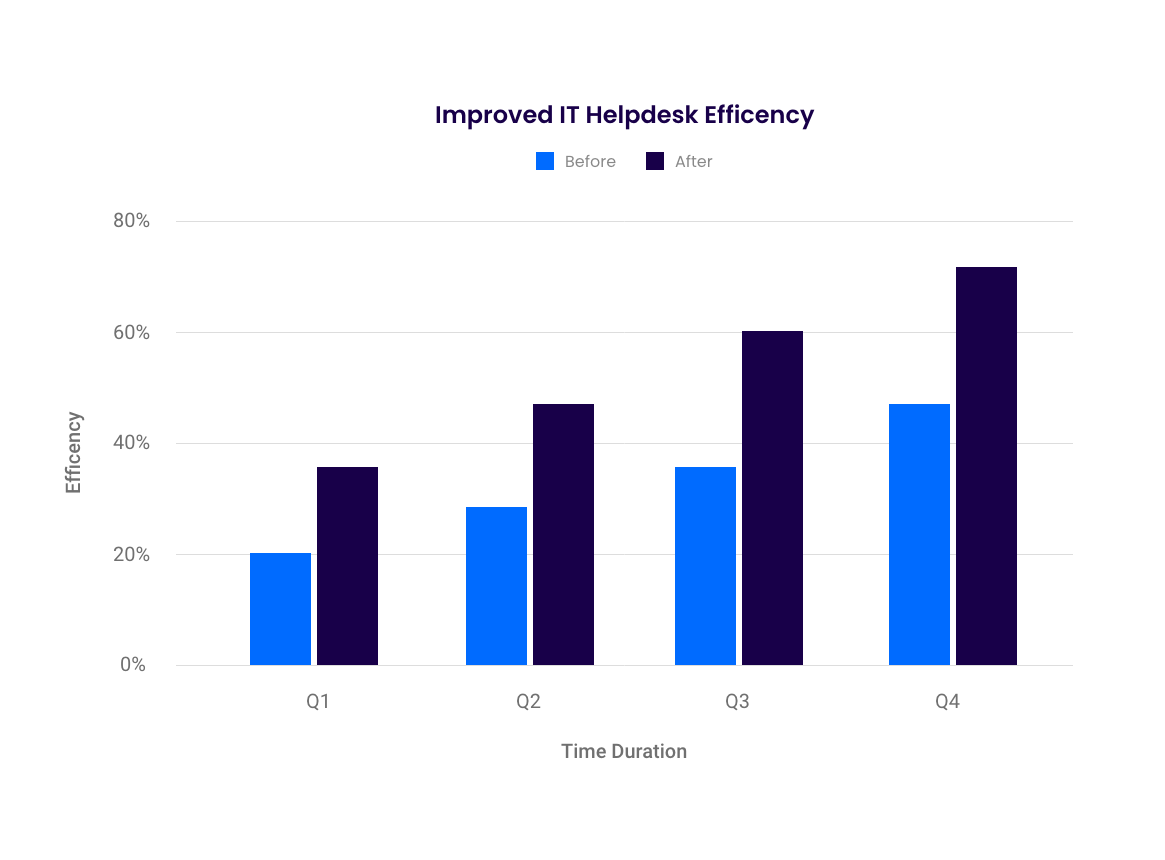
Securden EPM helps improve the productivity and operational efficiency of the IT helpdesk and the workforce by streamlining the request-approval process for privilege elevation and on-demand application access.
Example Workflow of the Request-Approval Workflow using ITSM
After integrating with the ITSM solution used by your organization, the requests in EPM would follow the flow explained below.
Request Creation in EPM: The user would raise a request using the Securden Agent as usual. The end user would not have to do anything different.
Ticket Creation in ITSM: According to the parameters defined while setting up the integration, a ticket would be created for every request raised by the end user.
Approval Workflow: The ticket would be assigned to the designated approver of each user if their ticketing system user id is configured with Securden. If not, the tickets would be assigned to the administrator. Once the approver or administrator changes the ticket parameters according to the configuration in EPM, the requests would be approved.
If multiple levels of approval are enforced in EPM, then you have the option to consider the approval from ticketing system as one level of approval or use it to bypass all other levels of approval.
Use of Permissions: Once the request is approved in EPM, the end user would get an alert on their email and from their agent. They can use the elevated privileges just like usual.
Auditing: When the ticket is approved from the ticketing system, the action gets captured as an audit trail. Along with this, all privilege elevation activities are captured in Audit trails.
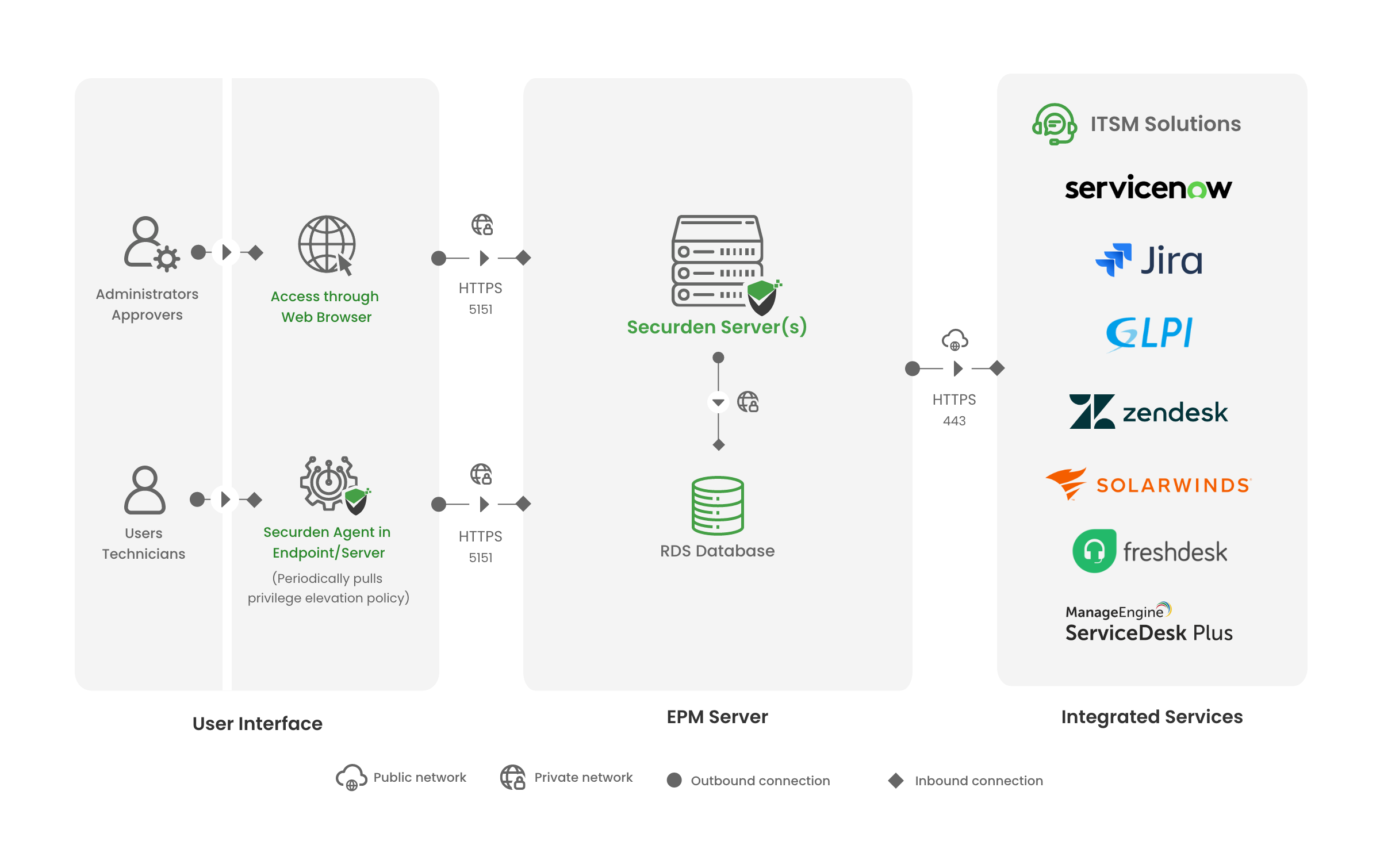
Architecture Diagram of Securden EPM and ITSM Integration
The Securden Agent on end user devices communicates with the EPM server through one way communication. Once the user raises a request using the agent, the agent registers the request on the EPM server right away. Similarly, the EPM server communicates with the ITSM solution through one-way communication.
The EPM server tries to fetch the latest changes from the ITSM in set intervals. Once the ticket is approved, the EPM fetches the changes and keeps the information ready for the agent.
When the agent pings the server to fetch changes, the request approval is fetched by the agent. The user can make use of the permissions right away.