In modern enterprises, security cannot be enforced where visibility doesn’t exist. Securden’s centralized repository of Windows, Mac, and Linux devices would provide a single source of truth about all the on-premises, cloud, and virtual machines that are in use.
Providing vital information on the hardware specifications, operating system, and all associated user accounts under a single pane of glass, Securden EPM helps you maintain central oversight on all your assets and sets up the vital base for managing admin rights and privileges.
Real-time Device Discovery and Synchronization
Securden Endpoint Privilege Manager readily integrates with Active Directory and Entra ID to discover all the endpoints and servers available in your organization. Set up domain synchronization and ensure all computers registered with AD, Entra ID or both (hybrid setups) are onboarded into Securden EPM automatically.
Install the agents on computers to fetch critical details
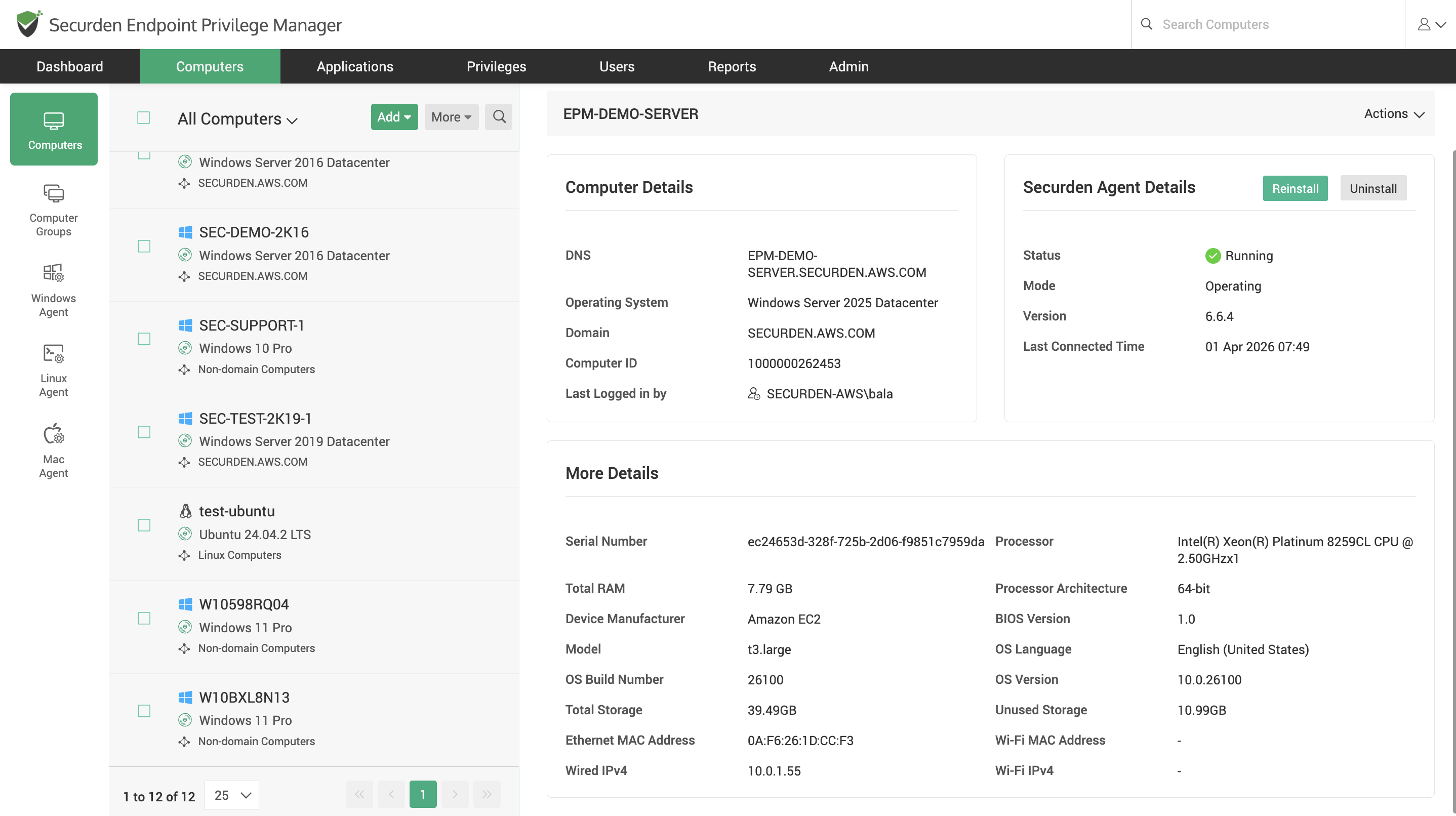
- Hardware identity - RAM, processor, and storage, along with the serial number.
- Software footprint – Device name and operating system, along with installed applications.
- Device owner – Assign the owners to each device for streamlined policy creation.
Organizing Devices into Computer Groups
Organize groups based on function and logic. Associate policies to computer groups and streamline access and privilege provisioning.
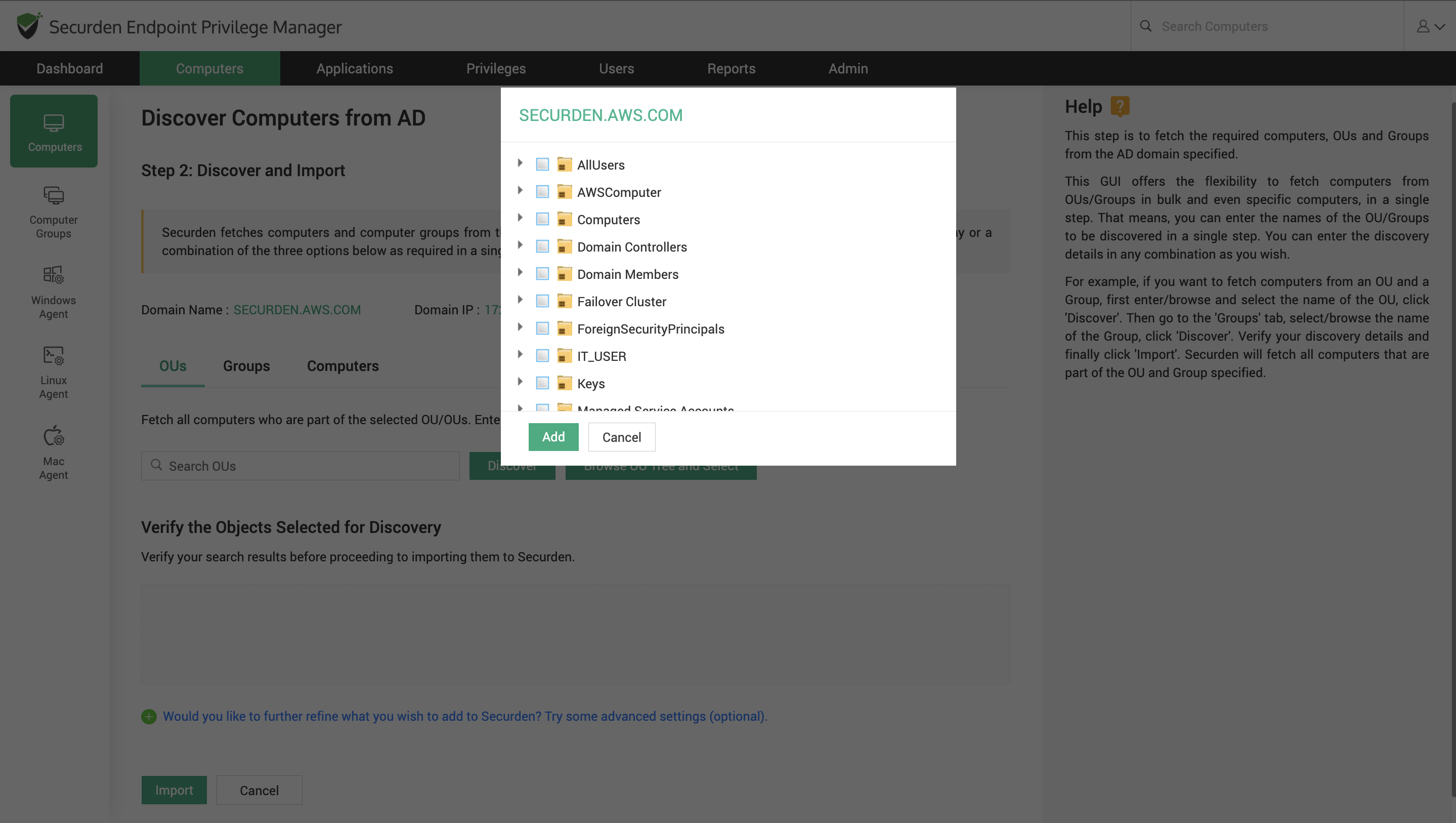
Securden supports grouping and organizing devices into computer groups for friction free policy dispensing. Onboard domain computer groups from AD and Entra ID and synchronize periodically to keep an up-to-date inventory of all your Windows, Mac, and Linux devices.
Admin Account Discovery
Once the Securden agent is installed on endpoints and servers, the admin account registered on each device is automatically discovered and fetched. The accounts will be listed in the Endpoint Privilege Manager against corresponding devices.
Securden provides much required visibility into how many admin accounts are in use on each device in the organization across Windows, Mac, and Linux systems.
Securden EPM helps you make important decisions on which accounts to keep and which to eliminate by providing a clear view of all the accounts with local admin privileges on endpoints and servers.
Why does this matter for managing admin rights and privileges?
Without centralized organization and complete visibility over all the IT assets in use, ensuring sufficient protection, and access control is entirely impossible.
Granular Control Policies
Sufficient visibility over admin accounts aids in accurate policy creation and enforcement. Without a centralized device repository providing insights on admin accounts, applications in use, least privilege policies become either too broad or too restrictive.
Prevent Shadow IT
Having a centralized repository also helps prevent Shadow IT. Ensure no unauthorized devices or applications are used by employees to stop the creation of new unmonitored entry points.
Enforce Least Privilege Remotely
With visibility over devices and the admin accounts in them, you can revoke admin accounts and push policy updates regardless of the device location. Ensure the principle of least privilege is enforced for remote workforce using the Securden Agent.

