Consolidate Passwords, SSH Keys, Files, and Secrets in a Secure Enterprise Vault
It’s not uncommon for enterprise IT teams to constantly juggle with various types of credentials like passwords, certificates, DevOps secrets, keys, tokens and a lot more. These credentials are often stored in spreadsheets, browser vaults, personal password managers, shared folders, emails, and sticky notes make it nearly impossible for IT teams to maintain visibility and control over the wide array of credentials in use.
Whether you're onboarding a new environment or replacing multiple password repositories, Securden helps you consolidate enterprise secrets without disrupting existing workflows.
Gain Holistic Visibility Over Scattered Credentials
Securden Password Vault for Enterprises provides a centralized, encrypted repository where organizations can securely store, organize, and manage passwords, SSH keys, confidential documents, and other sensitive information from a single vault.
With Securden, every credential is discoverable, every access policy is consistently enforced, and every account is traceable to an owner.
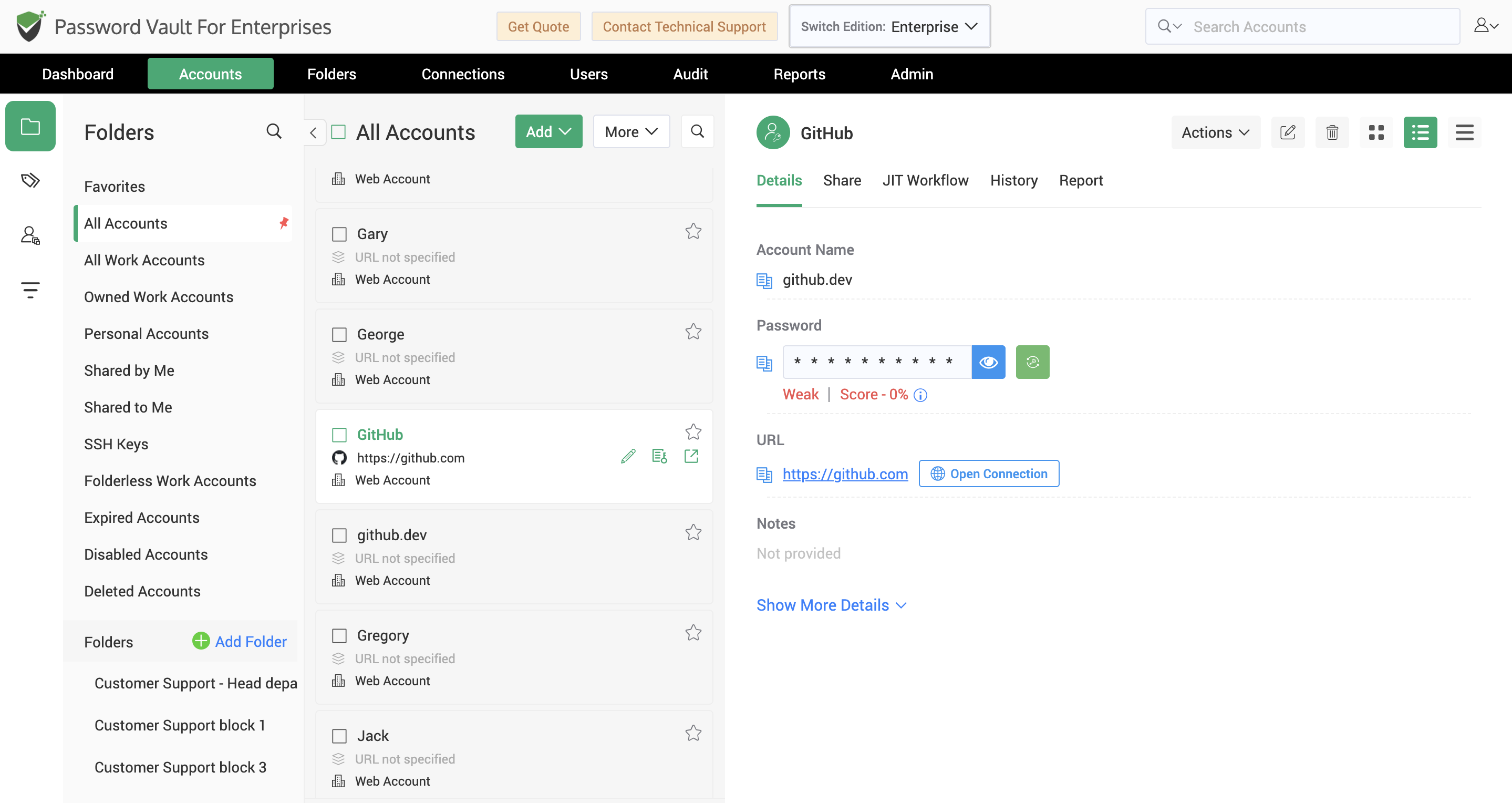
Secure More Than Just Passwords
Credentials come in many forms.
Securden Password Vault for Enterprises enables organizations to securely store a wide variety of sensitive assets within the same encrypted vault—no fragmented tools, no administrative silos
Store and organize:
- Windows, Linux, macOS, database, network device, and application credentials
- SSH key pairs
- API keys and access tokens
- Cloud credentials
- Software license information
- Recovery keys
- Certificates
- Sensitive notes
- Confidential files and documents
- Custom secrets specific to your organization
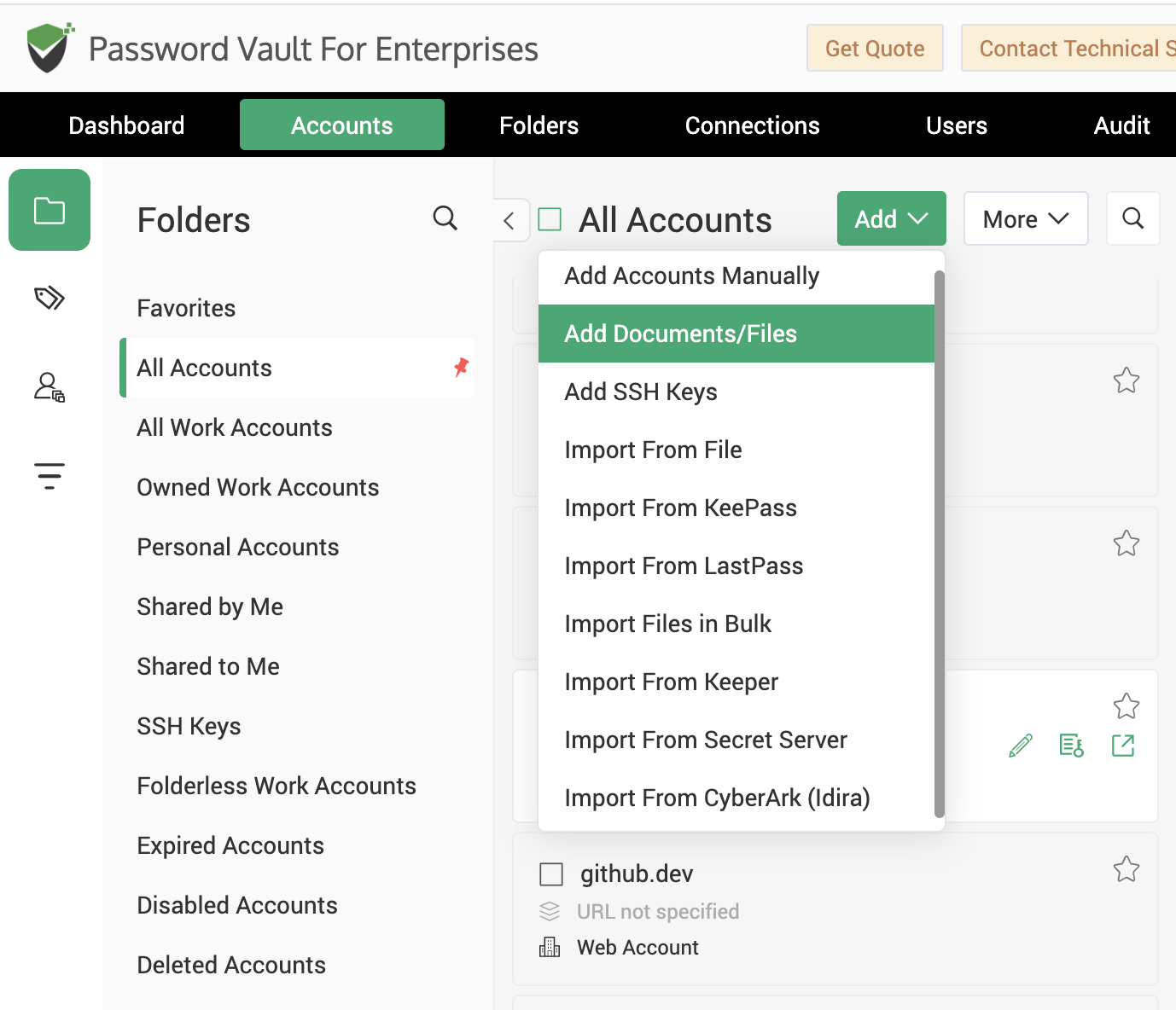
Organize Credentials the Way Your Business Works
As organizations grow, so do the number of credentials they manage.
Securden helps administrators maintain structure by organizing accounts into folders and categories that reflect departments, business units, projects, environments, or customers.
Powerful search capabilities and customizable metadata make it easy to locate credentials quickly, even across thousands of stored accounts.
Instead of searching through multiple spreadsheets or password managers, users can find exactly what they need from one centralized interface.
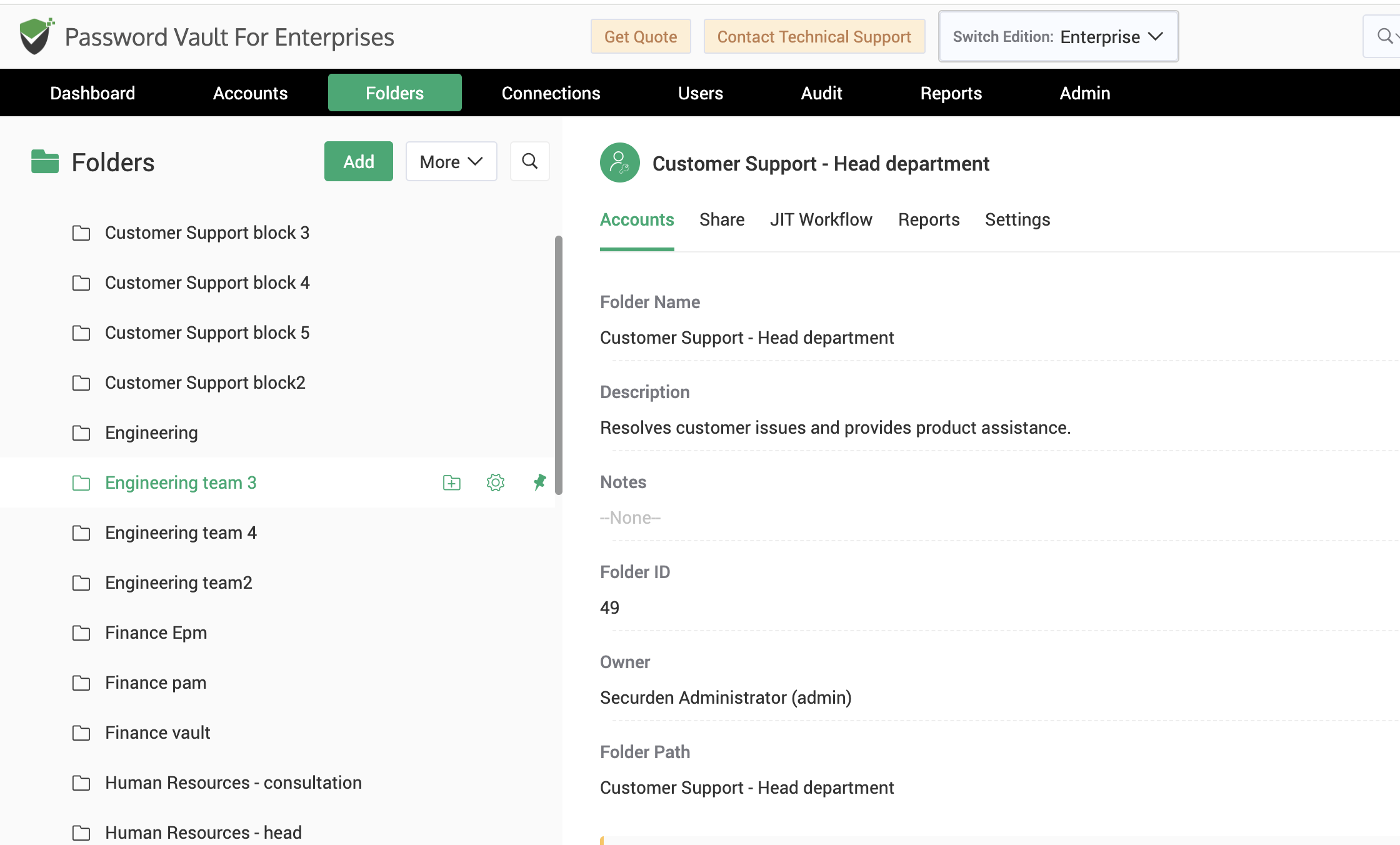
Migrate Existing Password Repositories with Ease
Moving your scattered credentials to a centralized vault shouldn't require rebuilding everything from scratch.
Securden Password Vault for Enterprises simplifies migration by supporting bulk imports from multiple sources, allowing organizations to consolidate credentials in minutes rather than days.
Import accounts from:
- CSV and Excel files
- KeePass
- LastPass
- Keeper
- Secret Server
- And other supported password repositories
Whether you're migrating hundreds or tens of thousands of credentials, Securden streamlines the transition while preserving important account information.
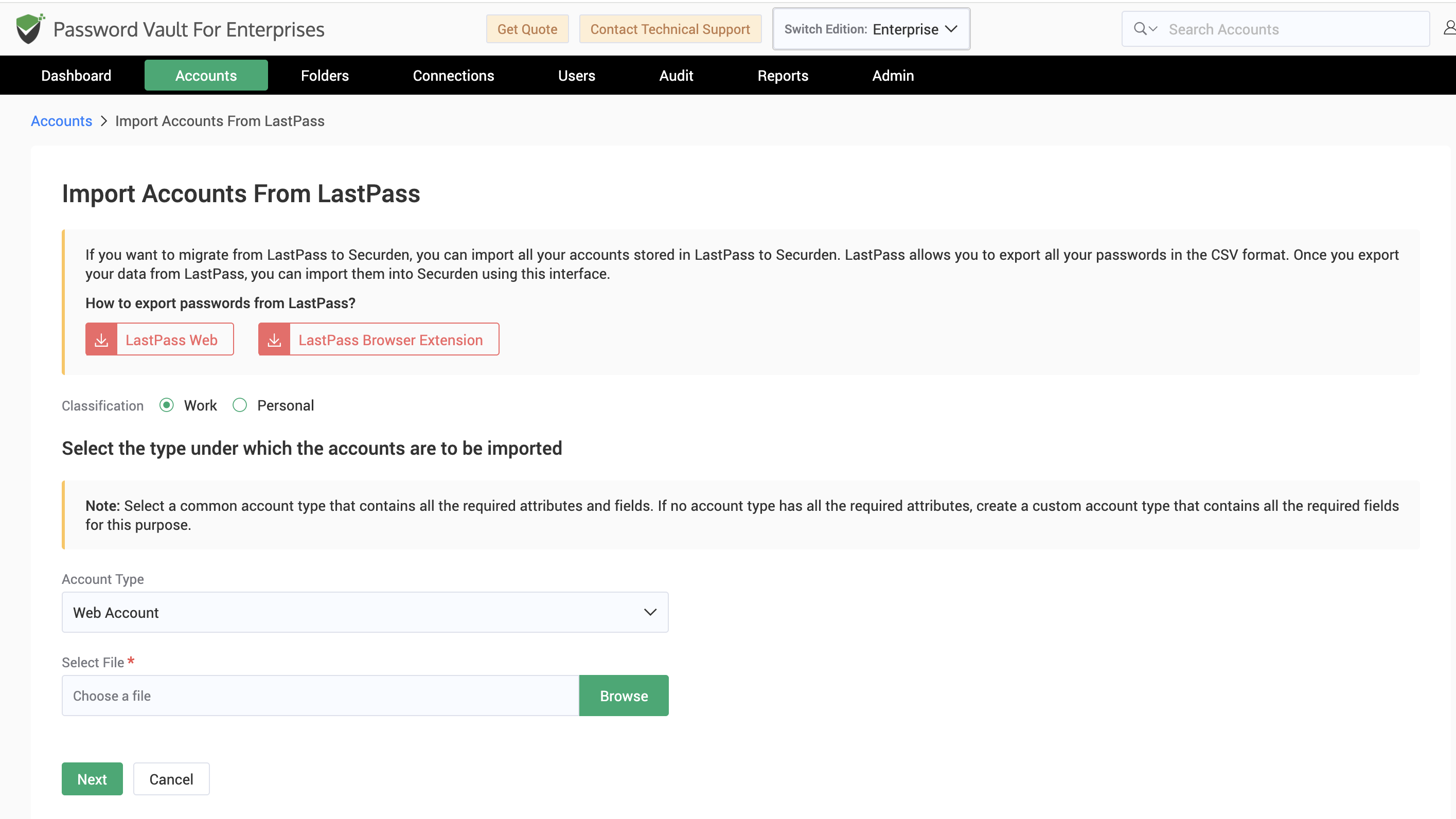
Store SSH Keys, Certificates, and Files Alongside Credentials
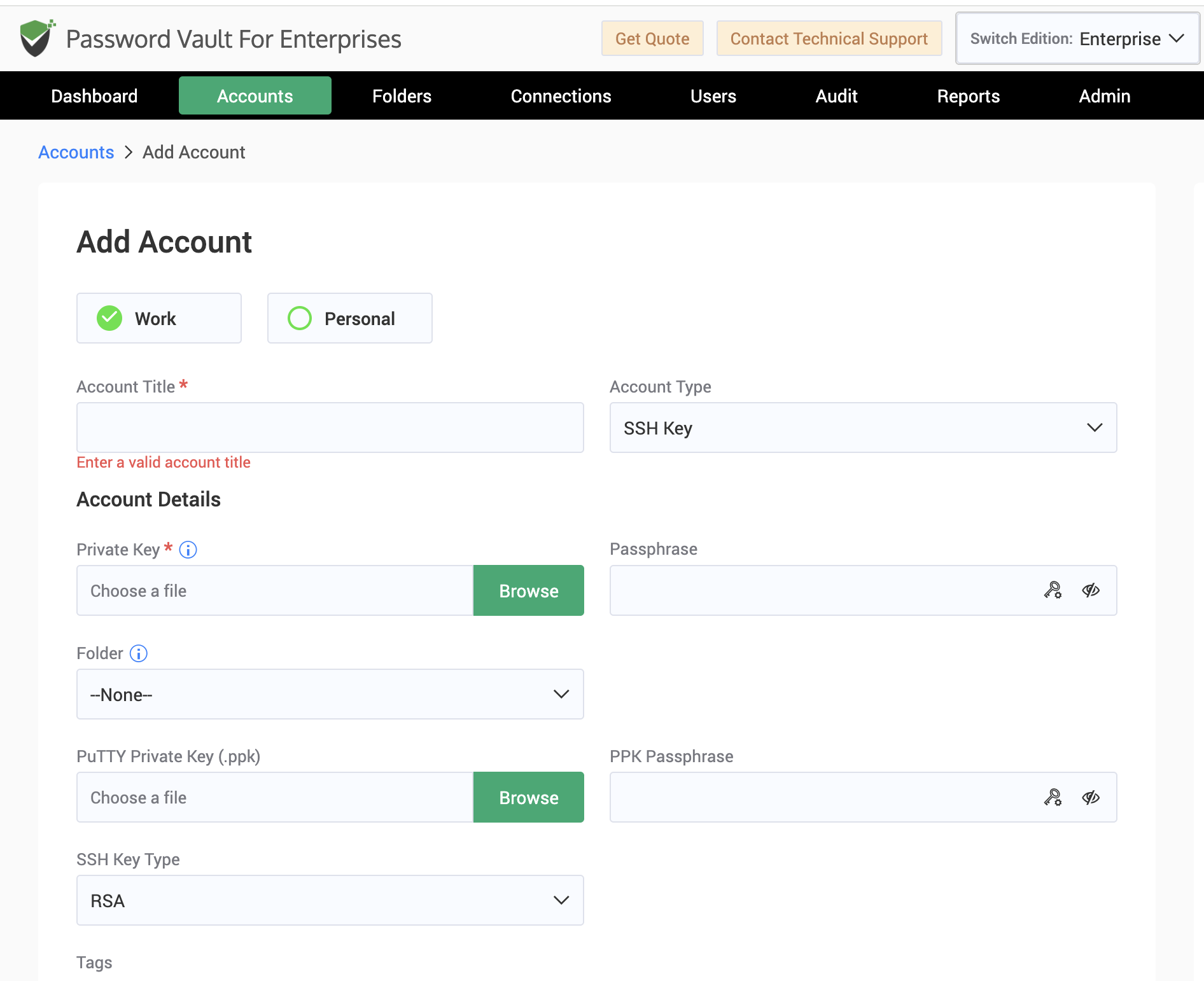
It’s common for organizations to store passwords in a secure vault, but SSH keys, certificates, configuration files, recovery instructions, compliance evidence, vendor documentation, and other account-related files often remain scattered across shared drives and separate storage systems. Securden Password Vault for Enterprises eliminates this gap by letting you store all of them alongside passwords in a single encrypted vault. With everything protected by the same access controls and policies, every account becomes a complete, well-organized record that's easier to manage, locate, and audit.
Built for Enterprise-Scale Credential Management
Whether your organization manages hundreds or thousands of privileged accounts, Securden Password Vault for Enterprises provides a centralized, encrypted repository for storing and managing passwords, SSH keys, documents, and other enterprise secrets. With structured organization, powerful search, and secure sharing capabilities, IT teams can efficiently manage growing credential inventories from a single location while maintaining complete visibility, strong security, and granular control over access.
Benefits at a Glance
|
One Vault for Every Secret Consolidate passwords, SSH keys, certificates, API keys, confidential files, and other enterprise secrets in a single encrypted repository. |
Preserve Context Keep configuration files, recovery instructions, compliance evidence, and vendor documentation attached to the credentials they support. |
|
Eliminate Credential Sprawl Replace spreadsheets, browser vaults, shared drives, personal vaults, and other fragmented storage with one trusted source. |
Accelerate Enterprise Adoption Bulk import credentials from spreadsheets and popular password managers to centralize existing repositories with minimal effort. |
|
Stay Organized at Any Scale Structure credentials using folders, categories, and custom metadata, making it easy to manage thousands of accounts without losing control. |
Strengthen Security & Accountability Protect every stored secret with consistent access controls, centralized governance, and complete visibility into credential ownership. |
|
Find What You Need Faster Quickly locate accounts, secrets, and supporting files with powerful search, filters, and a centralized inventory. |
Build a Foundation for Privileged Access Create a secure repository that supports password sharing, access governance, password rotation, and broader privileged access management initiatives. |
Take Control of Every Enterprise Credential
Instantly get the visibility, control, and governance your IT needs to
protect your enterprise secrets with confidence.

