



Most enterprise password managers are good at one thing: password storage and rotation. Encrypt the credential, control who can see it, log when it's accessed, rotate it on schedule. That part of the job, the industry has mostly figured out.
What far fewer tools handle well is the part that actually matters more for security teams right now: deciding, in the moment — through an actual approval workflow — whether a specific person should get a specific credential or a password for a specific reason, and for how long. Storing a password safely and governing access to it are not the same problem. A lot of platforms only solve the first one and call it done.
That distinction sounds academic until you look at how access actually accumulates inside most organizations. Someone needed a database credential for a migration project six months ago. The project ended in April. The access didn't. Multiply that across every contractor, every "just in case" grant, every account a manager added someone to and never reviewed again, and you get a vault full of credentials that are technically secured but practically wide open, visible to far more people than currently need them, with no record of why.
The Standing Access Problem
This pattern has a name: privilege creep. And it's less about any individual bad decision than about how access tends to behave by default: it expands easily and almost never contracts on its own. Someone has to actively notice and revoke it, and in practice, nobody's job is to notice.
The risk isn't hypothetical. A credential that's been sitting accessible for months is a credential an attacker can find, phish for, or simply stumble into through a compromised account. And once they have it, there's no approval step standing between them and the system it unlocks. Auditors have started asking pointed questions about this too: not just "is the password encrypted," but "who approved this person having it, and when was that last reviewed."
Enterprises are responding by asking their enterprise password managers to do more than encrypt and store credentials, they want the platform to govern access itself. That means approval workflows before a credential is handed over, a defined time window on how long access lasts, automatic revocation when that window closes, and a complete record of who requested what and why. This is, functionally, what Just-in-Time (JIT) access was designed to provide, and it's why the concept is showing up in password manager requirements where it used to be reserved for full PAM deployments.
Just-In-Time (IT) Access and Approval Workflows in Securden Password Vault for Enterprises
Securden builds Just-in-Time (JIT) access into its enterprise password manager as a complete approval workflow, not as an add-on toggle.
It starts with the request itself. When a user needs a credential to a shared account, they don't get it on demand; they submit a request that includes why they need it and how long they expect to need it for. That request routes into the organization's approval chain rather than releasing the password automatically.
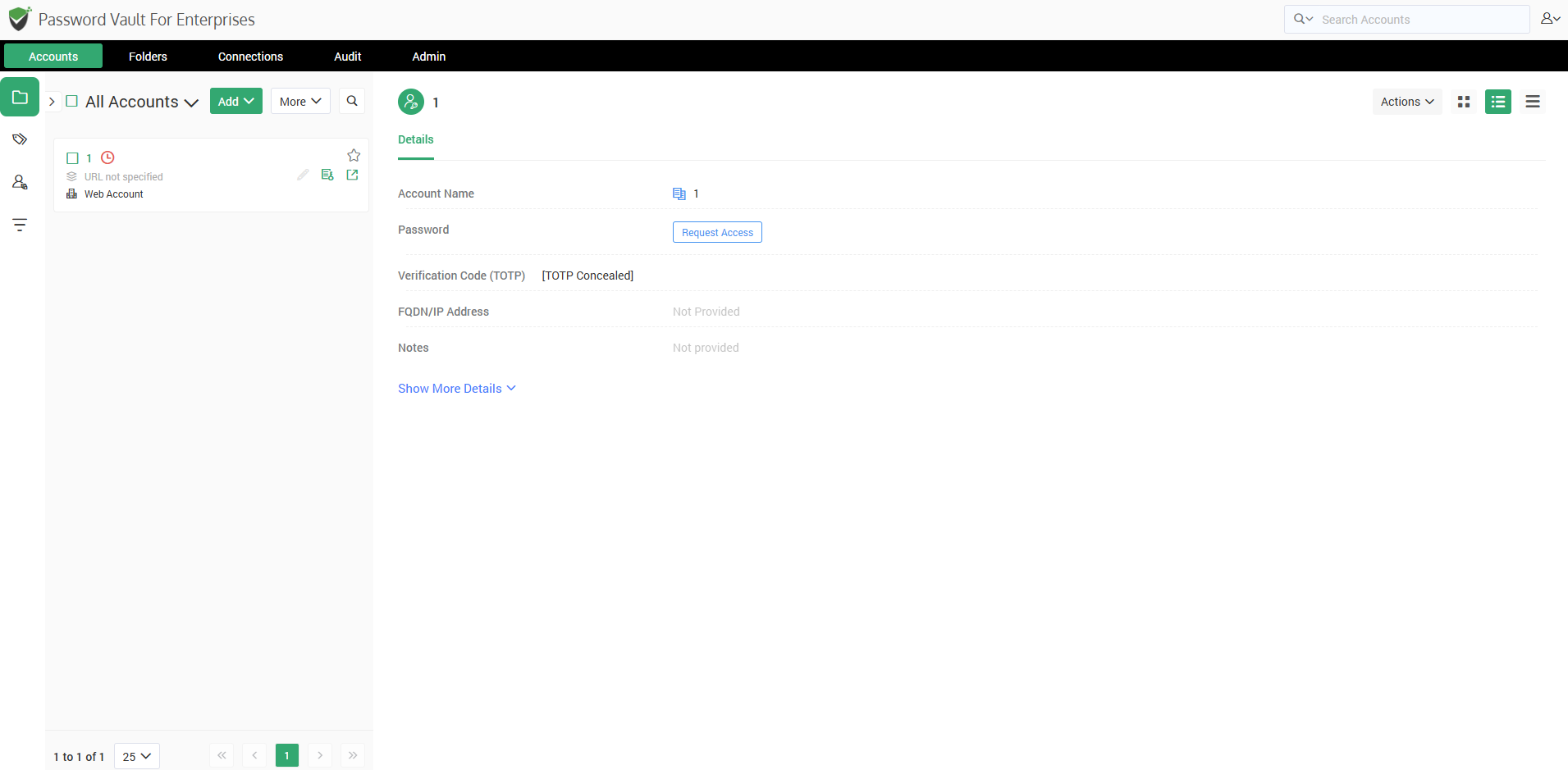
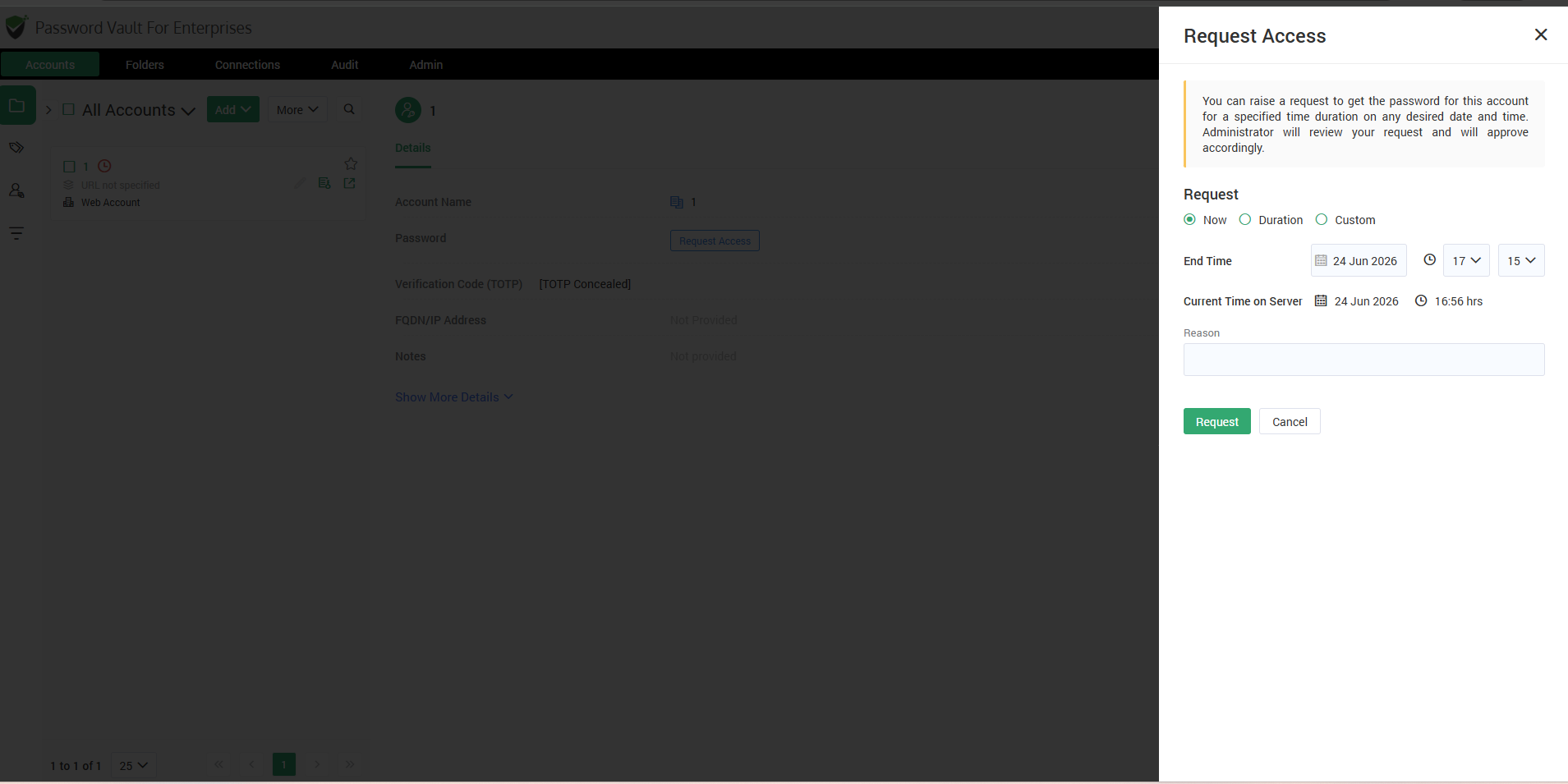
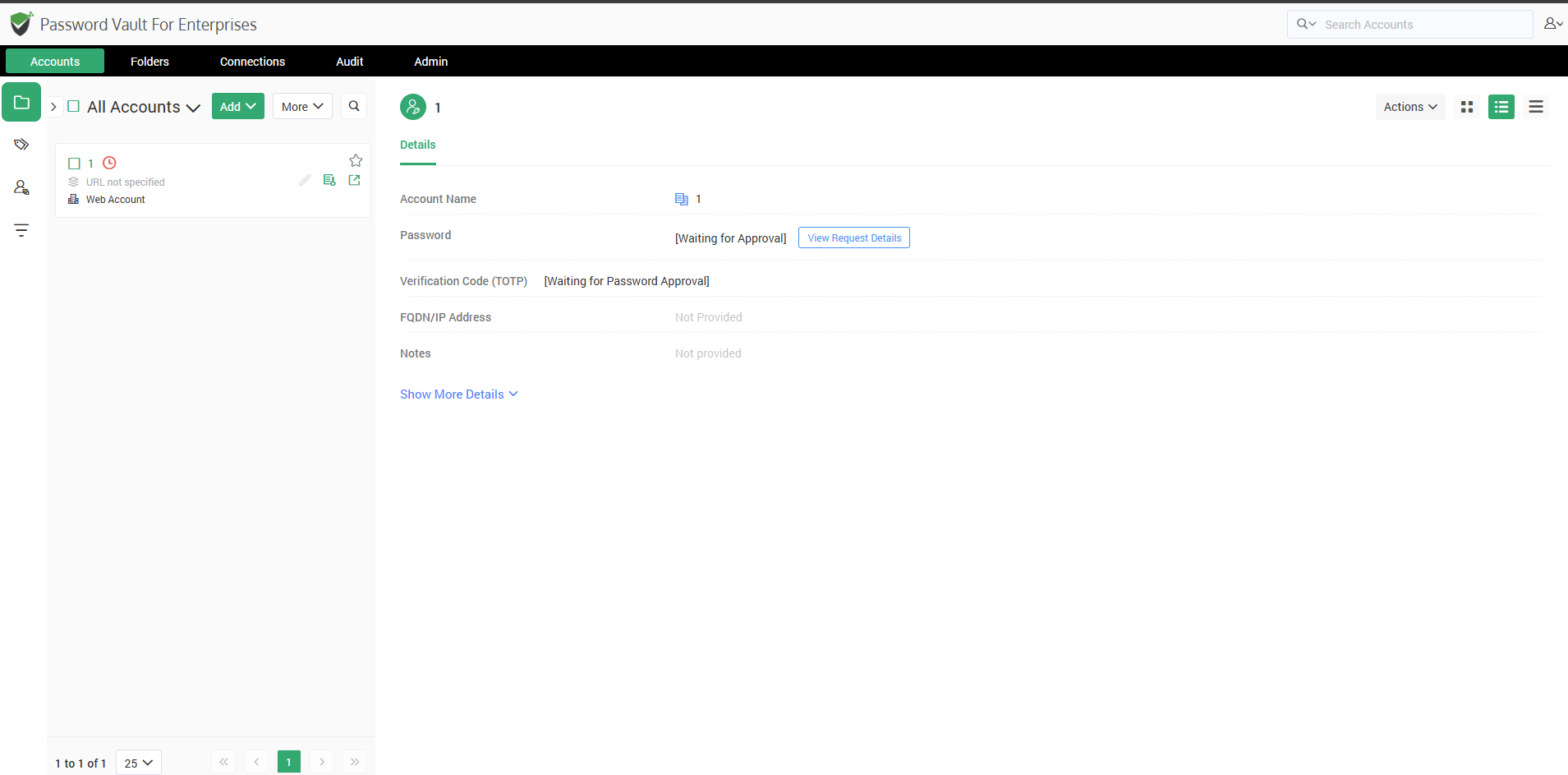
Not every account carries the same risk, so the approval process doesn't treat them identically. Admins can configure up to three levels of approval per account, which means a request for a low-stakes shared login and a request for a domain admin credential can follow entirely different paths. Specific users or groups can also be exempted from the approval step where it doesn't make sense to require it, and admins can define automatic-approval windows for predictable, lower-risk periods — while still requiring manual sign-off the rest of the time.
The result is a workflow that flexes with risk instead of slowing everyone down equally, which is what keeps Just-In-Time (JIT) access practical day to day rather than another bottleneck people try to route around.
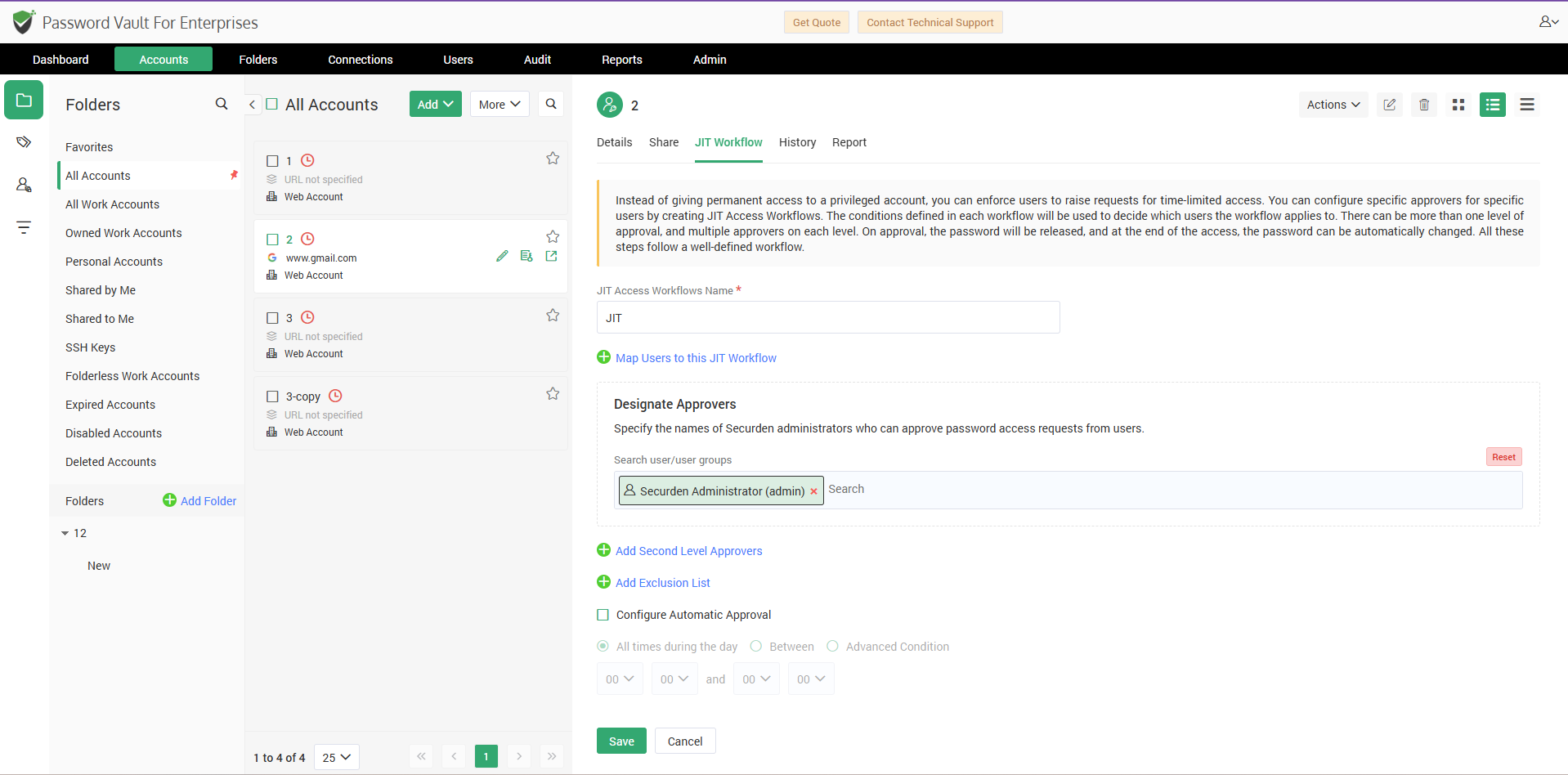
Once a request is approved, access is bound to the window that was granted — not a day longer. Approvers aren't locked into that decision either; they can extend or shorten the window after the fact if circumstances change, and they can monitor active sessions or cut access early if something looks off.
When the access window closes, Securden can automatically randomize the password; no one has to remember to reset it manually. The platform also prevents two users from accessing the same credential simultaneously, which closes a smaller but real accountability gap: if only one person can be using a credential at any given moment, there's never a question of who was actually behind an action taken with it.
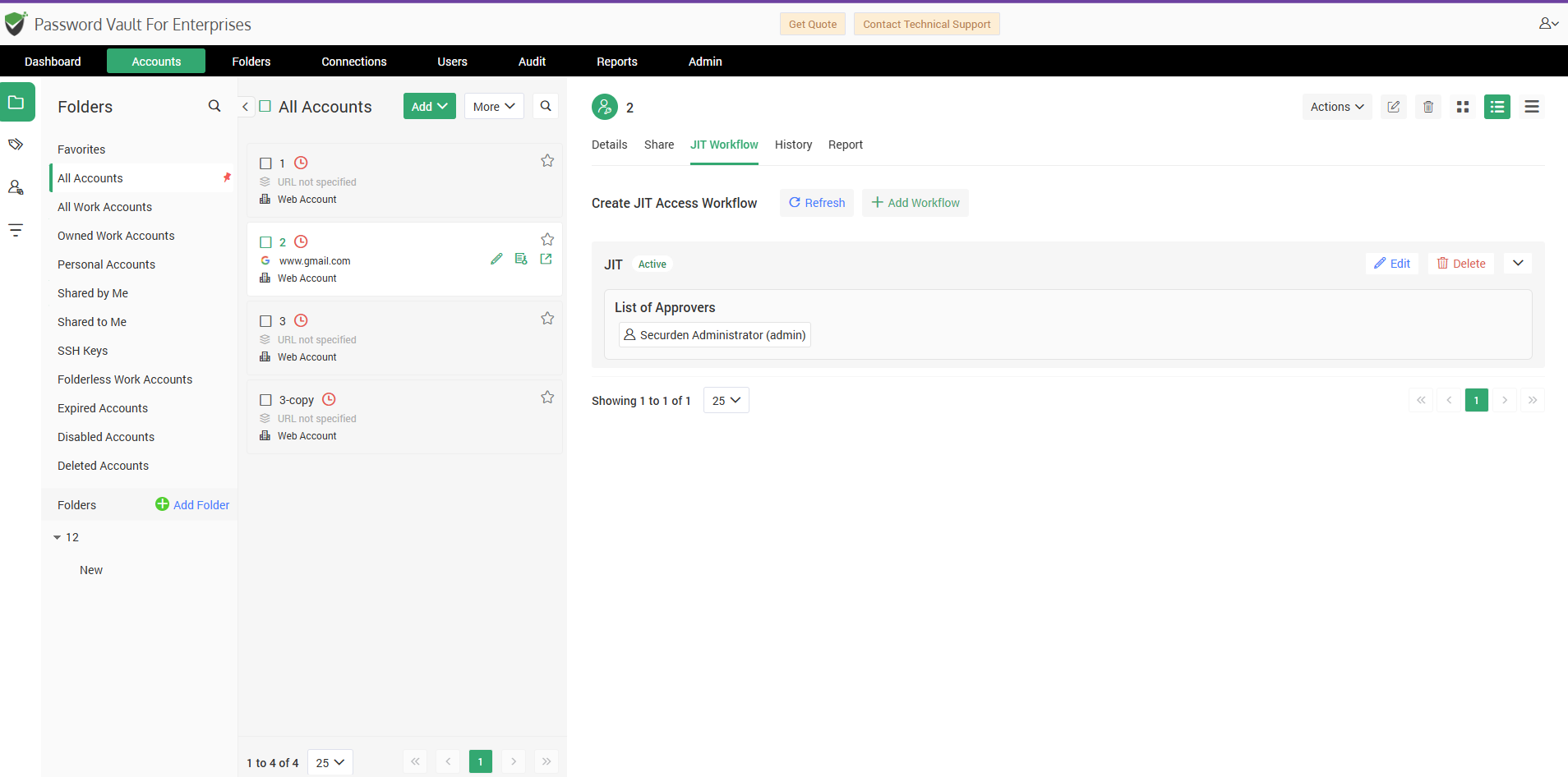
Every stage of the process — the request, the approval decision, any changes to the access window, the session itself, and the eventual expiry — is logged. Security and compliance teams get an audit trail that already exists, instead of one they have to reconstruct after an incident.
No single feature is the real win here. It’s about the real change brought to the password access workflow: credentials don't just sit open anymore. People have to ask for access. That access expires on its own. Every request gets logged automatically. And none of this slows people down — work still gets done fast.
That's increasingly the bar for enterprise password managers: Just-In-Time (JIT) access and approval workflows built in from the start, not added on after an audit forces the question.
For detailed explanation on how to enforce Just-In-Time (JIT) access in Securden Password Vault for Enterprises, click: https://www.securden.com/password-manager/help/account-management/how-to-configure-just-in-time-access-through-approval-workflow-in-password-vault.html
Move beyond password storage with Just-In-Time access, approval workflows, and complete audit trails. Achieve complete password governance with Securden Password Vault for Enterprises.
FAQs
How does Just-In-Time (JIT) access help prevent privilege creep?
Just-In-Time (JIT) access grants credential access only when it is needed and only for a predefined period. Once the approved access window expires, access is automatically revoked, helping organizations reduce standing privileges and prevent privilege creep.
Can a password manager provide Just-In-Time (JIT) access?
Yes. Modern enterprise password managers can enforce Just-In-Time access through approval workflows, temporary credential access windows, automatic password rotation, and audit logging. This allows organizations to govern credential access without deploying a full PAM solution.
What is the difference between password storage and access governance?
Password storage focuses on securely encrypting and storing credentials. Access governance focuses on controlling who can access those credentials, why they need access, how long they can use them, and maintaining an audit trail of approvals and usage.
Why are approval workflows important in enterprise password managers?
Approval workflows ensure that users cannot access sensitive credentials without authorization. They create accountability, reduce unauthorized access, support compliance requirements, and provide a documented record of who approved access and why.
